

Copper Chunk Loader Датапак для Minecraft 26.3
Датапак Chunk Loader, дружній до ванільного виживання. Більше застосувань для міді!
- завантажень
- 1 завантажень
- переглядів
- 31 переглядів
- Оновлено
- Оновлено 26.09.2026
- 1.21.2 — 26.3
 Датапак
- Клієнт і сервер
Copper Chunk Loader
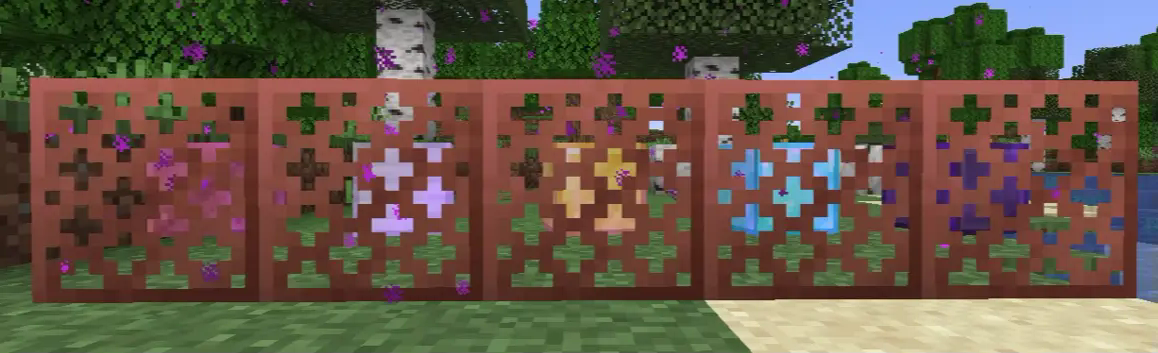
Chunk loader data pack that aims to be vanilla survival friendly and to find more uses for copper. This data pack is designed to be as simple as possible, so you can just drop it in your datapacks folder and start using it right away. No need to set up some fancy stuff.

📀 Features
Chunk Loader

Chunk Loader is a block that keep chunks around it always active even when the player leaves the area.

💡 Notice
Due to technical reasons, this chunk loader CANNOT simulate player's chunk tick. This means mob spawning mechanics WON'T WORK!
BUT you can still use this for anything that doesn't require player's chunk tick, such as Mob ticking related farm (for example Iron Golem Farm still works), Crops growing*, Cauldrons filling*, Redstone contraptions, Furnace burning, Duplication, etc.
For more information on this topic, please see Chunk tick.
- 1.21.5+ only, any version below 1.21.5 still require a player to be nearby.
Tiers
Chunk Loader comes with 5 tiers, Copper, Iron, Gold, Diamond, and Netherite.
Each tier increases the range of active chunk loading, with higher tiers covering more chunks.
Here is the list of tiers with their range:
- Copper: 3x3 Chunks
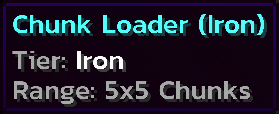
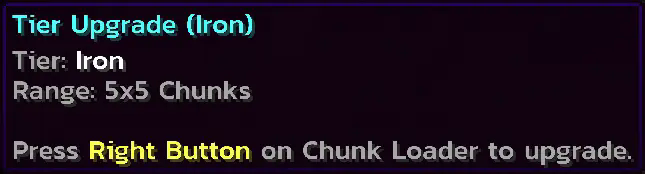
- Iron: 5x5 Chunks
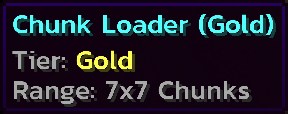
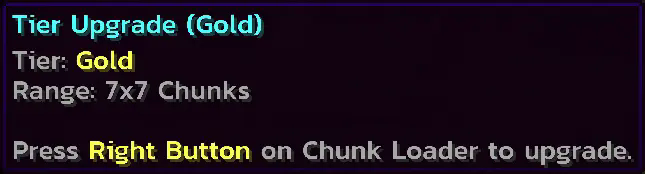
- Gold: 7x7 Chunks
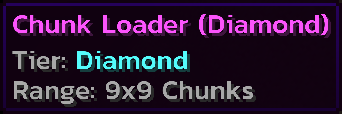
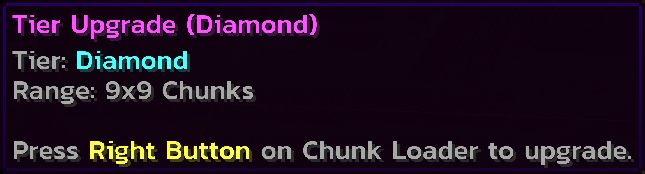
- Diamond: 9x9 Chunks
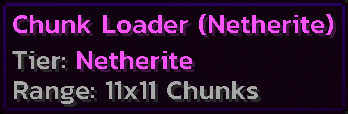
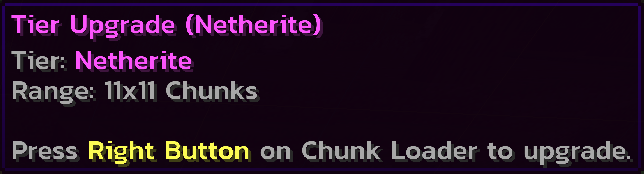
- Netherite: 11x11 Chunks
How to use?
Simple! Just place it. I've seen a lot of chunk loader data packs that require you to set up some stuff for the chunk loader to be activated. And I'm here to solve this problem by making it as simple as possible.
Placing
Breaking
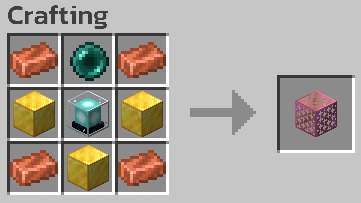
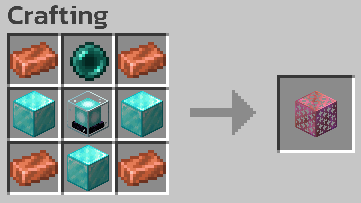
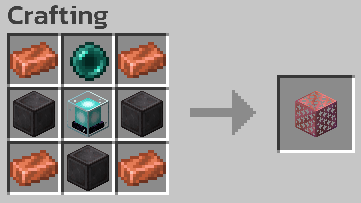
Recipes
Chunk Loader (Copper)
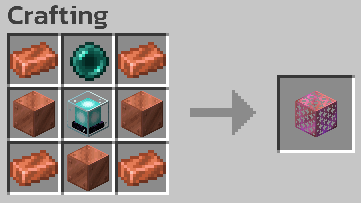
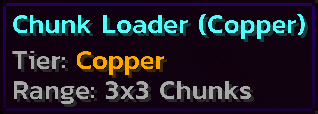
Chunk Loader (Iron)
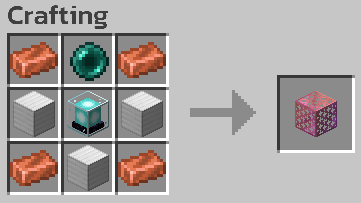
Chunk Loader (Gold)
Chunk Loader (Diamond)
Chunk Loader (Netherite)
Chunk Checker

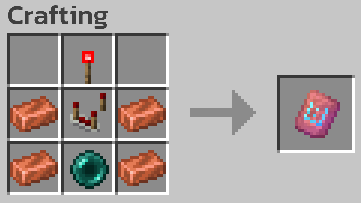
Chunk Checker is a tool to check whether or not the current chunk is affected by Chunk Loader, and to see the total affected chunks in the current dimension.
How to use?
Hold to see if the current chunk is affected by Chunk Loader.
Right Click to see total chunks affected by Chunk Loader.
Recipe
Chunk Checker

Tier Upgrade
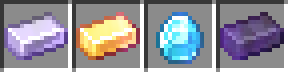
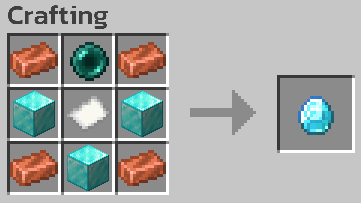
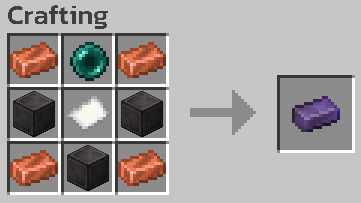
Tier Upgrade is an item used to upgrade Chunk Loader without crafting a new one.
How to use?
Hold a higher tier upgrade and right click on Chunk Loader block to upgrade.
Tier upgrade can be skipped. For example, you can directly upgrade from Copper to Diamond.
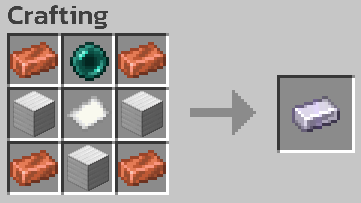
Recipes
Tier Upgrade (Iron)
Tier Upgrade (Gold)

Tier Upgrade (Diamond)
Tier Upgrade (Netherite)
Other Properties
Copper Properties

Oxidization
Chunk Loader can oxidize just like normal copper! You will also get an oxidized version when you break an oxidized Chunk Loader.
Waxing
Want to protect your Chunk Loader from oxidization? Wax it! You can wax Chunk Loader to keep them at their current state.
Stripping
You can also use your axe on Chunk Loader block to remove one layer of oxidization or wax!
Fire Damage Resistance
Netherite tier Chunk Loader and Netherite tier Tier Upgrade are immune to fire damage such as fire or lava. So you won't lose your valuable items from an accident!
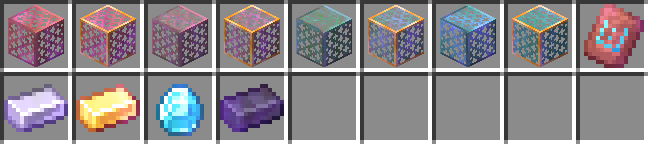
All Available Items
📦 How to install?
- Download the data pack from Modrinth or GitHub.
- Open your Minecraft world folder and navigate to the datapacks folder.
- Drag and drop the downloaded .zip file into the datapacks folder.
- Unzip the file. (It should look like this: /datapacks/copper-chunk-loader-X.X.X/...)
- Open your world in Minecraft and run the command /reload to load the data pack. (or /minecraft:reload if you're on a server)
- Done!
🗑️ How to uninstall?
- Make sure you remove all chunk loaders from your world.
- Simply delete the data pack file from the datapacks folder.
- Run the command /reload.
- Done!
⚠️ Known Issues
- DO NOT use piston with Chunk Loader to prevent item loss. Chunk Loader is now having a problem with piston movement.
- You need to revisit the area that Chunk Loaders are in after the server restart or when you reopen the single player world.
❌ Known Incompatibility
- Fast Item Frames mod, due to the mod changing item frames to be modded blocks.
Як встановити Copper Chunk Loader
With Millida Launcher
Install Millida Launcher
The launcher is free: download it at millida.net/launcher and sign in with any nickname.
Click “Install” on this page
The launcher opens and installs the data pack for Minecraft 1.21.2–26.3 automatically.
Launch the game
A profile with it appears in the launcher: click “Play”.
Manually
Download the archive
Pick the file copper-chunk-loader-1.0.4.zip (376 KB) for your game version.
New world: “Data Packs”
When creating a world, click “Data Packs”, drag the archive into the window, then move it to “Selected”.
Existing world: the datapacks folder
Put the archive into saves/<world>/datapacks and type /reload in game.
On a server
Archive goes into the server world’s datapacks
The world/datapacks folder on the server; players do not need to install anything.
Reload the data
Type /reload in the server console or restart the server.
Use the “To server” button
On Millida Hosting, the button at the top of the page uploads the file to your server and restarts it for you.
Версії
Із залежностями
| Minecraft | Завантажувач | Файл | Дата | Дії |
|---|---|---|---|---|
| 26.3 | Датапак | 26.3376 КБ 1 | ||
| 26.2 | Датапак | 26.2300 КБ | ||
| 26.1 | Датапак | 26.1300 КБ | ||
| 1.21.11 | Датапак | 1.21.11300 КБ |
Відгуки
Станьте першим, хто оцінить Copper Chunk Loader


