
Right here


LiteShield
0çevrimiçi
Minecraft sunucusu Java, oyun modu: Hayatta Kalma: IP adresi ve çevrimiçi
- Listede yer
- Sürümler
- 1.21 – 26.2
- Platform
- Java
- Lisanslı
- Takma adla giriş
- Nasıl katılınır
- Straight by IP
- Oylar Kasım ayında
- 0
- Tüm zamanların oyları
- 0
- Aylık puan
- 6
Sunucu etiketleri
Sunucu etiketleri
Related lists
Sunucu hakkında
Our server aims to stand out among competitors and innovate the game! We are a vanilla+ server with a huge variety of custom features and functions!
Our features:
- Banking system
- Support for the newest Minecraft versions!
- Implementation of popular community ideas that were never added!
- A variety of plugins that will improve gameplay on the server!
Çevrimiçi
6 dk önce güncellendiSunucuya nasıl katılınır LiteShield
Sunucuya nasıl katılınır LiteShield
PC'den nasıl katılınır
- 1Minecraft'ı başlat Java Edition doğru sürümde.
- 2Ana ekranda Çok Oyunculu'ya bas.
- 3Sunucu Ekle'ye bas ve adresi yapıştır.
- 4IP'yi yapıştır: mc.liteshield.space
- 5Kaydet, listeden sunucuyu seç ve Sunucuya Katıl'a bas.
Telefondan nasıl katılınır
- 1Sadece PC: sunucu Java Edition'da çalışır.
LiteShield, Minecraft 1.21 sürümünde
LiteShield sunucusuna Minecraft 1.21 ile katılmak için oyunu bu sürümde başlat, sunucu listene mc.liteshield.space IP'sini ekle ve bağlan. Sunucu farklı bir sürümde çalışıyorsa uyumlu bir istemci kullan.
LiteShield, Minecraft 1.20 sürümünde
LiteShield sunucusuna Minecraft 1.20 ile katılmak için oyunu bu sürümde başlat, sunucu listene mc.liteshield.space IP'sini ekle ve bağlan. Sunucu farklı bir sürümde çalışıyorsa uyumlu bir istemci kullan.
LiteShield, Minecraft 1.19 sürümünde
LiteShield sunucusuna Minecraft 1.19 ile katılmak için oyunu bu sürümde başlat, sunucu listene mc.liteshield.space IP'sini ekle ve bağlan. Sunucu farklı bir sürümde çalışıyorsa uyumlu bir istemci kullan.
LiteShield, Minecraft 1.18 sürümünde
LiteShield sunucusuna Minecraft 1.18 ile katılmak için oyunu bu sürümde başlat, sunucu listene mc.liteshield.space IP'sini ekle ve bağlan. Sunucu farklı bir sürümde çalışıyorsa uyumlu bir istemci kullan.
LiteShield, Minecraft 1.17 sürümünde
LiteShield sunucusuna Minecraft 1.17 ile katılmak için oyunu bu sürümde başlat, sunucu listene mc.liteshield.space IP'sini ekle ve bağlan. Sunucu farklı bir sürümde çalışıyorsa uyumlu bir istemci kullan.
LiteShield, Minecraft 1.16.5 sürümünde
LiteShield sunucusuna Minecraft 1.16.5 ile katılmak için oyunu bu sürümde başlat, sunucu listene mc.liteshield.space IP'sini ekle ve bağlan. Sunucu farklı bir sürümde çalışıyorsa uyumlu bir istemci kullan.
Sunucu sıfırlamaları
Sosyal medya 7/24 takipSunucu haberleri
Tüm haberlerGuys, buy me Discord Nitro please, gift it to me
@liteshield
Channel name was changed to «LiteShield»
Need a high-quality Discord server, bot, or plugin without any hassle? I offer turnkey development: • Discord servers with full setup and beautiful design. • Discord bots of any complexity. • Telegram bots. • Minecraft plugins. Individual approach, modern implementation, and support at every stage. You can place an order right in my Discord server - open a ticket, describe the task, and we'll get to work right away. Server:
Yorumlar · 0
Yorumlar · 0
Henüz yorum yokYorum yapmak için giriş yap
Sık sorulan sorular
Sık sorulan sorular
What is the IP address of LiteShield?
The IP address of LiteShield is mc.liteshield.space. Copy it from this page and paste it into your Minecraft client when you add the server.
How do I join LiteShield?
Open Minecraft → Multiplayer → Add Server, paste the IP mc.liteshield.space and press Done. Then pick the server from the list and hit Join Server.
Which Minecraft version does LiteShield run?
LiteShield runs version 26.2 (Java). Connect with a matching client version.
Do I need a premium Minecraft account for LiteShield?
No, LiteShield is a nickname login server: you can join with an offline account by entering a nickname.
Can I join LiteShield from a phone?
LiteShield is a Java server, made for the PC edition of Minecraft. You cannot join it from Bedrock on a phone directly.
What does LiteShield have?
LiteShield has: Clans, Events, Custom items, Player shops, Voice chat, No lag, Anti-cheat, Not pay-to-win, Beginner-friendly. The full list of modes and features is in the server tags block on this page.
Does LiteShield have voice chat?
Yes, LiteShield has voice chat — you can talk to other players in game.
How do I vote for LiteShield, and why bother?
Open the LiteShield page and press Vote (once a day). Votes move the server up the Millida server list, and the server hands out an in-game reward for voting.
When is the next wipe on LiteShield?
Wipe dates for LiteShield live on a separate schedule page — we take them from the project's own channel and show a countdown. If nothing is announced, the server has not named a date.
Where is the community and the news of LiteShield?
The LiteShield community lives on Discord, Telegram — the links are in the contacts block on this page. News, wipes and events are posted there too.
İletişim2 subscribers
Discorddiscord.gg/gd8ZkYkSSe
Telegram2t.me/ls_vanilla
TikToktiktok.com/@ltvanilla
Mağazaliteshield.mydonate.io
Kontrol edildi: sosyal medya · açıklama

Sunucu için oylar
Etkinlik akışı
Site gömme kodu
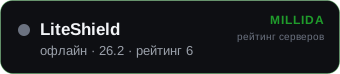
Sunucu sitesinde bize bir bağlantı: yayında kaldığı sürece +1 puan.
Benzer sunucular

gridsmp
Hayatta Kalma

Best
Hayatta Kalma

Mc-complex
Hayatta Kalma

BullCraft
Hayatta Kalma

Hugosmp
Hayatta Kalma

Best
Hayatta Kalma

Mchub
Hayatta Kalma

Best
Hayatta Kalma

Bms
Hayatta Kalma

Rinaorc
Hayatta Kalma

MineVast
Hayatta Kalma

Wildprison
Hayatta Kalma

Craft-mc
Hayatta Kalma

Icsv
Hayatta Kalma

Tobiasz
Hayatta Kalma

Minecadia
Hayatta Kalma

Craftmc
Hayatta Kalma

migosmccraft
Hayatta Kalma