

Water Shader Alpha za Minecraft 1.21
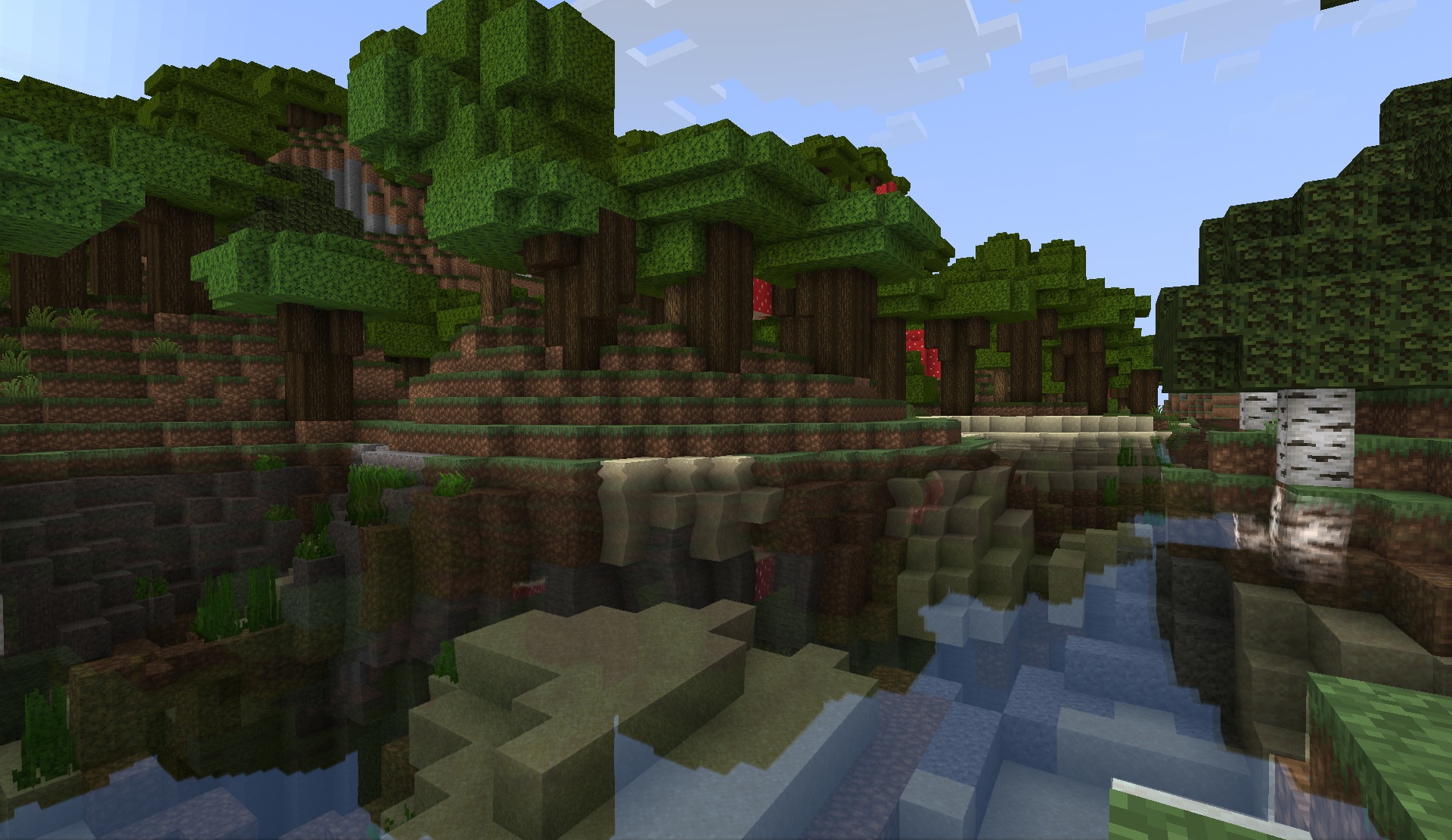
Reflektujuća, prelamajuća i talasajuća voda.
- preuzimanja
- 2 preuzimanja
- pregleda
- 63 pregleda
- Ažurirano
- Ažurirano 03.09.2026
- 1.20 — 1.21
 Fabric
- Klijent
Water Shader Alpha
About
The Water Shader Mod is an old mod created by Necrowizzard and later updated by Superbomb17 that features reflections, refractions, and waving water. This shaderpack is a complete rewrite of the original water shader mod and updates it to a shaderpack compatible with Iris for Minecraft 1.20+. This new shader is more stable, suffers fewer bugs, and fixes issues from the original mod.

Kako instalirati Water Shader Alpha
With Millida Launcher
Install Millida Launcher
The launcher is free: download it at millida.net/launcher and sign in with any nickname.
Click “Install” on this page
The launcher opens and installs the shaders for Minecraft 1.20–1.21 automatically.
Launch the game
A profile with it appears in the launcher: click “Play”.
Manually
Install Iris
Without a shader mod the game cannot see shaders. Install it for the same Minecraft version.
Download the shader archive
Pick the file Water Shader Alpha.zip (2.5 MB) and do not unpack it.
Put it in the shaderpacks folder
“Options”, then “Video Settings”, then “Shader Packs”, then “Open Shader Pack Folder”, and drag the archive there.
Select the shaders
In the same window, click the pack name and “Apply”.
Verzije
Sa zavisnostima
| Minecraft | Loader | Fajl | Akcije |
|---|---|---|---|
| 1.21 | Iris | 1.212.5 MB 2 |
Recenzije
Budi prvi koji će oceniti Water Shader Alpha


