

Karma Shader za Minecraft 1.20.1, 1.21.1
Stilizovan, optimizovan Minecraft shaderpack sa volumetrijskim voxel oblacima, svetlosnim zracima, bogatom vodom sa refleksijama, talasajućim lišćem i prilagođenim impresivnim atmosferama i za Nether i za End dimenzije, potpuno bez ikakve teške magle.
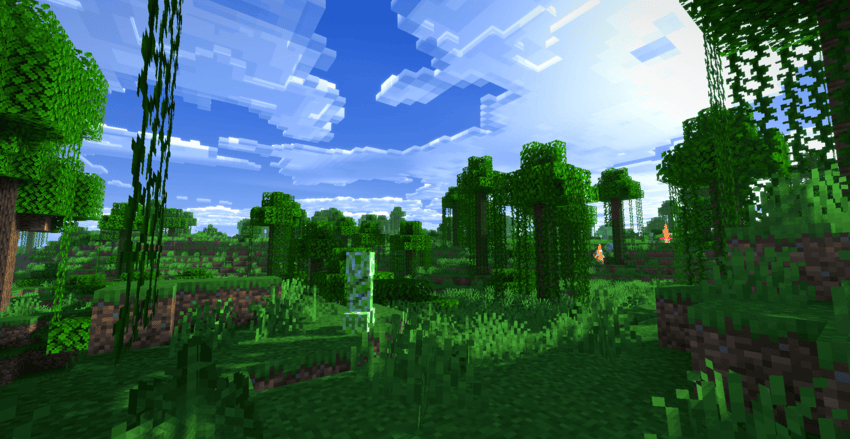
Karma Shader
Karma Shader brings Minecraft to life with stylized visuals and immersive atmospheres-all while keeping your frame rate smooth! No blinding fog, just pure aesthetic upgrades.
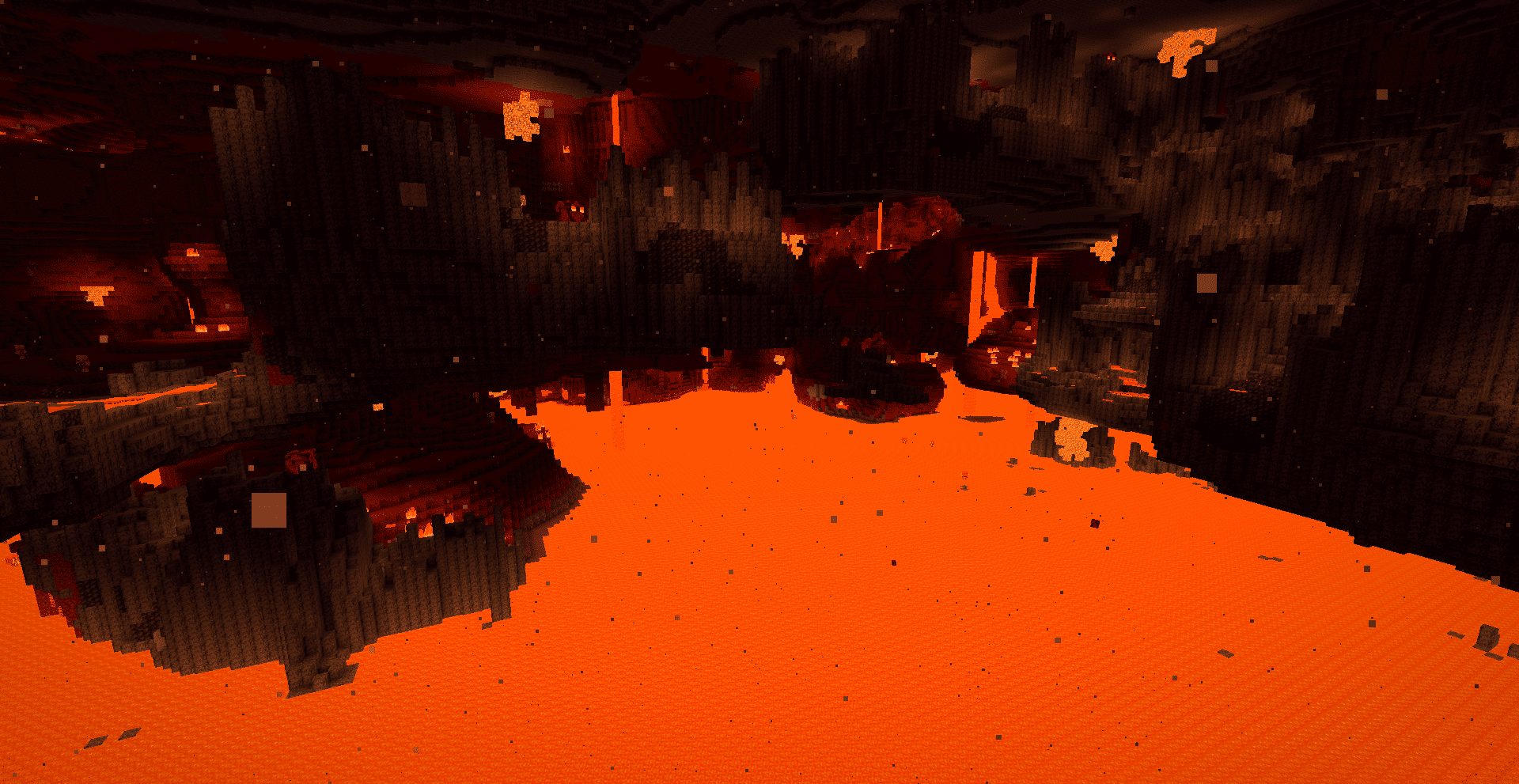
Why choose Karma?
- Voxel Clouds: Beautiful, self-shadowed 3D clouds that melt into the horizon.
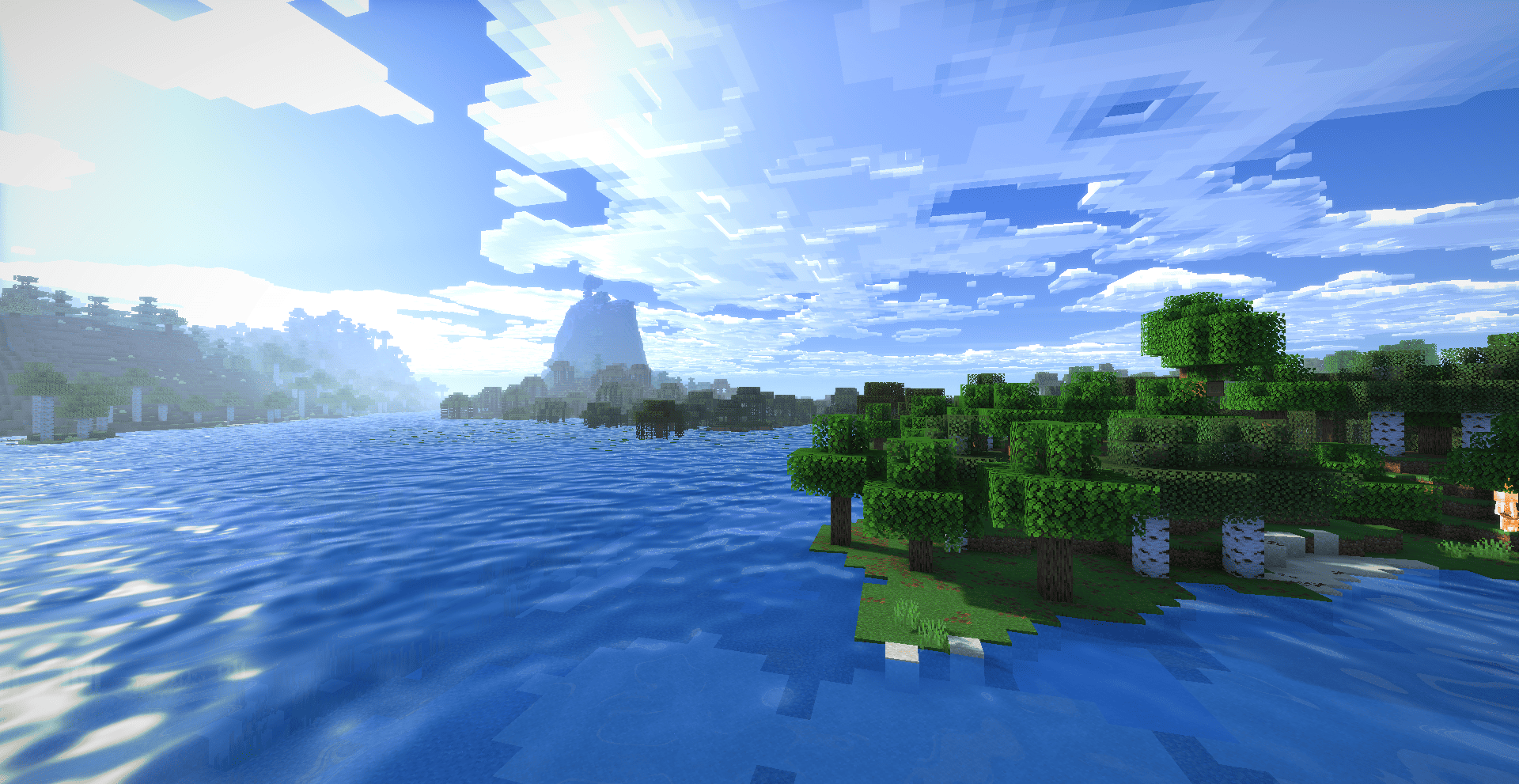
- Enchanted Water: Two-tone turquoise water with custom reflections and sun glare.
- God Rays: Volumetric light shafts piercing trees and water, day and night.
- Living World: Smooth swaying grass, crops, and leaves reacting to the wind.
- The Nether: Volumetric embers and warm lava vapors (no boring fog).
- The End: Swirling space nebulae, twinkling auroras, and shooting stars!
Optimized & fully compatible with Iris and OptiFine.
Kako instalirati Karma Shader
With Millida Launcher
Install Millida Launcher
The launcher is free: download it at millida.net/launcher and sign in with any nickname.
Click “Install” on this page
The launcher opens and installs the shaders for Minecraft 1.18.2–26.3 automatically.
Launch the game
A profile with it appears in the launcher: click “Play”.
Manually
Install Iris or OptiFine
Without a shader mod the game cannot see shaders. Install it for the same Minecraft version.
Download the shader archive
Pick the file Karma Shader.zip (54 KB) and do not unpack it.
Put it in the shaderpacks folder
“Options”, then “Video Settings”, then “Shader Packs”, then “Open Shader Pack Folder”, and drag the archive there.
Select the shaders
In the same window, click the pack name and “Apply”.
Verzije
Sa zavisnostima
| Minecraft | Loader | Fajl | Datum | Akcije |
|---|---|---|---|---|
| 1.21 | — | Karma Shader.zip54.1 KB 9 |
Recenzije
Budi prvi koji će oceniti Karma Shader


