
Xtones Reworked Mod za Minecraft 1.20.1, 1.19.2
Port moda Xtones koji dodaje razne moderne, futurističke i fantazijske dekorativne građevinske blokove
 NeoForge
 Forge
ForgeO Xtones Reworked modu
Ažuriranje moda je obustavljeno. Molimo koristite BetterBlockZ mod od riciJak:
https:/www.curseforge.com/minecraft/mc-mods/betterblockz

Xtones Reworked
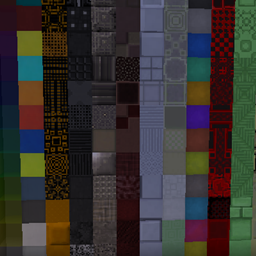
Xtones Reworked je mod za Minecraft 1.19.2 i novije verzije koji dodaje razne moderne, futurističke i fantazijske dekorativne građevinske blokove i lampu!
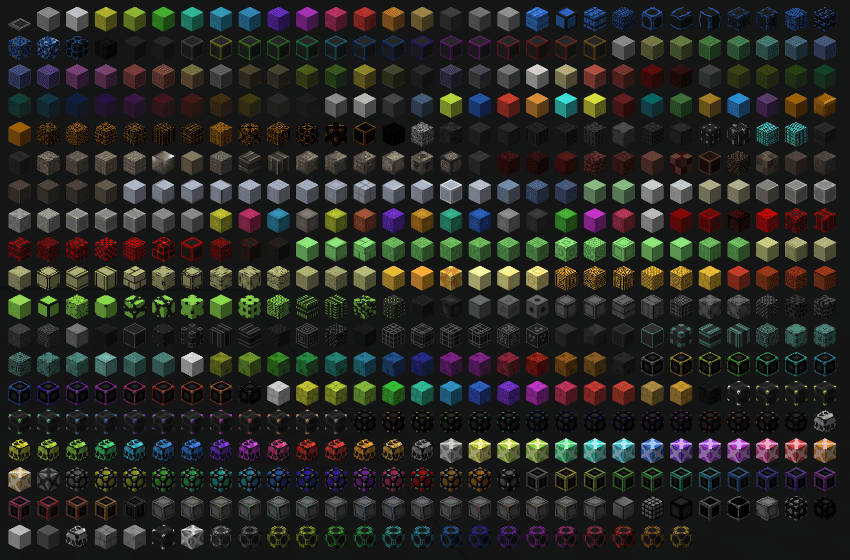
Ovaj mod dodaje 512 različitih građevinskih blokova koji se mogu koristiti za gradnju i dekoraciju.. Pronaći ćete sve 34 originalne vrste blokova sa njihovih 15 podvarijanti, koje se takođe nalaze u originalnom Xtones modu.
Osnovne blokove kao što su Agon ili Kryp možete napraviti po osnovnom receptu, a zatim ih promeniti u različite varijante pomoću recepta sa bojom ili pomoću stonecutter-a.
Ovo je port moda Xtones od TehNut. Kod je prepisan iz početka, a postojeće teksture su zadržane.
Napomena
Neću nastaviti podršku za Forge i koncentrisaću se na Neoforged, ali ću početi da podržavam fabric projekat za ovaj mod.
Kako instalirati Xtones Reworked
With Millida Launcher
Install Millida Launcher
The launcher is free: download it at millida.net/launcher and sign in with any nickname.
Click “Install” on this page
The launcher opens and installs the mod for Minecraft 1.19.2–1.21.10 on Forge or NeoForge automatically.
Launch the game
A profile with it appears in the launcher: click “Play”.
Manually
Install Forge or NeoForge
The loader must match the game version of the mod file, for example Minecraft 1.21.10. After installing it, a separate profile appears in your launcher.
Download the file for your version
In the version list above, pick the file xtonesreworked-1.0.0-1.21.9.jar (1.3 MB) for your game version and loader.
Put it in the mods folder
The folder is inside .minecraft (Windows: %appdata%\.minecraft\mods). If it does not exist, create it.
Launch the loader profile
Open “Mods” in the main menu: Xtones Reworked should be in the list.
Minecraft 1.21.10 runs on Java 21: with a different Java version the game may close right after launch.
Verzije
Sa zavisnostima
| Minecraft | Loader | Fajl | Datum | Akcije |
|---|---|---|---|---|
| 1.21.9 | NeoForge | xtonesreworked-1.0.0-1.21.9-1.21.x.jar1.3 MB | ||
| 1.20.1 | Forge | xtonesreworked-1.0.4-F_1.20.1-47.2.0.jar1.3 MB | ||
| 1.19.2 | — | xtonesreworked-1.0.1-1.19.2.jar1.3 MB |
Recenzije
Budi prvi koji će oceniti Xtones Reworked


