
- preuzimanja
- 1 preuzimanja
- pregleda
- 16 pregleda
- Ažurirano
- Ažurirano 17.10.2026
- 1.12.2 — 1.16.5
 Forge
Forge
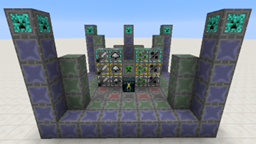
O Woot modu
NAPOMENA:
1.15/1.16 podržava Patchouli za vodič u igri
1.12 podržava Guide-API za vodič u igri
Lista promena
1.16 lista promena https://github.com/Ipsis/Woot/blob/1.16.x/CHANGELOG.md
1.15 lista promena https://github.com/Ipsis/Woot/blob/1.15.x/CHANGELOG.md
1.12 lista promena https://github.com/Ipsis/Woot/wiki/Woot-Changelog-1.12
Predstavljanje moda od strane RGSha
Svi smo to prošli u Minecraftu - pravljenje farme mobova.
Sve se svode na istu stvar.
- Stvori mobove
- Ubij mobove
- Sakupi XP i plen
- Izbori se sa gomilom entiteta koji se stvaraju
Woot radi stvari malo drugačije ..... ne stvara nijedan mob u svetu .... ŠTA?!
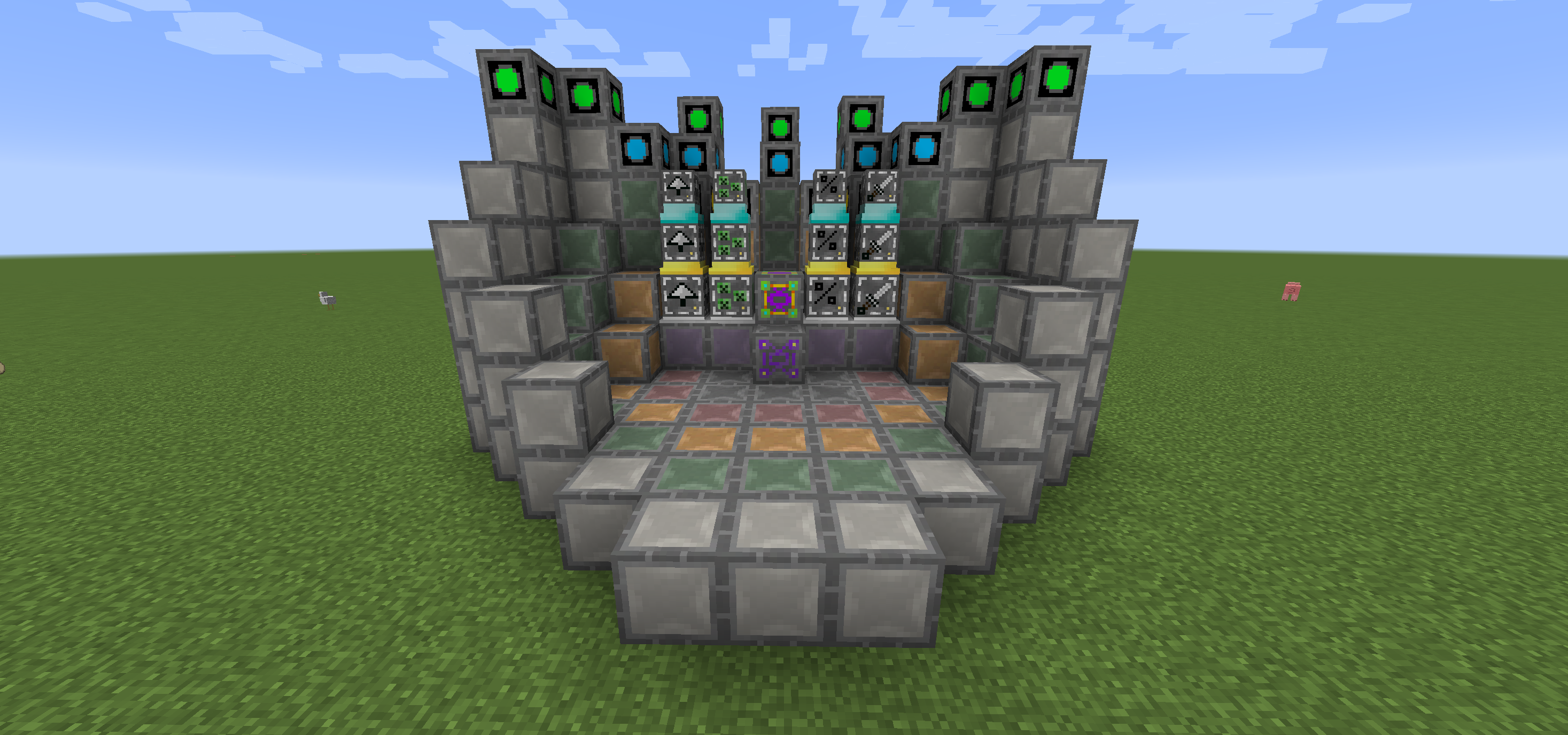
U Woot-u napraviš svoju fabriku, a zatim je programiraš sa mobom po tvom izboru. Zatim joj daš malo energije i inventar u koji će ići sav plen koji bi mob inače generisao.
Postoji više nivoa fabrike za obradu mobova višeg nivoa. Dakle, da, potrebna ti je velika fabrika da bi stvorio Wither!
Da bi život bio malo lakši, postoji blok rasporeda koji ti pokazuje gde treba da postaviš sve blokove u multibloku svakog nivoa.
Takođe možeš nadograditi svoju fabriku da dobiješ dodatne pogodnosti, a sve one koštaju dodatnu energiju.
- Looting I/II/III - primenjuje looting na ubijanje mobova
- Rate I/II/III - stvara mobove brže
- Mass I/II/III - stvara više mobova
- Decapitate I/II/III - povećana stopa ispadanja glava
- XP I/II/III - generiše XP krhotine
- Efficiency I/II/III - čini tvoju fabriku malo jeftinijom u pogledu energije
- BloodMagic I/II/III - generisanje Life Essence putem Rituala
https://github.com/Ipsis/Woot/wiki
http://www.minecraftforum.net/forums/mapping-and-modding/minecraft-mods/2659457-woot-the-alternative-mob-factory

Kako instalirati Woot
With Millida Launcher
Install Millida Launcher
The launcher is free: download it at millida.net/launcher and sign in with any nickname.
Click “Install” on this page
The launcher opens and installs the mod for Minecraft 1.12.2–1.16.5 on Forge automatically.
Launch the game
A profile with it appears in the launcher: click “Play”.
Manually
Install Forge
The loader must match the game version of the mod file, for example Minecraft 1.16.5. After installing it, a separate profile appears in your launcher.
Download the file for your version
In the version list above, pick the file woot-1.16.5-1.0.8.4.jar (1.1 MB) for your game version.
Put it in the mods folder
The folder is inside .minecraft (Windows: %appdata%\.minecraft\mods). If it does not exist, create it.
Launch the loader profile
Open “Mods” in the main menu: Woot should be in the list.
Minecraft 1.16.5 runs on Java 8: with a different Java version the game may close right after launch.
Verzije
Sa zavisnostima
| Minecraft | Loader | Fajl | Datum | Akcije |
|---|---|---|---|---|
| 1.16.5 | Forge | woot-1.16.5-1.0.8.4.jar1.1 MB 1 | ||
| 1.16.2 | Forge | woot-1.16.2-1.0.0.0.jar903 KB | ||
| 1.15.2 | — | woot-1.15.2-1.1.1.0.jar888 KB | ||
| 1.12.2 | — | woot-1.12.2-1.4.11.jar859 KB | ||
| 1.12.2 | — | woot-1.12.2-0.0.10.jar741 KB |
Česta pitanja
Which Minecraft versions does Woot work on?
There are files for 1.16.5, 1.16.4, 1.16.2, 1.15.2, 1.12.2. The newest is 1.16.5.
Is Woot for Forge or Fabric?
Only for Forge: 1.16.2–1.16.5. There are no files for Fabric or NeoForge: a mod for another loader will not start.
Does Woot need other mods?
The author lists no required dependencies: the Forge loader is enough.
Which Java does Woot need?
Minecraft 1.16.5 runs on Java 8. If the game closes right after launch, the usual cause is the wrong Java version in the profile settings.
Where can I download Woot safely?
On this page: the file woot-1.16.5-1.0.8.4.jar (1.1 MB) is stored on Millida’s server, with no link shorteners. SHA-1 checksum: 271c86303514ca621fecfe41d1e6688e156738b8.
Recenzije
Budi prvi koji će oceniti Woot


