

 Forge
O Transport modu
Transport je kombinovani mod za sve moje ideje koje se tiču rudarskih kolica i čamaca. Trenutno mod podržava nekoliko dodatnih šina za rudarska kolica i utovarivača, a plan je ne samo da se to proširi, već i da se dodaju vozovi, povezivanje kolica, automatizovani čamci, pa čak i dalje ideje poput konjskih staza, podmornica i još mnogo toga.
Ovaj mod je zamišljen da uključi moje dalje ideje kao što su Vehicular Engineering, OpenTransport, Magical Railways i druge modove koje sam imao, a da se ne pretvori u 20 modova.
Trenutno su implementirana dva seta funkcija.
Šine: Holding, Diamond Crossing, Elevator Switch, Scaffolding Rail
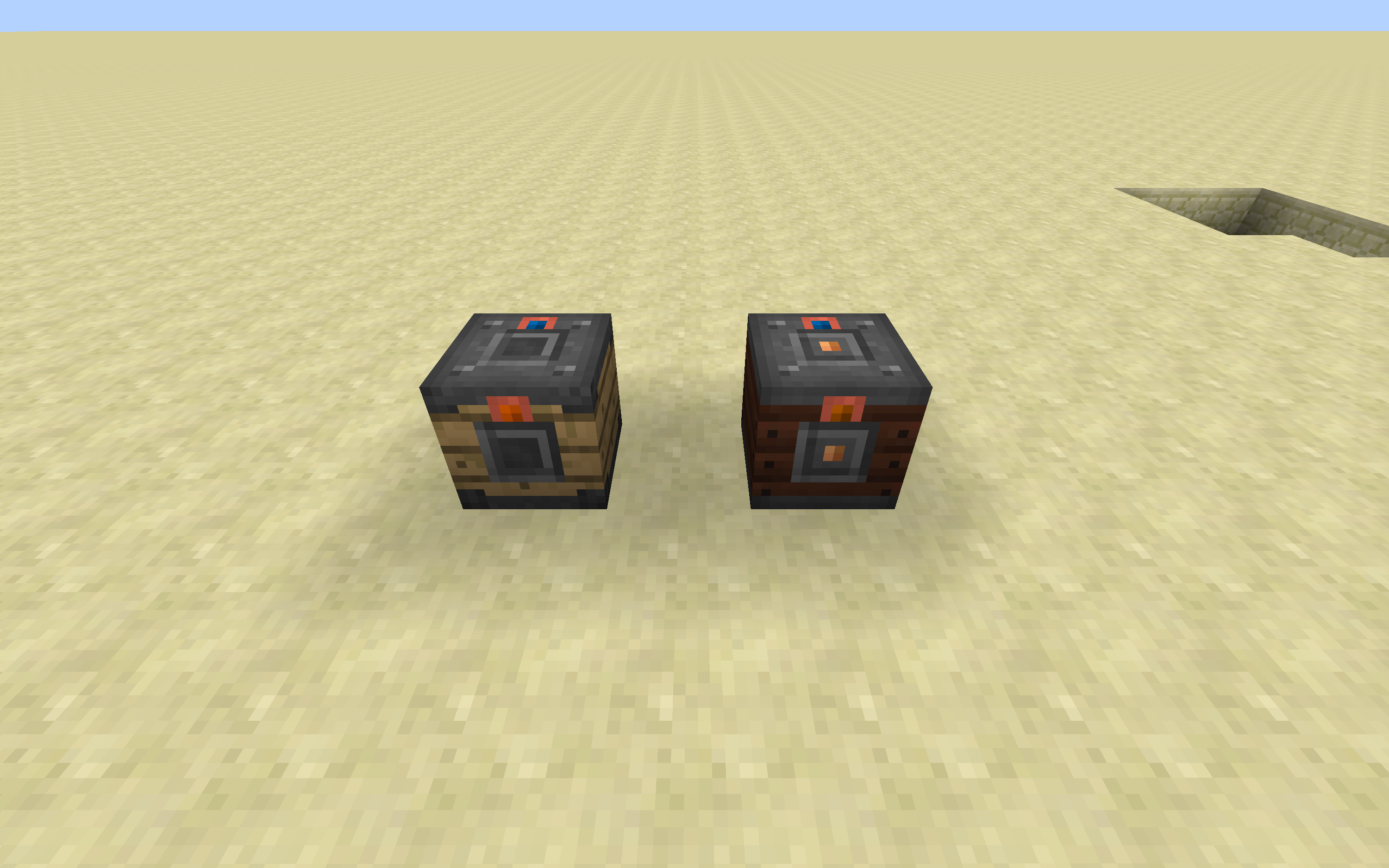
Utovarivači: Inventory, Forge Energy, Fluid Tank
Kolica: Inventory, Forge Energy, Fluid Tank
Kod utovarivača, oni na početku nemaju ulazne ili izlazne strane. Koristeći bilo koji predmet označen tagom "forge:wrenches" (napomena: podrazumevano je štap), možete podesiti strane da budu ili ulazi ili izlazi. Strane podržavaju i blokove i entitete (uključujući igrače).
Pridružite nam se na Discord-u: https://discordapp.com/invite/0h9DNazfyABqZMeC
Kako instalirati Transport
With Millida Launcher
Install Millida Launcher
The launcher is free: download it at millida.net/launcher and sign in with any nickname.
Click “Install” on this page
The launcher opens and installs the mod for Minecraft 1.16.5 on Forge automatically.
Launch the game
A profile with it appears in the launcher: click “Play”.
Manually
Install Forge
The loader must match the game version of the mod file, for example Minecraft 1.16.5. After installing it, a separate profile appears in your launcher.
Download the file for your version
In the version list above, pick the file Transport-1.16.5-3.7.0.jar (1.1 MB) for your game version.
Put it in the mods folder
The folder is inside .minecraft (Windows: %appdata%\.minecraft\mods). If it does not exist, create it.
Launch the loader profile
Open “Mods” in the main menu: Transport should be in the list.
Minecraft 1.16.5 runs on Java 8: with a different Java version the game may close right after launch.
Verzije
Sa zavisnostima
| Minecraft | Loader | Fajl | Datum | Akcije |
|---|---|---|---|---|
| 1.16.5 | Forge | Transport-1.16.5-3.7.0.jar1.1 MB 1 | ||
| 1.16.5 | — | Transport-1.16.5-3.5.1.jar1005 KB |
Česta pitanja
Which Minecraft versions does Transport work on?
Only Minecraft 1.16.5: there are no files for other versions.
Is Transport for Forge or Fabric?
Only for Forge: 1.16.5. There are no files for Fabric or NeoForge: a mod for another loader will not start.
Does Transport need other mods?
The author lists no required dependencies: the Forge loader is enough.
Which Java does Transport need?
Minecraft 1.16.5 runs on Java 8. If the game closes right after launch, the usual cause is the wrong Java version in the profile settings.
Where can I download Transport safely?
On this page: the file Transport-1.16.5-3.7.0.jar (1.1 MB) is stored on Millida’s server, with no link shorteners. SHA-1 checksum: 1bb22c300d636feafb2da3462470429955f61c10.
Recenzije
Budi prvi koji će oceniti Transport


