

Tips Mod za Minecraft 1.20.1, 1.12.2
Ovaj mod dodaje savete na ekrane za učitavanje. Takođe omogućava modpackovima i modovima da dodaju svoje savete!
 Fabric
 Forge
ForgeO Tips modu
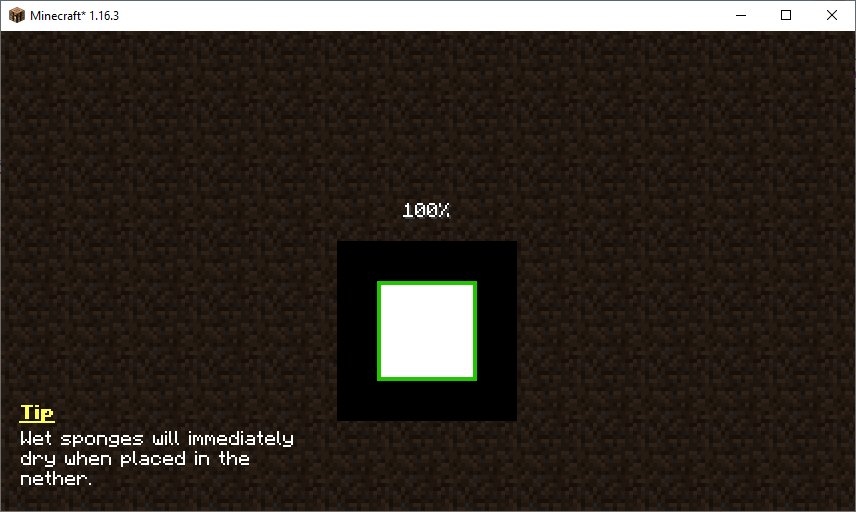
Ovaj mod prikazuje korisne savete na određenim ekranima igre, kao što je ekran za učitavanje sveta. Prikazani savet se menja svakih pet sekundi. Izbor saveta mogu da prošire resurs paketi, drugi modovi, pa čak i modpakovi. Više o podešavanju saveta možeš saznati ovde.
Sviđa ti se mod i želiš da me podržiš?
- Zaprati me na Twitter-u
- Pridruži se mom Discord-u
- Podrži me na Patreon-u
- Poseti moj sajt
Ovaj projekat sponzoriše Nodecraft. Iskoristi kod DARKHAX za 30% popusta na prvi mesec usluge!
Logo projekta izradio je Delapouite na Game Icons i licenciran je pod CC By 3.0.

Kako instalirati Tips
With Millida Launcher
Install Millida Launcher
The launcher is free: download it at millida.net/launcher and sign in with any nickname.
Click “Install” on this page
The launcher opens and installs the mod for Minecraft 1.12–1.20.1 on Fabric or Forge automatically, together with its dependencies: Fabric API, Bookshelf.
Launch the game
A profile with it appears in the launcher: click “Play”.
Manually
Install Fabric or Forge
The loader must match the game version of the mod file, for example Minecraft 1.20.1. After installing it, a separate profile appears in your launcher.
Download the file for your version
In the version list above, pick the file Tips-Fabric-1.20.1-12.1.9.jar (111 KB) for your game version and loader.
Put it in the mods folder
The folder is inside .minecraft (Windows: %appdata%\.minecraft\mods). If it does not exist, create it. Required dependencies go there too: Fabric API, Bookshelf.
Launch the loader profile
Open “Mods” in the main menu: Tips should be in the list.
On a server
A server on Fabric or Forge
The mod only works on a server with the same loader and game version, for example 1.20.1.
File goes into the server’s mods folder
Stop the server, put the mod file into the mods folder and start the server again.
Use the “To server” button
On Millida Hosting, the button at the top of the page uploads the file to your server and restarts it for you.
Minecraft 1.20.1 runs on Java 17: with a different Java version the game may close right after launch.
Verzije
Sa zavisnostima
| Minecraft | Loader | Fajl | Akcije |
|---|---|---|---|
| 1.20.1 | Fabric | 1.20.1111 KB | |
| 1.19.2 | Forge | 1.19.2125 KB | |
| 1.18.2 | Forge | 1.18.288.2 KB 1 | |
| 1.16.5 | Forge | 1.16.570.1 KB | |
| 1.12.2 | Forge | 1.12.220.1 KB |
Šta je potrebno za pokretanje
- Fabric APIobavezno
- Bookshelfobavezno
Česta pitanja
Which Minecraft versions does Tips work on?
There are files for 1.20.1, 1.19.2, 1.18.2, 1.16.5, 1.12.2, 1.12. The newest is 1.20.1.
Is Tips for Forge or Fabric?
There are files for Fabric: 1.20.1 and for Forge: 1.12–1.19.2. There are no files for NeoForge: a mod for another loader will not start.
What does Tips need to work?
Required: Fabric API, Bookshelf. Without them the mod will not start: dependencies go into the same mods folder.
Does Tips work on a server?
Yes. Tips works both in singleplayer and on a server.
Which Java does Tips need?
Minecraft 1.20.1 runs on Java 17. If the game closes right after launch, the usual cause is the wrong Java version in the profile settings.
Where can I download Tips safely?
On this page: the file Tips-Fabric-1.20.1-12.1.9.jar (111 KB) is stored on Millida’s server, with no link shorteners. SHA-1 checksum: 7863604f7655ce1a65c08b5abc332e6ee065065a.
Recenzije
Budi prvi koji će oceniti Tips


