

Text Formatting Everywhere Mod za Minecraft 1.21.1, 1.21
Vraća mogućnost korišćenja starog Minecraft sistema formatiranja.
 NeoForge
 Forge
Forge Fabric
 Quilt
QuiltText Formatting Everywhere
Utility mod that returns an ability to use Minecraft's old formatting system.
In order to format text, you simply put section sign (§), followed by formatting code, followed by your desired text. For instance: §1Hello, will color Hello into blue
Places status:
Chat
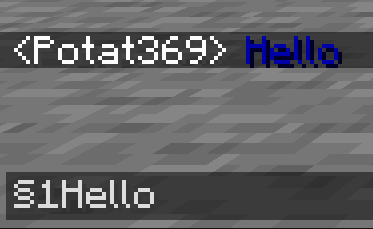
- Required on
- Client: Yes
- Server: Yes
Anvil
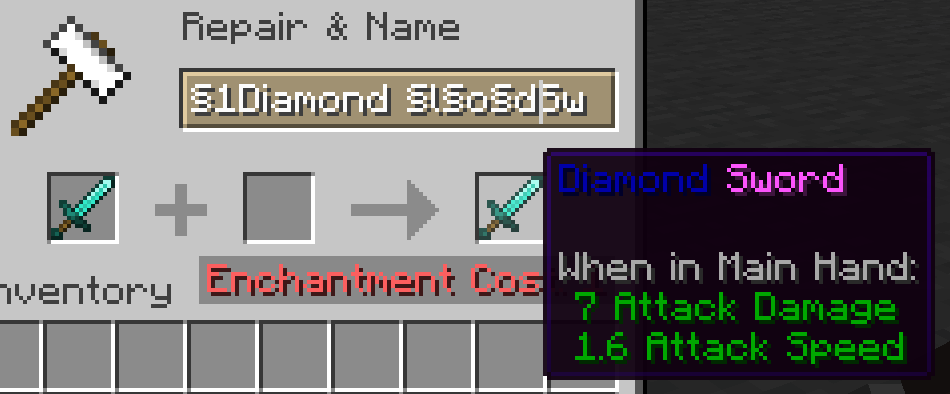
- Required on
- Client: Yes
- Server: Yes
Sign
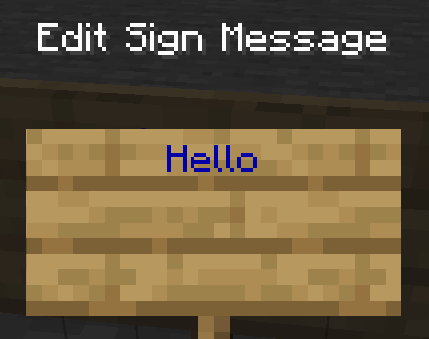
- Required on
- Client: No
- Server: Yes. However, there is a way to circumvent the requirement by doubling the code, like this: §§11Hello.
Note: formatting will disappear after opening and closing.
Book and Quill Body
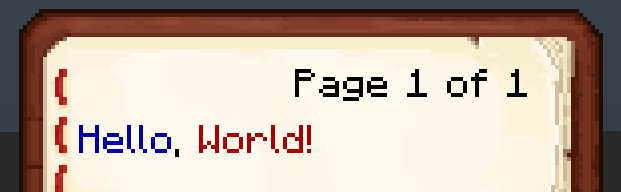
- Required on
- Client: Yes
- Server: No
Book and Quill Title
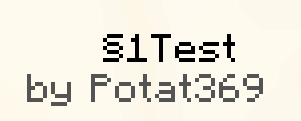
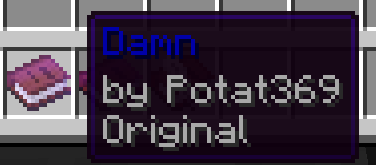
- Required on
- Client: Yes
- Server: No
Kako instalirati Text Formatting Everywhere
With Millida Launcher
Install Millida Launcher
The launcher is free: download it at millida.net/launcher and sign in with any nickname.
Click “Install” on this page
The launcher opens and installs the mod for Minecraft 1.20.5–1.21.11 on Fabric, Forge, NeoForge or Quilt automatically.
Launch the game
A profile with it appears in the launcher: click “Play”.
Manually
Install Fabric, Forge, NeoForge or Quilt
The loader must match the game version of the mod file, for example Minecraft 1.21.11. After installing it, a separate profile appears in your launcher.
Download the file for your version
In the version list above, pick the file textformattingeverywhere-neoforge-2.0.4.jar (19 KB) for your game version and loader.
Put it in the mods folder
The folder is inside .minecraft (Windows: %appdata%\.minecraft\mods). If it does not exist, create it.
Launch the loader profile
Open “Mods” in the main menu: Text Formatting Everywhere should be in the list.
On a server
A server on Fabric, Forge, NeoForge or Quilt
The mod only works on a server with the same loader and game version, for example 1.21.11.
File goes into the server’s mods folder
Stop the server, put the mod file into the mods folder and start the server again.
Use the “To server” button
On Millida Hosting, the button at the top of the page uploads the file to your server and restarts it for you.
Minecraft 1.21.11 runs on Java 21: with a different Java version the game may close right after launch.
Verzije
Sa zavisnostima
| Minecraft | Loader | Fajl | Datum | Akcije |
|---|---|---|---|---|
| 1.21.11 | NeoForge | 1.21.1119.2 KB | ||
| 1.21.11 | Forge | 1.21.1119.1 KB | ||
| 1.21.11 | Fabric, Quilt | 1.21.1119.5 KB 1 | ||
| 1.21.8 | NeoForge | 1.21.819.2 KB | ||
| 1.21.8 | Forge | 1.21.819 KB | ||
| 1.21.8 | Fabric, Quilt | 1.21.819.5 KB | ||
| 1.21.8 | Fabric, Quilt | 1.21.824.9 KB | ||
| 1.21.8 | Forge | 1.21.818 KB |
Recenzije
Budi prvi koji će oceniti Text Formatting Everywhere


