

TerraForged Mod za Minecraft 1.16.5, 1.18.2
Mod koji menja generisanje sveta
- preuzimanja
- 7 preuzimanja
- pregleda
- 24 pregleda
- lajkova
- 1 lajkova
- Ažurirano
- Ažurirano 22.10.2026
- 1.15.2 — 1.18.2
 Forge
Forge
O modu:
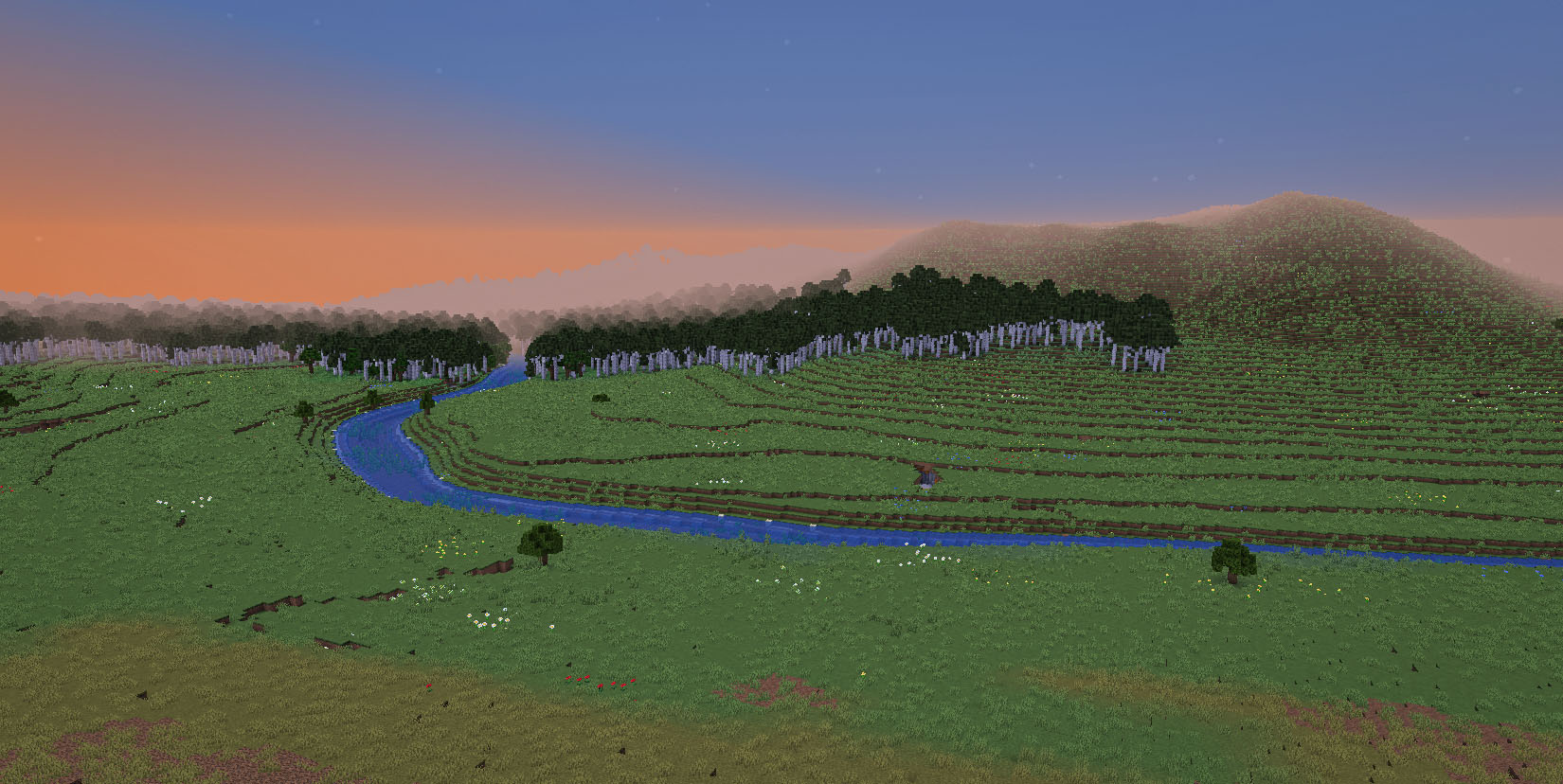
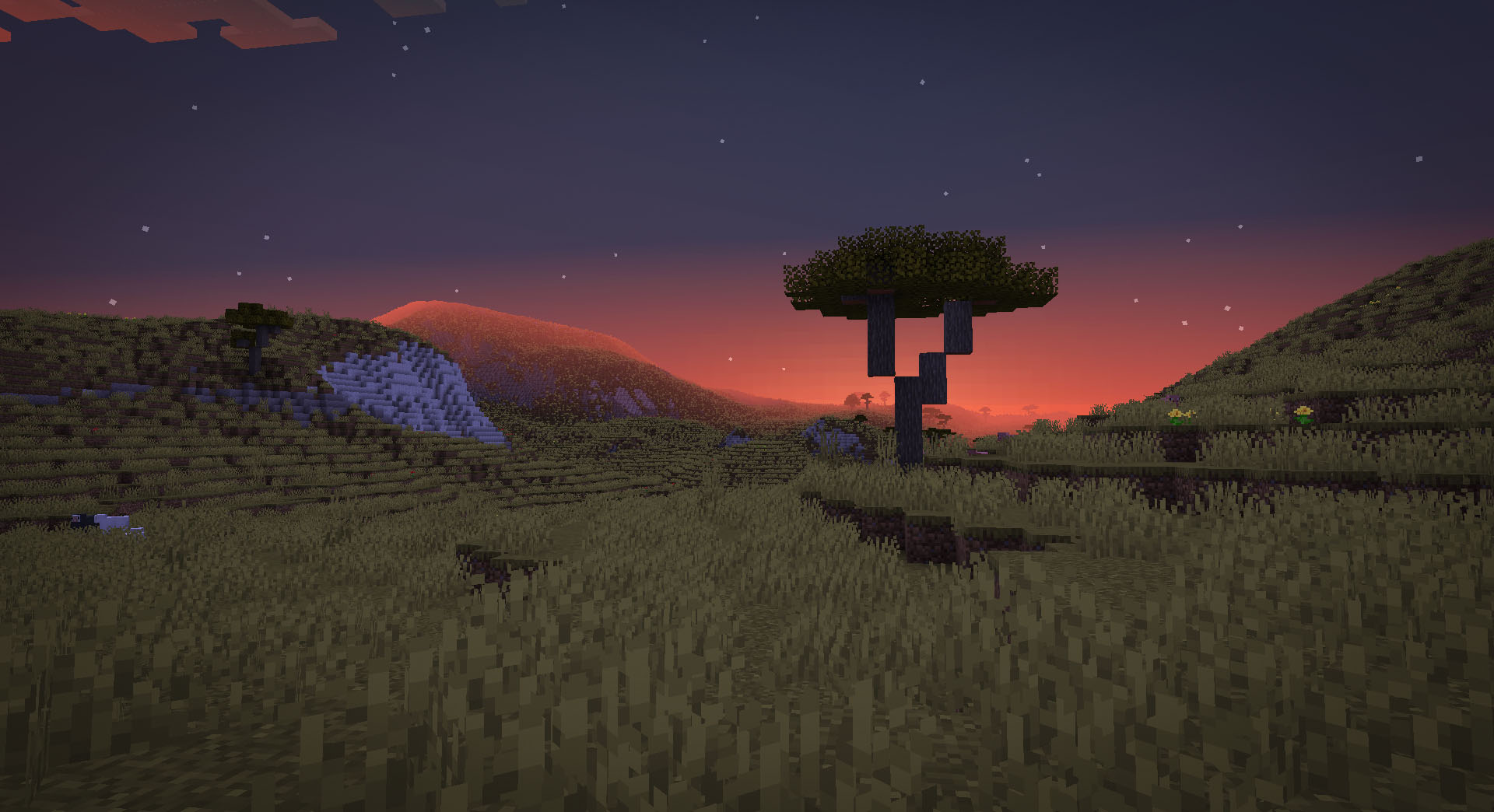
TerraForged je mod za generisanje sveta za Minecraft (Java izdanje) koji stvara impresivnije i inspirativnije svetove za istraživanje. Menja vanilla sistem generisanja potpuno novim terenom, boljim rekama, prilagođenim karakteristikama biomima i mnoštvom opcija za konfiguraciju.
Discord:
https://discord.gg/petc6SF6P2
Instalacija:
- Instalirajte Forge za ciljnu verziju Minecrafta (npr. 1.15.2)
- Dodajte TerraForged mod jar u mods fasciklu svog profila
- Izaberite 'TerraForged' tip sveta pri kreiranju novog sveta
Često postavljana pitanja:
- "Da li će ovo raditi sa biomima drugih modova?"
Da, trebalo bi. Kada izaberete 'TerraForged' kao tip sveta, tražiće sve dostupne biomime nadzemlja (vanilla i modovane) i uključiti ih u generisanje sveta najbolje što može.
- "Kako mogu ovo da koristim na svom serveru?"
Potrebno je da pokrenete Forge server. Jednostavno dodajte TerraForged mod jar u mods fasciklu svog servera i podesite level-type=terraforged u datoteci server.properties (uradite to pre pokretanja servera)
- "Da li će ovo biti preneseno na Fabric/Bukkit/Spigot/Sponge ili stare verzije Minecrafta?"
Ne. Drugi modderi su ipak dobrodošli da to urade
Informacije za autore modova
- Biomi - ako želite da TerraForged koristi vaše prilagođene biomime u generisanju sveta, pogledajte ove informacije
- Blokovi - ako želite da se vaši prilagođeni blokovi pojave u TerraForged slojevima stena, pogledajte ove informacije
Kako instalirati TerraForged
With Millida Launcher
Install Millida Launcher
The launcher is free: download it at millida.net/launcher and sign in with any nickname.
Click “Install” on this page
The launcher opens and installs the mod for Minecraft 1.15.2–1.18.2 on Forge automatically.
Launch the game
A profile with it appears in the launcher: click “Play”.
Manually
Install Forge
The loader must match the game version of the mod file, for example Minecraft 1.18.2. After installing it, a separate profile appears in your launcher.
Download the file for your version
In the version list above, pick the file TerraForged-1.18.2-0.3.1-alpha-2.jar (1.1 MB) for your game version.
Put it in the mods folder
The folder is inside .minecraft (Windows: %appdata%\.minecraft\mods). If it does not exist, create it.
Launch the loader profile
Open “Mods” in the main menu: TerraForged should be in the list.
Minecraft 1.18.2 runs on Java 17: with a different Java version the game may close right after launch.
Verzije
Sa zavisnostima
| Minecraft | Loader | Fajl | Datum | Akcije |
|---|---|---|---|---|
| 1.16.5 | Forge | 0.2.161.6 MB 4 | ||
| 1.18.2 | Forge | 0.3.1-ALPHA-21.1 MB 1 | ||
| 1.16.5 | Forge | 0.2.16-BETA-21.6 MB | ||
| 1.15.2 | — | 0.0.5920 KB 2 |
Česta pitanja
Which Minecraft versions does TerraForged work on?
There are files for 1.18.2, 1.16.5, 1.15.2. The newest is 1.18.2.
Is TerraForged for Forge or Fabric?
Only for Forge: 1.16.5–1.18.2. There are no files for Fabric or NeoForge: a mod for another loader will not start.
Does TerraForged need other mods?
The author lists no required dependencies: the Forge loader is enough.
Which Java does TerraForged need?
Minecraft 1.18.2 runs on Java 17. If the game closes right after launch, the usual cause is the wrong Java version in the profile settings.
How do I download TerraForged?
With Millida Launcher: it installs TerraForged into a modpack by itself, for the right game version and loader. The launcher is free.
Recenzije
Budi prvi koji će oceniti TerraForged


