

Tech Reborn Mod za Minecraft 1.12.2, 26.3
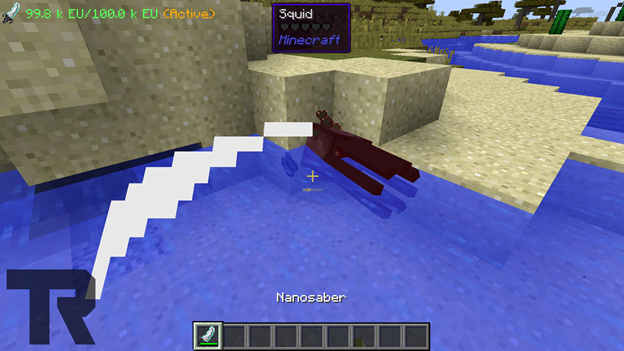
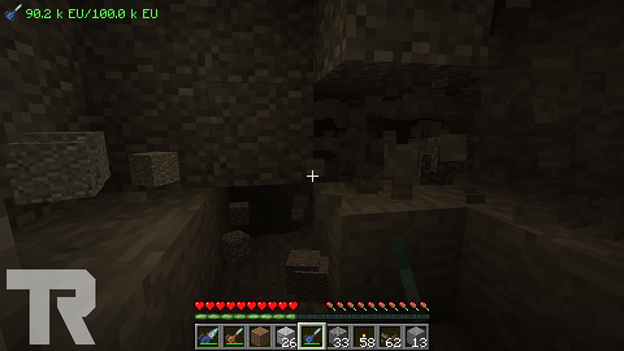
Tech Reborn je potpuno samostalan tehnički mod koji uključuje alate i mašine za prikupljanje resursa, obradu materijala i napredovanje kroz mod.
- preuzimanja
- 26 preuzimanja
- pregleda
- 84 pregleda
- Ažurirano
- Ažurirano 25.10.2026
- 1.8.8 — 26.3
 Fabric
O Tech Reborn modu
Tech Reborn je potpuno samostalan tehnološki mod koji uključuje alate i mašine za prikupljanje resursa, obradu materijala i napredovanje kroz mod.
Tech Reborn za Minecraft 1.14+ koristi Fabric. Forge verzija se ne planira u budućnosti.
Tech Reborn za 1.17 zahteva Fabric Loader, Fabric API. Reborn Core je uključen u TR počevši od 1.17.
Tech Reborn za 1.14 - 1.16 zahteva Fabric Loader, Fabric API i Reborn Core
Pridružite se Team Reborn Discord serveru za podršku ili razgovor o modovima: https://discord.gg/teamreborn
Pridružite se Fabric Discord serveru za razgovor o Fabric modovima generalno: https://discord.gg/v6v4pMv
Pogledajte sledeći video Rockit14 kao vodič za korišćenje TechReborn-a:
Zasluge:
- Modmuss50 - Glavni programer
- Drcrazy - Programer
- Gigabit101 - Bivši programer
- Prospector - Bivši programer i bivši umetnik tekstura
- Yulife - Bivši umetnik tekstura
- The Chisel Team - Povezane teksture ako je Chisel instaliran
Tech Reborn je mod za Fabric i ne postoje planovi da se ovaj mod prenese na Forge.
Kako instalirati Tech Reborn
With Millida Launcher
Install Millida Launcher
The launcher is free: download it at millida.net/launcher and sign in with any nickname.
Click “Install” on this page
The launcher opens and installs the mod for Minecraft 1.8.8–26.3 on Fabric automatically.
Launch the game
A profile with it appears in the launcher: click “Play”.
Manually
Install Fabric
The loader must match the game version of the mod file, for example Minecraft 26.3. After installing it, a separate profile appears in your launcher.
Download the file for your version
In the version list above, pick the file TechReborn-6.2.0.jar (6.5 MB) for your game version.
Put it in the mods folder
The folder is inside .minecraft (Windows: %appdata%\.minecraft\mods). If it does not exist, create it.
Launch the loader profile
Open “Mods” in the main menu: Tech Reborn should be in the list.
Verzije
Sa zavisnostima
| Minecraft | Loader | Fajl | Datum | Akcije |
|---|---|---|---|---|
| 26.3 | Fabric | TechReborn 6.2.06.5 MB 16 | ||
| 26.2 | Fabric | TechReborn 6.1.16.6 MB 7 | ||
| 1.12.1 | — | TechReborn-1.12.2-2.27.3.1084-universal.jar2.6 MB 2 | ||
| — | Fabric | TechReborn-1.15-3.0.13.4.jar2.5 MB 1 | ||
| 1.12.1 | — | TechReborn-1.12.2-2.11.0.410-universal.jar2.4 MB | ||
| 1.8.8 | — | TechReborn-1.8.8-0.7.1.23-universal.jar1.1 MB |
Česta pitanja
Which Minecraft versions does Tech Reborn work on?
There are files for 26.3, 26.2, 1.12.2, 1.12.1, 1.12, 1.8.8. The newest is 26.3.
Is Tech Reborn for Forge or Fabric?
Only for Fabric: 26.2–26.3. There are no files for Forge or NeoForge: a mod for another loader will not start.
Does Tech Reborn need other mods?
The author lists no required dependencies: the Fabric loader is enough.
Where can I download Tech Reborn safely?
On this page: the file TechReborn-6.2.0.jar (6.5 MB) is stored on Millida’s server, with no link shorteners. SHA-1 checksum: 76fb2003a317a14ba1d79f5f887348be8eb50916.
Recenzije
Budi prvi koji će oceniti Tech Reborn


