

Snuffles Mod za Minecraft 1.21.1
Adds Snuffles, a new mob to snowy biomes!
 NeoForge
 Forge
O Snuffles modu
Napravljeno tokom WinterJam 2021.
Fabric Port: https://www.curseforge.com/minecraft/mc-mods/snuffles-fabric
Snuffles su krznene životinje velikog jezika koje se mogu naći u snežnim biomima sa jedinstvenim ledenim krznom. Mogu se razmnožavati krompirom, mahaće jezikom i potrčati ka tebi ako ga držiš. Njihovo krzno je prekriveno mrazom, koji se može ukloniti magma kremom ili vatrom. Frosty Snuffles ostavljaju trag snežnih pahulja gde god da idu. Njihovo paperje se može sakupiti šišanjem, skraćivanjem viška paperja i otkrivanjem njihovih očiju.
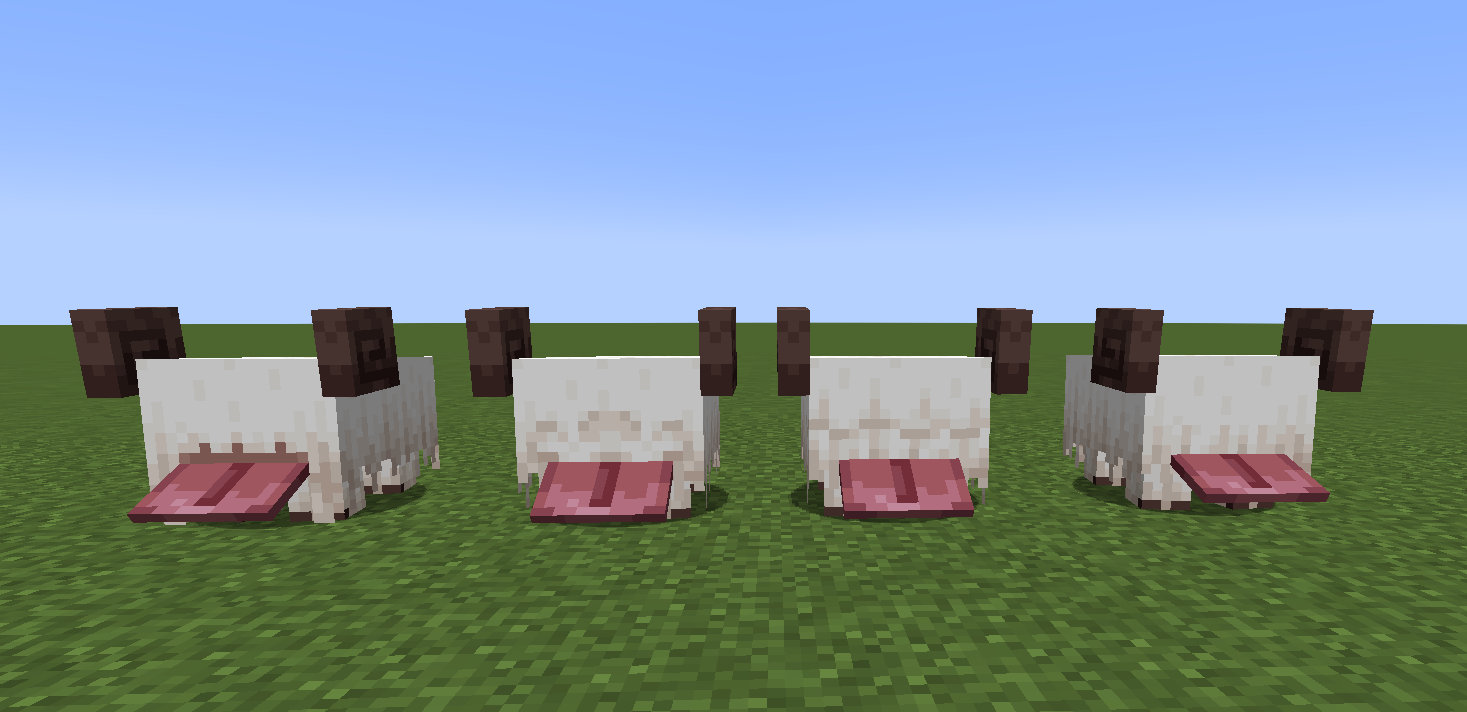
Ako je Snuffle topao, može ponovo postati leden ako je na otvorenom dok pada sneg ili ako uđe u praškasti sneg. To se može videti ovde.
Slimeballs se mogu koristiti na njima da bi se menjale 4 frizure.
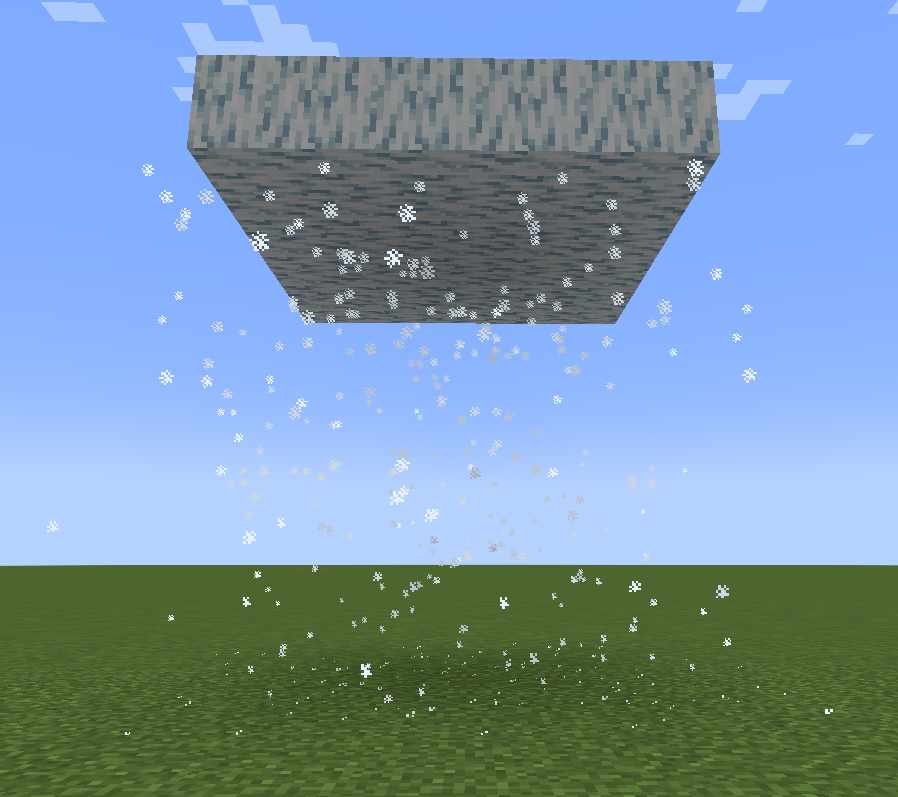
Snuffle Fluff i Snuffle Fluff Carpets su ukrasni blokovi, a Frosty Fluff i Frosty Fluff Carpets stvaraju snežne pahulje kada se na njih stane. Frosty Fluff takođe stvara čestice snežnih pahulja ispod sebe ako nema blokova ispod njega.
Kako instalirati Snuffles
With Millida Launcher
Install Millida Launcher
The launcher is free: download it at millida.net/launcher and sign in with any nickname.
Click “Install” on this page
The launcher opens and installs the mod for Minecraft 1.20.4–1.21.1 on Forge or NeoForge automatically.
Launch the game
A profile with it appears in the launcher: click “Play”.
Manually
Install Forge or NeoForge
The loader must match the game version of the mod file, for example Minecraft 1.21.1. After installing it, a separate profile appears in your launcher.
Download the file for your version
In the version list above, pick the file snuffles-1.1.2.jar (211 KB) for your game version and loader.
Put it in the mods folder
The folder is inside .minecraft (Windows: %appdata%\.minecraft\mods). If it does not exist, create it.
Launch the loader profile
Open “Mods” in the main menu: Snuffles should be in the list.
Minecraft 1.21.1 runs on Java 21: with a different Java version the game may close right after launch.
Verzije
Sa zavisnostima
| Minecraft | Loader | Fajl | Datum | Akcije |
|---|---|---|---|---|
| 1.20.4 | Forge, NeoForge | Snufffles 1.2.1.1 for 1.20.4223 KB | ||
| 1.21.1 | NeoForge | Snuffles 1.1.2 for 1.21.1211 KB 2 |
Česta pitanja
Which Minecraft versions does Snuffles work on?
There are files for 1.21.1, 1.20.4. The newest is 1.21.1.
Is Snuffles for Forge or Fabric?
There are files for Forge: 1.20.4 and for NeoForge: 1.20.4–1.21.1. There are no files for Fabric: a mod for another loader will not start.
Does Snuffles need other mods?
The author lists no required dependencies: the Forge or NeoForge loader is enough.
Which Java does Snuffles need?
Minecraft 1.21.1 runs on Java 21. If the game closes right after launch, the usual cause is the wrong Java version in the profile settings.
How do I download Snuffles?
With Millida Launcher: it installs Snuffles into a modpack by itself, for the right game version and loader. The launcher is free.
Recenzije
Budi prvi koji će oceniti Snuffles


