
Smooth Boot (Forge) Mod za Minecraft 1.16.5
Podesite Java postavke niti i sprečite da Minecraft uspori vaš računar prilikom učitavanja.
- preuzimanja
- 2 preuzimanja
- pregleda
- 19 pregleda
- Ažurirano
- Ažurirano 25.10.2026
- 1.16 — 1.16.5
 Forge
Forge
Link do Fabric verzije
Ažuriranje: Smooth Boot je sada dostupan kao maven repozitorijum na JCenter. Možete pročitati o tome na mod wiki-ju.
Smooth Boot - Optimizujte Minecraft performanse učitavanja da budu glatkije na slabijim sistemima i bolje skaliraju na jačim sistemima.
Dostupno na Fabric i Forge za Minecraft 1.14-1.16.
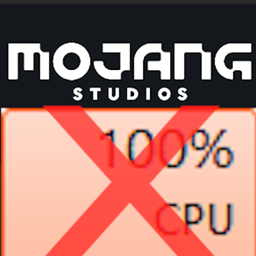
Ako imate PC sa starijim ili slabijim CPU-om (npr. CPU-ovi sa 8 ili manje niti), možda ste primetili da Minecraft zauzima 100% CPU-a prilikom učitavanja naslovnog ekrana, što izaziva zastoj kursora i čini multitasking bolno teškim. Smooth Boot rešava ovaj problem u potpunosti, a učitavanje bi trebalo da bude mnogo glatkije i potencijalno brže.
Karakteristike
- Promenite broj niti koje se koriste za učitavanje
- Promenite prioritet niti koje koristi Minecraft
Kako mod funkcioniše
Minecraft koristi izvršioce za pokretanje višenitnih zadataka. Problem je u tome što su zadaci koji se izvršavaju tokom učitavanja prilično zahtevni za CPU, što dovodi do 100% iskorišćenja CPU-a. Takođe, neki od zadataka ne moraju nužno imati koristi od višenitnosti. Smooth Boot rešava ove probleme promenom parametara izvršilaca, uključujući broj niti koje koriste i prioritet svake niti.
Za više informacija, molimo pročitajte Smooth Boot wiki
Kompatibilnost
Mod bi trebalo da bude kompatibilan sa svim modovima uključujući Optifine. Međutim, vredi napomenuti da mod koristi mixin overwrites na nekim metodama koje se koriste za učitavanje igre. Ako naiđete na probleme sa nekompatibilnošću, molimo ostavite komentar.
Kako instalirati Smooth Boot (Forge)
With Millida Launcher
Install Millida Launcher
The launcher is free: download it at millida.net/launcher and sign in with any nickname.
Click “Install” on this page
The launcher opens and installs the mod for Minecraft 1.16–1.16.5 on Forge automatically.
Launch the game
A profile with it appears in the launcher: click “Play”.
Manually
Install Forge
The loader must match the game version of the mod file, for example Minecraft 1.16.5. After installing it, a separate profile appears in your launcher.
Download the file for your version
In the version list above, pick the file smoothboot-forge-1.16.4-1.2.2.jar (83 KB) for your game version.
Put it in the mods folder
The folder is inside .minecraft (Windows: %appdata%\.minecraft\mods). If it does not exist, create it.
Launch the loader profile
Open “Mods” in the main menu: Smooth Boot (Forge) should be in the list.
Minecraft 1.16.5 runs on Java 8: with a different Java version the game may close right after launch.
Verzije
Sa zavisnostima
| Minecraft | Loader | Fajl | Datum | Akcije |
|---|---|---|---|---|
| 1.16.3 | Forge | smoothboot-forge-1.16.4-1.2.2.jar82.8 KB 2 |
Česta pitanja
Which Minecraft versions does Smooth Boot (Forge) work on?
There are files for 1.16.5, 1.16.4, 1.16.3, 1.16.2, 1.16.1, 1.16. The newest is 1.16.5.
Is Smooth Boot (Forge) for Forge or Fabric?
Only for Forge: 1.16–1.16.5. There are no files for Fabric or NeoForge: a mod for another loader will not start.
Does Smooth Boot (Forge) need other mods?
The author lists no required dependencies: the Forge loader is enough.
Which Java does Smooth Boot (Forge) need?
Minecraft 1.16.5 runs on Java 8. If the game closes right after launch, the usual cause is the wrong Java version in the profile settings.
Where can I download Smooth Boot (Forge) safely?
On this page: the file smoothboot-forge-1.16.4-1.2.2.jar (83 KB) is stored on Millida’s server, with no link shorteners. SHA-1 checksum: 483f6d696b5166fd0f3fbf6b2e8138bc39db2660.
Recenzije
Budi prvi koji će oceniti Smooth Boot (Forge)


