
 NeoForge
 Forge
Skinned Lanterns
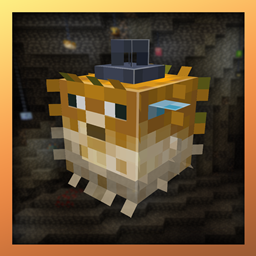
Mod koji dodaje još fenjera u igru! Inspirisan modom Skinned Carts!
Kompatibilnost sa modovima
Endergetic Expansion
Supplementaries
Botania
Jellyfishing
Zahvaljujemo uraneptusu za logo i ikonicu, zapratite ih na twitteru!
Kako instalirati Skinned Lanterns (Forge / NeoForge)
With Millida Launcher
Install Millida Launcher
The launcher is free: download it at millida.net/launcher and sign in with any nickname.
Click “Install” on this page
The launcher opens and installs the mod for Minecraft 1.21.4–1.21.5 on Forge or NeoForge automatically.
Launch the game
A profile with it appears in the launcher: click “Play”.
Manually
Install Forge or NeoForge
The loader must match the game version of the mod file, for example Minecraft 1.21.5. After installing it, a separate profile appears in your launcher.
Download the file for your version
In the version list above, pick the file skinned_lanterns-1.21.5-1.5.0-neoforge.jar (525 KB) for your game version and loader.
Put it in the mods folder
The folder is inside .minecraft (Windows: %appdata%\.minecraft\mods). If it does not exist, create it.
Launch the loader profile
Open “Mods” in the main menu: Skinned Lanterns (Forge / NeoForge) should be in the list.
Minecraft 1.21.5 runs on Java 21: with a different Java version the game may close right after launch.
Verzije
Sa zavisnostima
| Minecraft | Loader | Fajl | Datum | Akcije |
|---|---|---|---|---|
| 1.21.5 | NeoForge | skinned_lanterns-1.21.5-1.5.0-neoforge.jar525 KB | ||
| 1.21.4 | Forge | skinned_lanterns-1.21.4-1.5.0.jar524 KB |
Recenzije
Budi prvi koji će oceniti Skinned Lanterns (Forge / NeoForge)


