
Shrink. Mod za Minecraft 1.16.5, 26.3
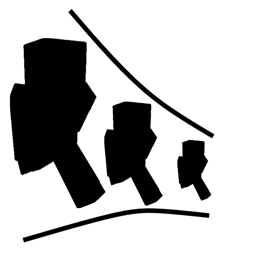
Shrink je mali mod za Minecraft koji igračima omogućava da promene veličinu svog lika.
 Fabric
 NeoForge
 Forge
ForgeO Shrink. modu
Shrink je mali mod koji ti omogućava da promeniš veličinu svog igrača.
- Smanjivanjem dobijaš pristup mestima koja su inače nedostupna bez razbijanja blokova.
- Mod uvodi jedan predmet pod nazivom Personal Shrinking Device.
- Kada pritisneš shift i desni klik na ovaj uređaj, tvoj igrač se magično smanji na otprilike veličinu četvrtine bloka.
- Personal Shrinking Device zahteva napajanje iz bilo kog RF/Forge Energy izvora, iako ovu funkciju možeš onemogućiti u konfiguracionom fajlu.

Primeri upotrebe
- Zamisli da se ušunjaš u tajne prolaze, istražuješ sićušne zakutke ili se čak skrivaš od mobova kao sitni avanturista.
- Treba da se provučeš kroz uzak otvor? Smanji se! - Želiš da doživiš svet iz perspektive bube? Smanji se!
- Dosta ti je da nadvisuješ sve oko sebe? Smanji se!
- Dok si mali, i dalje si opasan. Tvoje sićušno ja može da koristi moćno oružje i oklop.
- Budi oprezan, nekim mobovima se možda neće svideti tvoja nova kompaktnost.
Kako instalirati Shrink.
With Millida Launcher
Install Millida Launcher
The launcher is free: download it at millida.net/launcher and sign in with any nickname.
Click “Install” on this page
The launcher opens and installs the mod for Minecraft 1.16.4–26.3 on Fabric, Forge or NeoForge automatically.
Launch the game
A profile with it appears in the launcher: click “Play”.
Manually
Install Fabric, Forge or NeoForge
The loader must match the game version of the mod file, for example Minecraft 26.3. After installing it, a separate profile appears in your launcher.
Download the file for your version
In the version list above, pick the file shrink-fabric-26.3-2.1.2.jar (56 KB) for your game version and loader.
Put it in the mods folder
The folder is inside .minecraft (Windows: %appdata%\.minecraft\mods). If it does not exist, create it.
Launch the loader profile
Open “Mods” in the main menu: Shrink. should be in the list.
Verzije
Sa zavisnostima
| Minecraft | Loader | Fajl | Datum | Akcije |
|---|---|---|---|---|
| 26.3 | Fabric | 26.3-2.1.2 [Fabric]55.9 KB 70 | ||
| 26.3 | NeoForge | 26.3-2.1.2 [NeoForge]56.4 KB 2 | ||
| 1.20.4 | Forge | 1.20.4-2.0.0.40 [Forge]54.9 KB 6 | ||
| 1.16.5 | — | Shrink-1.16.4-1.1.3.jar70.8 KB 3 | ||
| 1.16.5 | Forge | Shrink-1.16.4-1.1.2.jar68.1 KB |
Česta pitanja
Which Minecraft versions does Shrink. work on?
There are files for 26.3, 1.20.4, 1.16.5, 1.16.4. The newest is 26.3.
Is Shrink. for Forge or Fabric?
There are files for Fabric: 26.3, for Forge: 1.16.5–1.20.4 and for NeoForge: 26.3.
Does Shrink. need other mods?
The author lists no required dependencies: the Fabric, Forge or NeoForge loader is enough.
Where can I download Shrink. safely?
On this page: the file shrink-fabric-26.3-2.1.2.jar (56 KB) is stored on Millida’s server, with no link shorteners. SHA-1 checksum: 9150e10e80482b4f24e825ae191e04bf7e8a5258.
Recenzije
Budi prvi koji će oceniti Shrink.


