

Server Country Flags Mod za Minecraft 1.19.2, 1.18.2
Prikazuje zastavu lokacije na kojoj se nalazi server.
 NeoForge
 Fabric
 Forge
ForgeO Server Country Flags modu
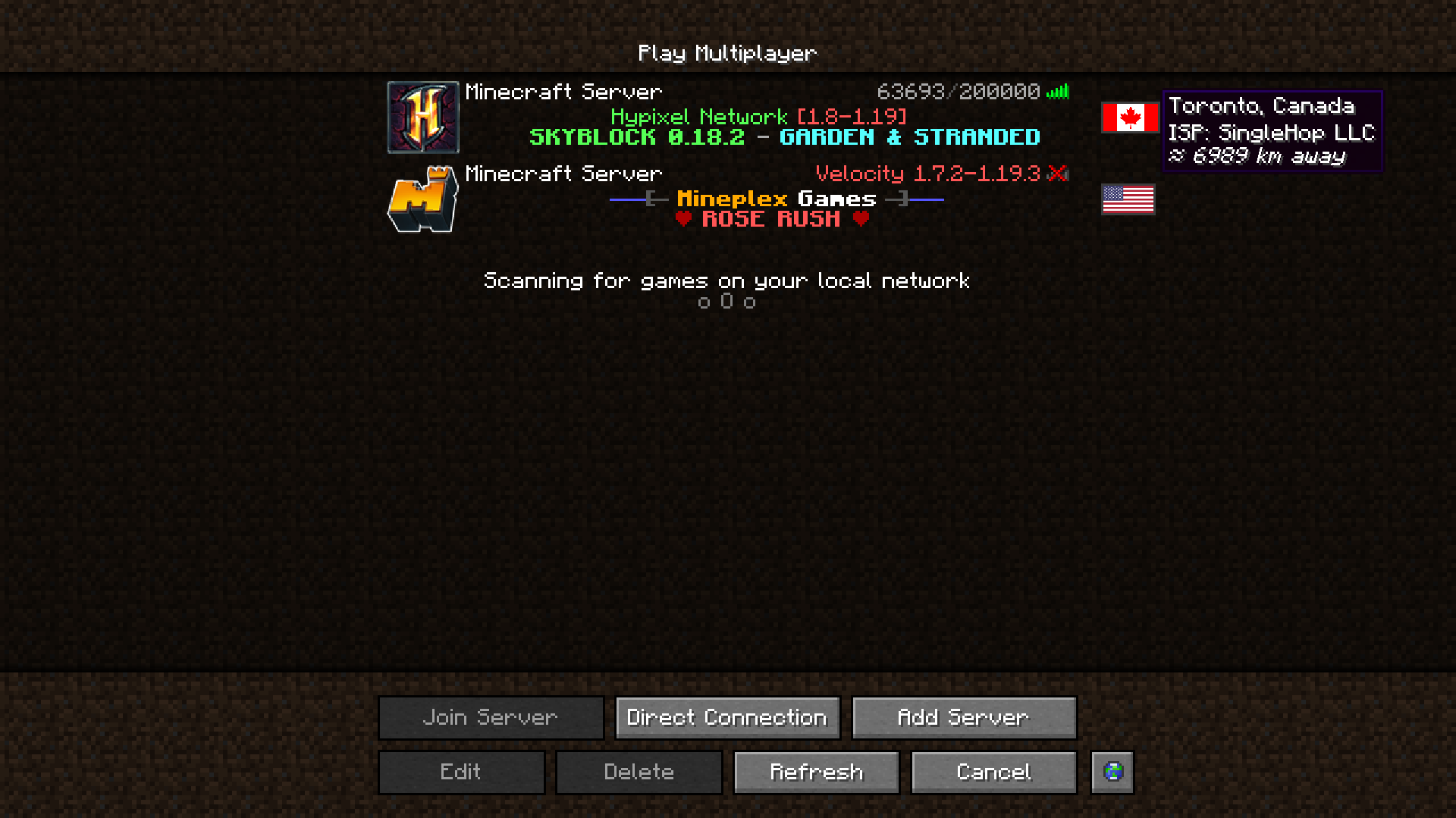
Server Country Flags je fantastičan dodatak za iskustvo sa listom servera. Prikazuje u kojoj se zemlji nalazi dati Minecraft server u listi servera, vašu približnu udaljenost od njega i još neke detalje.
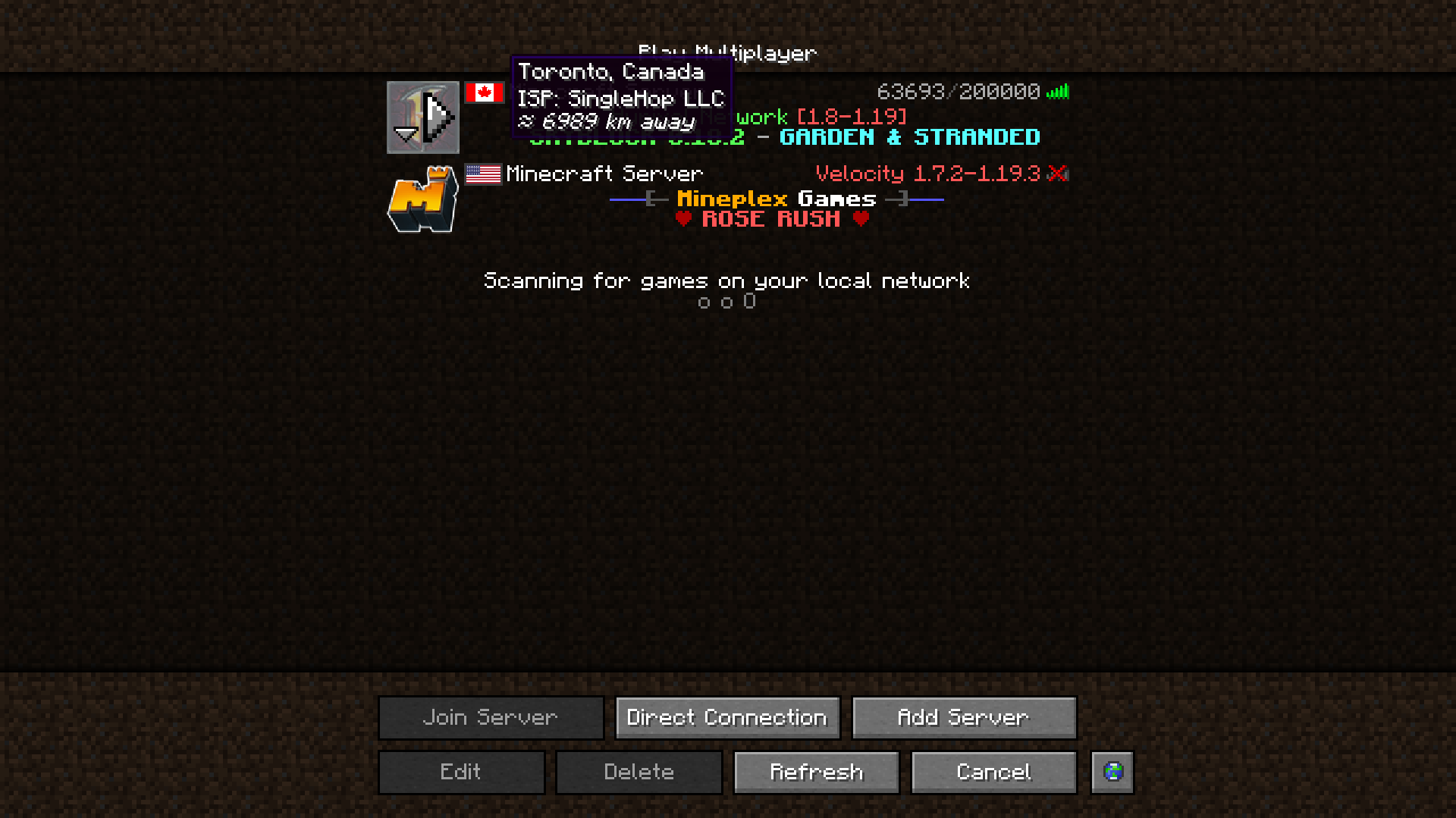
Ako imate instaliran Cloth Config API, možete podešavati postavke moda u korisnički prilagođenom GUI-ju. Da mu pristupite na Forge-u, pritisnete dugme Config u listi modova. Na Fabric-u mu morate pristupiti preko dugmeta za konfiguraciju u Mod Menu-u.
Ovaj mod koristi podatke sa javno dostupnog, besplatnog IP Geolocation IP - IP-API.com.
Ograničava broj zahteva koje mod može da pošalje na 45 u minuti, ali to je potpuno dovoljno.
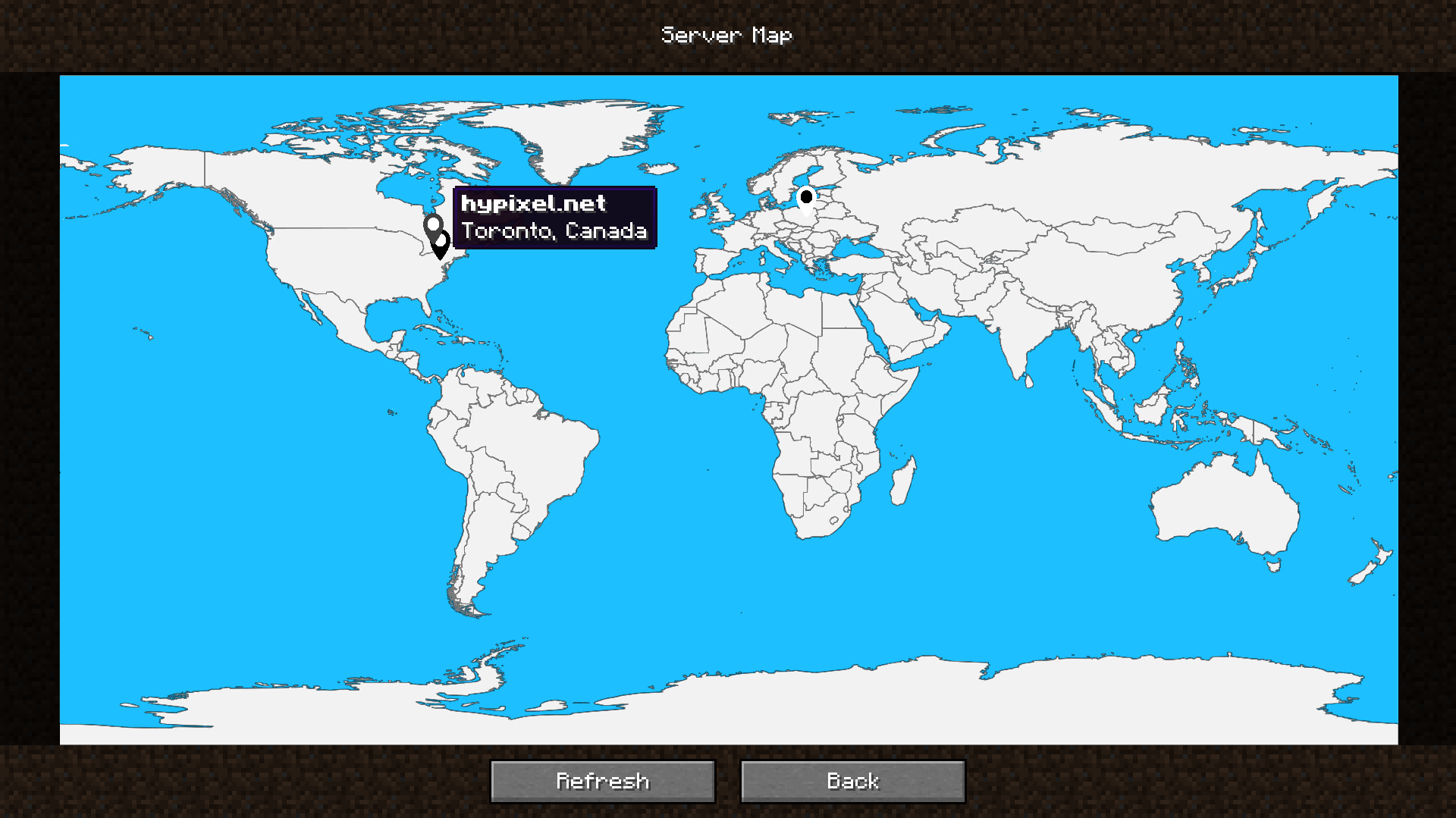
Mod takođe uključuje ugrađenu mapu servera koja pruža vizuelni pregled lokacija vaših servera, tako da možete lako identifikovati gde se nalaze vaši omiljeni serveri na prvi pogled.
Može joj se pristupiti preko dugmeta Server Map u listi servera, pored svih ostalih dugmadi. Možete ga ukloniti ili premestiti u konfiguraciji!
Želite li da podržite mene ili mod?
Evo kako to možete da uradite:
- Donirajte na Ko-Fi!
- Iskoristite moj promo kod khajiitos na BisectHosting za 25% popusta!
- Doprinesite kodom, obavestite me o problemima ili dodajte zvezdicu na GitHub stranici moda!
Hvala puno!
Evo zavisnosti koje poboljšavaju funkcionalnost moda, ili koje ovaj mod poboljšava!
- Fabric API (obavezno na Fabric-u)
- Cloth Config API (pruža stranicu za konfiguraciju u igri)
- Mod Menu (obavezno za pristup stranici za konfiguraciju na Fabric-u)
- Server Browser (dodajemo zastavice u Server Browser da bismo vam pomogli da pronađete server najbliži vama!)
Bilo da tražite server za svoj modpack ili samo da se zezate sa prijateljima - BisectHosting je jedna od najpouzdanijih i najpristupačnijih opcija koje možete dobiti! Instaliranje modpackova svodi na samo nekoliko klikova. 25% popusta uz kod khajiitos!
Kako instalirati Server Country Flags
With Millida Launcher
Install Millida Launcher
The launcher is free: download it at millida.net/launcher and sign in with any nickname.
Click “Install” on this page
The launcher opens and installs the mod for Minecraft 1.17–26.1 on Fabric, Forge or NeoForge automatically.
Launch the game
A profile with it appears in the launcher: click “Play”.
Manually
Install Fabric, Forge or NeoForge
The loader must match the game version of the mod file, for example Minecraft 26.1. After installing it, a separate profile appears in your launcher.
Download the file for your version
In the version list above, pick the file servercountryflags-1.10.4-26.1-NEOFORGE.jar (2.3 MB) for your game version and loader.
Put it in the mods folder
The folder is inside .minecraft (Windows: %appdata%\.minecraft\mods). If it does not exist, create it.
Launch the loader profile
Open “Mods” in the main menu: Server Country Flags should be in the list.
Verzije
Sa zavisnostima
| Minecraft | Loader | Fajl | Datum | Akcije |
|---|---|---|---|---|
| 26.1 | NeoForge | [NeoForge] Server Country Flags 1.10.4 - 26.12.3 MB | ||
| 26.1 | Fabric | [Fabric] Server Country Flags 1.10.4 - 26.12.3 MB | ||
| 1.20.4 | Forge | [Forge] Server Country Flags 1.10.1 - 1.20.42.3 MB | ||
| 1.17.1 | Fabric | Server Country Flags 1.6.3 - 1.17.x-1.19.x859 KB | ||
| 1.19.4 | Fabric | Server Country Flags 1.5.0a - 1.19.x1.7 MB |
Česta pitanja
Which Minecraft versions does Server Country Flags work on?
There are files for 1.17–26.1, 12 versions in total. The newest is 26.1.
Is Server Country Flags for Forge or Fabric?
There are files for Fabric: 1.17–26.1, for Forge: 1.20.4 and for NeoForge: 26.1.
Does Server Country Flags need other mods?
The author lists no required dependencies: the Fabric, Forge or NeoForge loader is enough.
Where can I download Server Country Flags safely?
On this page: the file servercountryflags-1.10.4-26.1-NEOFORGE.jar (2.3 MB) is stored on Millida’s server, with no link shorteners. SHA-1 checksum: c248966226c7b62e7e147bcfb19d28cb8825d6d2.
Recenzije
Budi prvi koji će oceniti Server Country Flags


