
RFTools Control Mod za Minecraft 1.20.1, 1.21.1
Dodatak za automatizaciju i logičke računare za RFTools
 NeoForge
 Forge
ForgeO RFTools Control modu
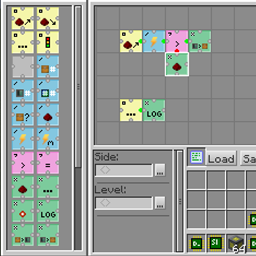
RFTools Control je addon mod za RFTools modove koji dodaje automatizovanu kontrolu koristeći vizuelni programski jezik zasnovan na mreži. Korišćenjem opkodova koje raspoređujete u mrežu možete premeštati predmete, kontrolisati redstone, proveravati energiju (RF) i tako dalje. Možete pristupati regularnim inventarima, ali ovaj mod takođe podržava direktan pristup sistemu kojim upravlja storage scanner. U budućnosti će takođe omogućiti storage scanneru da automatski pravi predmete. To još uvek nije u potpunosti implementirano.
Dva glavna bloka u ovom modu su programmer koji se koristi za kreiranje programa i processor koji izvršava te programe. Takođe je omogućeno umrežavanje.
Napomena! Komentari su onemogućeni jer mi je teško da to proveravam na previše mesta. Ako želite da pošaljete prijavu greške, idite na karticu 'Issues' ili ovde: RFTools Control Issue Tracker. Ako želite da diskutujete o RFTools-u generalno, to možete učiniti ovde: RFTools Control on MC Forums
Kako instalirati RFTools Control
With Millida Launcher
Install Millida Launcher
The launcher is free: download it at millida.net/launcher and sign in with any nickname.
Click “Install” on this page
The launcher opens and installs the mod for Minecraft 1.12–1.21.1 on Forge or NeoForge automatically.
Launch the game
A profile with it appears in the launcher: click “Play”.
Manually
Install Forge or NeoForge
The loader must match the game version of the mod file, for example Minecraft 1.21.1. After installing it, a separate profile appears in your launcher.
Download the file for your version
In the version list above, pick the file rftoolscontrol-1.21-8.0.2.jar (662 KB) for your game version and loader.
Put it in the mods folder
The folder is inside .minecraft (Windows: %appdata%\.minecraft\mods). If it does not exist, create it.
Launch the loader profile
Open “Mods” in the main menu: RFTools Control should be in the list.
Minecraft 1.21.1 runs on Java 21: with a different Java version the game may close right after launch.
Verzije
Sa zavisnostima
| Minecraft | Loader | Fajl | Datum | Akcije |
|---|---|---|---|---|
| 1.21.1 | NeoForge | RFToolsControl - 1.21-8.0.2662 KB 1 | ||
| 1.20.1 | Forge | RFToolsControl - 1.20-7.0.4587 KB 1 | ||
| 1.20.1 | Forge | RFToolsControl - 1.20-7.0.0576 KB | ||
| 1.12.2 | — | RFToolsControl - 1.12-2.0.2587 KB | ||
| 1.12.2 | — | RFToolsControl - 1.12-1.9.0-alpha577 KB | ||
| 1.12 | — | rftoolsctrl-1.12-1.6.8beta1.jar568 KB |
Česta pitanja
Which Minecraft versions does RFTools Control work on?
There are files for 1.21.1, 1.20.1, 1.12.2, 1.12. The newest is 1.21.1.
Is RFTools Control for Forge or Fabric?
There are files for Forge: 1.20.1 and for NeoForge: 1.21.1. There are no files for Fabric: a mod for another loader will not start.
Does RFTools Control need other mods?
The author lists no required dependencies: the Forge or NeoForge loader is enough.
Which Java does RFTools Control need?
Minecraft 1.21.1 runs on Java 21. If the game closes right after launch, the usual cause is the wrong Java version in the profile settings.
Where can I download RFTools Control safely?
On this page: the file rftoolscontrol-1.21-8.0.2.jar (662 KB) is stored on Millida’s server, with no link shorteners. SHA-1 checksum: ff976f8f58feaf6cc101ab2e51fbfaecac3f27ff.
Recenzije
Budi prvi koji će oceniti RFTools Control


