
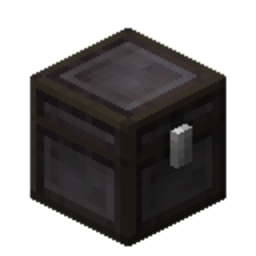
Reinforced Chests Mod za Minecraft 1.21.11
Fabric mod za dodavanje ojačanih kovčega
- preuzimanja
- 2 preuzimanja
- pregleda
- 16 pregleda
- Ažurirano
- Ažurirano 24.10.2026
- 1.21.6 — 1.21.11
 Fabric
Reinforced Chests
The Reinforced Chests mod adds reinforced chests.
Reinforced Storage Mod Series
- Reinforced Shulker Boxes
- Reinforced Barrels
Reinforced Storage Addons
- Enderite Reinforced Storage (requires Enderite Mod (for Fabric))
Recipe
Copper Chest
A copper chest has 45 slots of inventory space, and a large copper chest has twice that amount, at 90 slots. It cannot be crafted after the Copper Age (Minecraft 1.21.9+).
Iron Chest
An iron chest has 54 slots of inventory space, and a large iron chest has twice that amount, at 108 slots. It can also be crafted by Vanilla Copper Chests after the Copper Age (Minecraft 1.21.9+).
Gold Chest
A gold chest has 81 slots of inventory space, and a large gold chest has twice that amount, at 162 slots.
Diamond Chest
A diamond chest has 108 slots of inventory space, and a large diamond chest has twice that amount, at 216 slots.
Netherite Chest
A netherite chest has 108 slots of inventory space, and a large netherite chest has twice that amount, at 216 slots. This is resistant to blast, fire, and lava.
Configure
Mod Menu has been available since version 2.1.0+.
Screen Type
Available in version 2.1.0+. Screen type is "SINGLE" or "SCROLL". (default: "SINGLE")
- SINGLE
- SCROLL
Scroll Screen
Rows
Available in version 2.1.0+. Rows is an integer in the range from 6 to 9. (default: 6)
- Rows: 6
- Rows: 9
Kako instalirati Reinforced Chests
With Millida Launcher
Install Millida Launcher
The launcher is free: download it at millida.net/launcher and sign in with any nickname.
Click “Install” on this page
The launcher opens and installs the mod for Minecraft 1.21.6–1.21.11 on Fabric automatically.
Launch the game
A profile with it appears in the launcher: click “Play”.
Manually
Install Fabric
The loader must match the game version of the mod file, for example Minecraft 1.21.11. After installing it, a separate profile appears in your launcher.
Download the file for your version
In the version list above, pick the file reinforced-chests-4.0.0-beta+1.21.11.jar (1.1 MB) for your game version.
Put it in the mods folder
The folder is inside .minecraft (Windows: %appdata%\.minecraft\mods). If it does not exist, create it.
Launch the loader profile
Open “Mods” in the main menu: Reinforced Chests should be in the list.
Minecraft 1.21.11 runs on Java 21: with a different Java version the game may close right after launch.
Verzije
Sa zavisnostima
| Minecraft | Loader | Fajl | Datum | Akcije |
|---|---|---|---|---|
| 1.21.11 | Fabric | Reinforced Chests v4.0.0-beta+1.21.111.1 MB 2 | ||
| 1.21.9 | Fabric | Reinforced Chests v3.3.4-alpha+1.21.101.1 MB | ||
| 1.21.8 | Fabric | Reinforced Chests v3.3.3+1.21.81.1 MB |
Recenzije
Budi prvi koji će oceniti Reinforced Chests


