
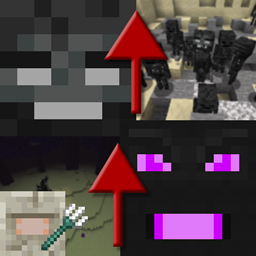
Progressive Bosses Mod za Minecraft 1.20.1, 1.16.5
Priziva jače verzije Withera i Ender Dragona
- preuzimanja
- 7 preuzimanja
- pregleda
- 34 pregleda
- Ažurirano
- Ažurirano 17.10.2026
- 1.16 — 1.20.1
 Forge
Forge
O Progressive Bosses modu
Za Fabric port, pogledajte [Fabric] Progressive Bosses (napomena: ovo nije povezano sa mnom, prijavite probleme developeru)
Ovaj mod zahteva InsaneLib
Ovaj mod čini Wither i Ender Dragon težim tako što vam omogućava da prizovete jaču verziju njih. Takođe čini Elder Guardian borbu težom.
Težina će se prilagođavati na osnovu igrača oko bossa.
- Više zdravlja: oni su bossovi ... zašto mogu da padnu od nekoliko udaraca?
- Nove sposobnosti: kao što su Wither Charging ili Dragon respawning crystals
- Minioni: i Dragon i Wither imaju Minione
- Caged crystals: više kaveza će se pojaviti oko kristala, a neki kristali će se pojaviti unutar kula
- Brže Acidballs i Skulls: izbegavanje je teže
- Elder Guardian borba je teža i sa pravom nagradom!
- Mnogo mnogo ispravki bagova: Mojang više ne brine o survival aspektu igre
- I mnogo mnogo više! Ovo je samo vrh ledenog brega kule.
Postanite patreon da biste ranije isprobali novije verzije i igrali na javnom serveru.
Pogledajte moje druge projekte!
Dozvole za modpack
Radite šta god želite za modpackove, javne ili privatne!
Zaustavite Mod Reposts
Ne preuzimajte ovaj mod sa bilo kog drugog sajta osim Curseforge ili Modrinth. Može biti malware i može naškoditi vašem PC-ju. Proverite https://stopmodreposts.org za više informacija.
Kako instalirati Progressive Bosses
With Millida Launcher
Install Millida Launcher
The launcher is free: download it at millida.net/launcher and sign in with any nickname.
Click “Install” on this page
The launcher opens and installs the mod for Minecraft 1.16–1.20.1 on Forge automatically.
Launch the game
A profile with it appears in the launcher: click “Play”.
Manually
Install Forge
The loader must match the game version of the mod file, for example Minecraft 1.20.1. After installing it, a separate profile appears in your launcher.
Download the file for your version
In the version list above, pick the file progressivebosses-4.3.12.jar (999 KB) for your game version.
Put it in the mods folder
The folder is inside .minecraft (Windows: %appdata%\.minecraft\mods). If it does not exist, create it.
Launch the loader profile
Open “Mods” in the main menu: Progressive Bosses should be in the list.
Minecraft 1.20.1 runs on Java 17: with a different Java version the game may close right after launch.
Verzije
Sa zavisnostima
| Minecraft | Loader | Fajl | Datum | Akcije |
|---|---|---|---|---|
| 1.20.1 | Forge | 4.3.12999 KB 7 | ||
| 1.20.1 | Forge | 4.3.3990 KB | ||
| 1.20.1 | Forge | 4.3.1959 KB | ||
| 1.16.3 | — | [1.16.x] Progressive Bosses 2.2.068 KB |
Česta pitanja
Which Minecraft versions does Progressive Bosses work on?
There are files for 1.16–1.20.1, 7 versions in total. The newest is 1.20.1.
Is Progressive Bosses for Forge or Fabric?
Only for Forge: 1.20.1. There are no files for Fabric or NeoForge: a mod for another loader will not start.
Does Progressive Bosses need other mods?
The author lists no required dependencies: the Forge loader is enough.
Which Java does Progressive Bosses need?
Minecraft 1.20.1 runs on Java 17. If the game closes right after launch, the usual cause is the wrong Java version in the profile settings.
Where can I download Progressive Bosses safely?
On this page: the file progressivebosses-4.3.12.jar (999 KB) is stored on Millida’s server, with no link shorteners. SHA-1 checksum: 5ec938a9e975ec49ae461d6ca1dd6e798a1d0dbc.
Recenzije
Budi prvi koji će oceniti Progressive Bosses


