

Productive Trees Mod za Minecraft 1.20.1, 1.21.1
Vrste drveća koje se mogu razmnožavati
 NeoForge
 Forge
ForgeO Productive Trees modu
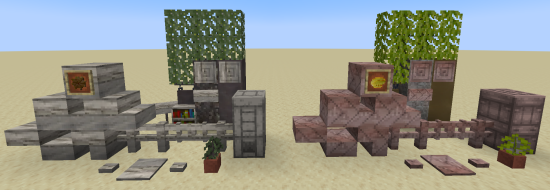
Predstavljamo mod 'Productive Trees' za Minecraft, duhovnog naslednika mini-igre ukrštanja drveća iz Forestry moda. Sa ovim modom sada možeš da se baviš veštinom ukrštanja drveća, što ti omogućava da unakrsno oprašuješ različite vrste drveća i gajiš jedinstvene, hibridne sorte. Prošli su dani gradnje drvetom od dosadnih starih vanilla stabala, uz kolekciju od preko 160 novih jedinstvenih setova drveta.
Uz Productive Trees imaš moć da strateški ukrštaš drveće kako bi dobio prelepe vrste drveta. Eksperimentiši sa raznim kombinacijama da otkriješ i otključaš mnoštvo uzbudljivih mogućnosti. Zamisli da bereš drvo koje ne samo da daje retko drvo već i nosi ukusno voće ili orašaste plodove!
Unapredi svoje šumarske veštine, stvori svoje jedinstvene vrste drveća i pretvori svoj svet u igri u bujni ekosistem sopstveno uzgajanih čuda. Preuzmi Productive Trees mod danas i kreni na putovanje arborealne inovacije u prostranim pikselizovanim pejzažima Minecrafta.
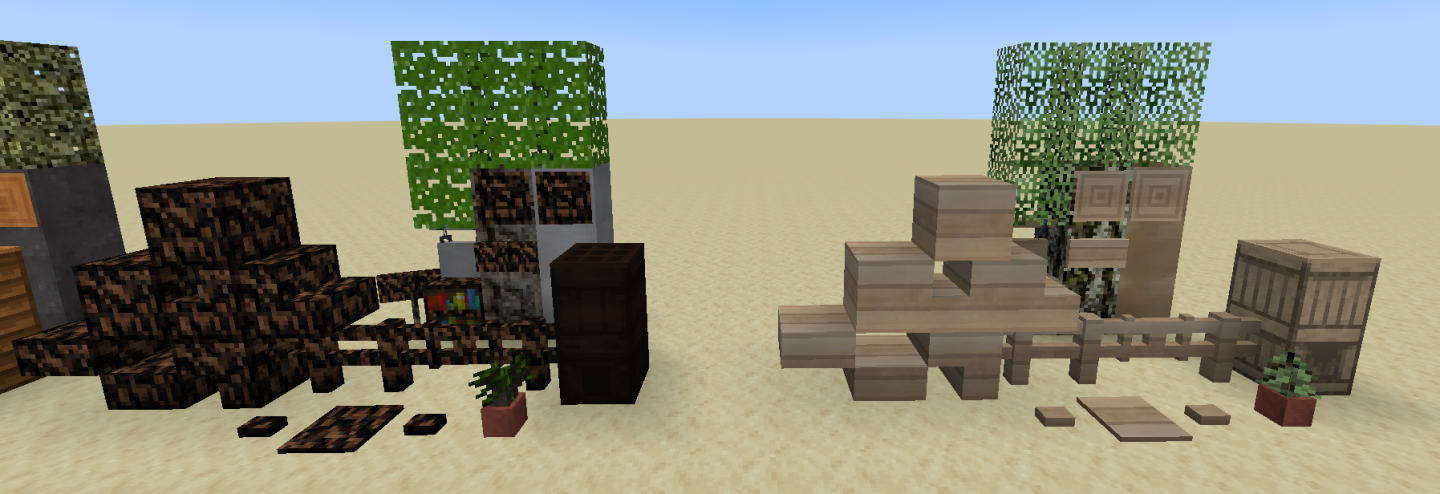
Ovaj mod je u beta fazi i još nije završen. Ono što značajno nedostaje su karakteristike drveća (kako izgledaju kada izrastu).
Postoji Discord server ako ti treba pomoć ili ako svratiš da pohvališ teksture.
"Toliko drveta da ćeš tražiti medicinsku pomoć" - anonimno
Kako instalirati Productive Trees
With Millida Launcher
Install Millida Launcher
The launcher is free: download it at millida.net/launcher and sign in with any nickname.
Click “Install” on this page
The launcher opens and installs the mod for Minecraft 1.20.1–1.21.1 on Forge or NeoForge automatically.
Launch the game
A profile with it appears in the launcher: click “Play”.
Manually
Install Forge or NeoForge
The loader must match the game version of the mod file, for example Minecraft 1.21.1. After installing it, a separate profile appears in your launcher.
Download the file for your version
In the version list above, pick the file productivetrees-1.21.1-1.1.1.jar (13 MB) for your game version and loader.
Put it in the mods folder
The folder is inside .minecraft (Windows: %appdata%\.minecraft\mods). If it does not exist, create it.
Launch the loader profile
Open “Mods” in the main menu: Productive Trees should be in the list.
Minecraft 1.21.1 runs on Java 21: with a different Java version the game may close right after launch.
Verzije
Sa zavisnostima
| Minecraft | Loader | Fajl | Datum | Akcije |
|---|---|---|---|---|
| 1.21.1 | NeoForge | productivetrees-1.21.1-1.1.1.jar13.4 MB 2 | ||
| 1.21.1 | NeoForge | productivetrees-1.21.1-0.6.0.jar3.2 MB | ||
| 1.20.1 | NeoForge, Forge | productivetrees-1.20.1-0.2.6.jar14 MB | ||
| 1.20.1 | NeoForge, Forge | productivetrees-1.20.1-0.1.0.jar13.3 MB |
Česta pitanja
Which Minecraft versions does Productive Trees work on?
There are files for 1.21.1, 1.20.1. The newest is 1.21.1.
Is Productive Trees for Forge or Fabric?
There are files for Forge: 1.20.1 and for NeoForge: 1.20.1–1.21.1. There are no files for Fabric: a mod for another loader will not start.
Does Productive Trees need other mods?
The author lists no required dependencies: the Forge or NeoForge loader is enough.
Which Java does Productive Trees need?
Minecraft 1.21.1 runs on Java 21. If the game closes right after launch, the usual cause is the wrong Java version in the profile settings.
Where can I download Productive Trees safely?
On this page: the file productivetrees-1.21.1-1.1.1.jar (13 MB) is stored on Millida’s server, with no link shorteners. SHA-1 checksum: 33b7f304e4e13297fdbbef4822f8b178d73868cc.
Recenzije
Budi prvi koji će oceniti Productive Trees


