

Player Companions Mod za Minecraft 1.20.1, 1.20.4
Player Companions dodaje dodatna stvorenja koja će te pratiti, štititi ili ti pomagati.
 Forge
 NeoForge
 Fabric
 Quilt
🐾 Player Companions
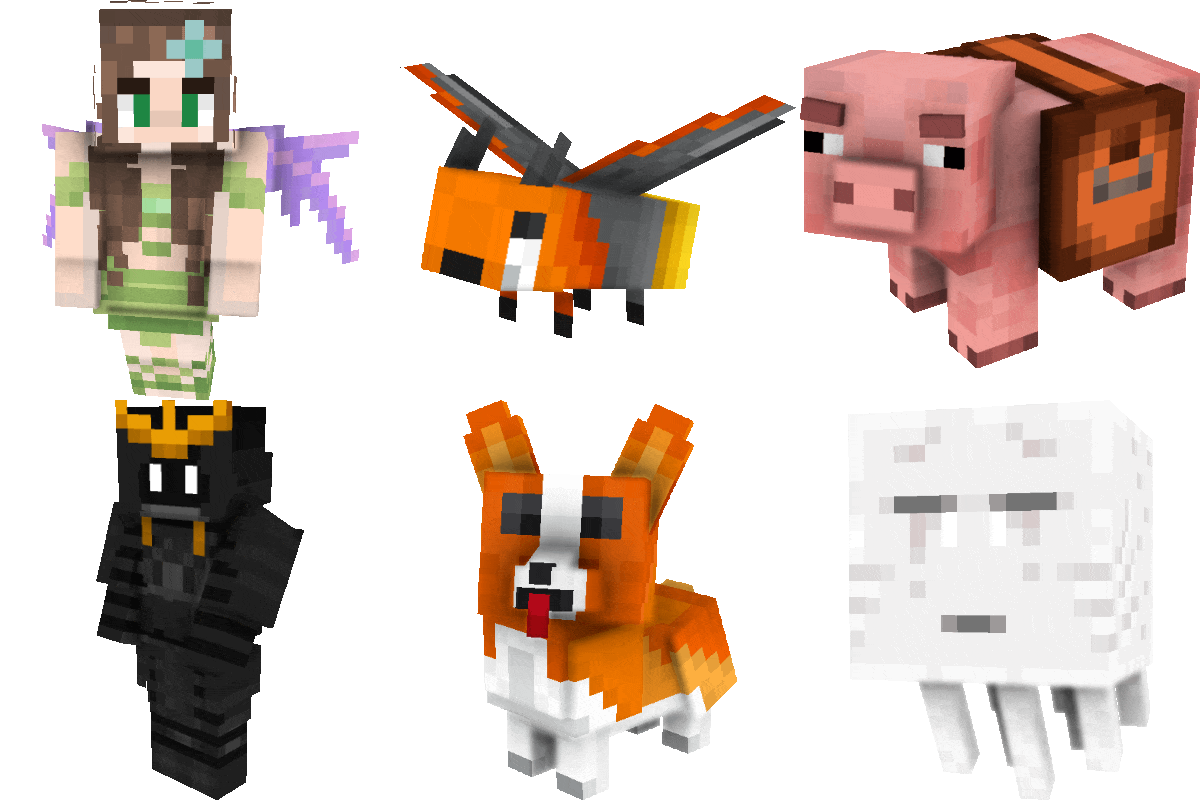
Player Companions adds companion creatures that can travel with you and support you on your journey.

Important Notice for 7.x
Player Companions 7.x is a beta and a complete rewrite of the mod.
Please keep the following in mind before updating:
- 7.x is not compatible with 6.x or older versions
- Old companion data is not guaranteed to work
- Existing companions from older versions may be lost after updating
- Always create a full backup before testing or updating
For important saves, servers, or modpacks, testing in a separate instance is strongly recommended.

✨ Current 7.x Beta Features
Currently available in the 7.x beta:
- Pig companion
- Rooster companion
- Small Slime companion
The current beta is intentionally limited while the new foundation is being rebuilt.
🔄 Legacy Note
Older 6.x versions included a larger feature set and additional companion systems.
Some of these features may return later, but the current 7.x branch should be treated as a new generation of the mod.
🐞 Reporting Problems
If you find an issue during beta testing, please include:
- the exact mod version
- the Minecraft version
- the loader you use
- clear reproduction steps
- logs or crash reports if available
GitHub Issues:
➡️ https://github.com/MarkusBordihn/BOs-Player-Companions/issues
Kako instalirati Player Companions
With Millida Launcher
Install Millida Launcher
The launcher is free: download it at millida.net/launcher and sign in with any nickname.
Click “Install” on this page
The launcher opens and installs the mod for Minecraft 1.20.1–1.20.4 on Fabric, Forge, NeoForge or Quilt automatically.
Launch the game
A profile with it appears in the launcher: click “Play”.
Manually
Install Fabric, Forge, NeoForge or Quilt
The loader must match the game version of the mod file, for example Minecraft 1.20.4. After installing it, a separate profile appears in your launcher.
Download the file for your version
In the version list above, pick the file player_companions_1.20.4-6.11.0.jar (791 KB) for your game version and loader.
Put it in the mods folder
The folder is inside .minecraft (Windows: %appdata%\.minecraft\mods). If it does not exist, create it.
Launch the loader profile
Open “Mods” in the main menu: Player Companions should be in the list.
Minecraft 1.20.4 runs on Java 17: with a different Java version the game may close right after launch.
Verzije
Sa zavisnostima
| Minecraft | Loader | Fajl | Datum | Akcije |
|---|---|---|---|---|
| 1.20.1 | Forge, NeoForge | player_companions-forge-1.20.1-7.0.0.jar278 KB | ||
| 1.20.1 | Fabric, Quilt | player_companions-fabric-1.20.1-7.0.0.jar268 KB | ||
| 1.20.4 | Forge | player_companions_1.20.4-6.11.0.jar791 KB |
Recenzije
Budi prvi koji će oceniti Player Companions


