
Pipe Goggles Mod za Minecraft 1.21.1, 1.12.2
Pomaže ti sa vodovodom. Vidi cevi kroz zidove!
 NeoForge
 Forge
ForgePipe Goggles
Opis
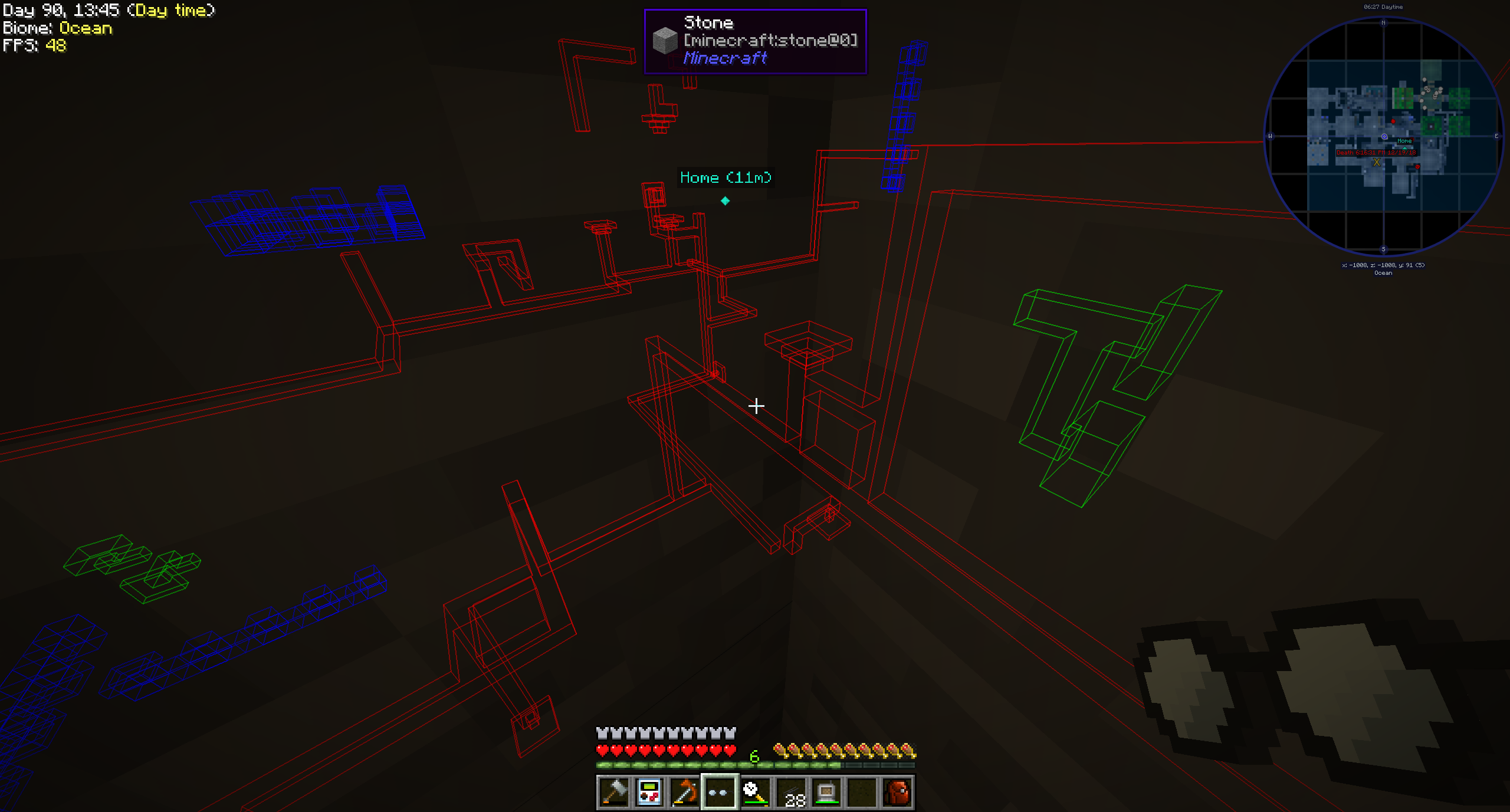
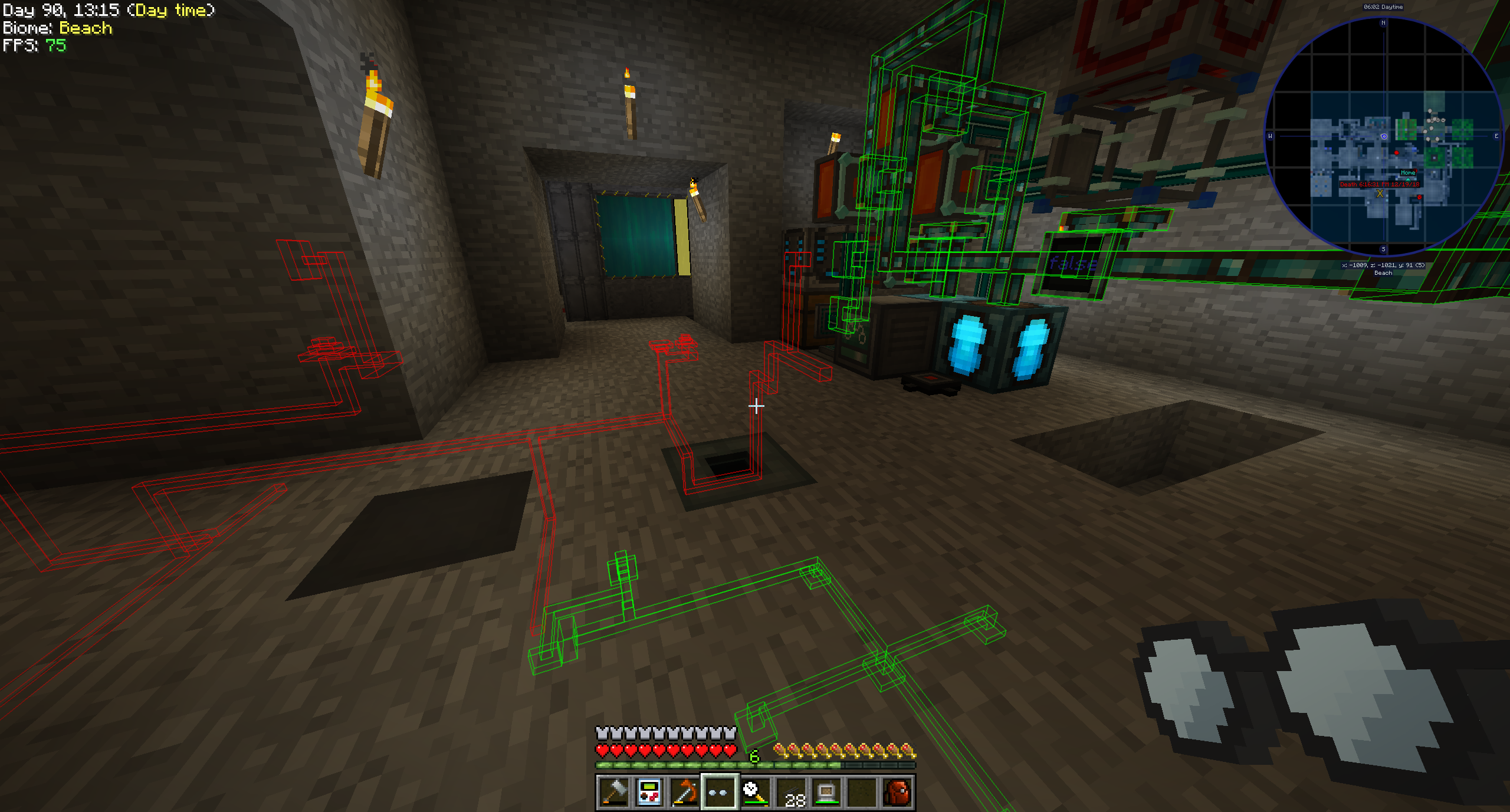
Pipe Goggles trenutno dodaje samo jedan predmet, Pipe Goggles. Omogućavaju onome koji ih nosi da vidi razne vodovodne instalacije kroz zidove.
Upotreba
Kliknite desnim tasterom miša sa naočarima u ruci da otvorite mali GUI za konfiguraciju.
Ubacite cevi koje želite da vidite u obojene slotove.
Naočari mogu biti u tri različita režima:
- Uvek uključeno: Naočari su uvek aktivne i prikazuju sve cevi.
- Uvek isključeno: Naočari nikada nisu aktivne i ne prikazuju nijednu cev.
- Automatski: Naočari će prikazivati odgovarajuće cevi samo kada igrač drži predmet cevi u ruci.
Dodatno možete podesiti domet naočara, debljinu linija cevi i njihovu neprozirnost.
U zavisnosti od konfiguracije moda, vaše naočari će morati da budu napajane da bi radile!
Podržani modovi (1.21.1):
- Applied Energistics 2
- Create
- EnderIO
- Flux Networks
- IntegratedDynamics
- LaserIO
- Mekanism
- Redstone (iz vanilla minecraft)
- Modern Industrialization
- MoreRed
- Oritech
- Pipez
- PneumaticCraft
- Refined Storage
- Replication
- XNet
Podržani modovi (1.14):
- Refined Storage
- Simple Storage Network
- Inspirations
- Integrated Dynamics
Podržani modovi (1.12):
- Applied Energistics
- Cyclic
- EnderIO
- Extra Utilities 2
- Immersive Engineering
- Integrated Dynamics
- Mekanism
- OpenComputers
- Refined Storage
- Simple Storage Network
- Thermal Dynamics
Dodavanje podrške za druge modove (1.21.1 i novije):
Ovo je prilično jednostavno, a primer je bolji od reči za ovaj slučaj:
{ "neoforge:conditions": [ { "type": "neoforge:modloaded", "modid": "xnet" } ], "blocks": [ "xnet:netcable", "xnet:connector" ], "items": [ "xnet:cables", "xnet:connectors" ], "mod": "xnet" }
blocks su blokovi koji treba da budu istaknuti. To mogu biti ID-jevi blokova ili tagovi. items su predmeti koji omogućavaju naočarima da u automatskom režimu istaknu cevi. Takođe ID-jevi predmeta ili tagovi.
Ta datoteka treba da se nalazi ovde: <your-data-pack>/data/pipegoggles/pipegoggles/mods/xnet.json.
Više primera možete naći ovde.
Kako instalirati Pipe Goggles
With Millida Launcher
Install Millida Launcher
The launcher is free: download it at millida.net/launcher and sign in with any nickname.
Click “Install” on this page
The launcher opens and installs the mod for Minecraft 1.12–1.21.1 on Forge or NeoForge automatically.
Launch the game
A profile with it appears in the launcher: click “Play”.
Manually
Install Forge or NeoForge
The loader must match the game version of the mod file, for example Minecraft 1.21.1. After installing it, a separate profile appears in your launcher.
Download the file for your version
In the version list above, pick the file pipegoggles-2.0.4.jar (380 KB) for your game version and loader.
Put it in the mods folder
The folder is inside .minecraft (Windows: %appdata%\.minecraft\mods). If it does not exist, create it.
Launch the loader profile
Open “Mods” in the main menu: Pipe Goggles should be in the list.
Minecraft 1.21.1 runs on Java 21: with a different Java version the game may close right after launch.
Verzije
Sa zavisnostima
| Minecraft | Loader | Fajl | Datum | Akcije |
|---|---|---|---|---|
| 1.21.1 | NeoForge | pipegoggles-2.0.4.jar380 KB | ||
| 1.14.4 | Forge | PipeMaster-2.0.1.12.jar52.5 KB | ||
| 1.12.1 | — | PipeMaster-1.0.2-b8.jar134 KB |
Recenzije
Budi prvi koji će oceniti Pipe Goggles


