
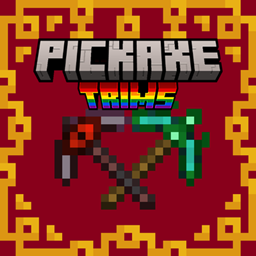
Pickaxe Armor Trims Mod za Minecraft 26.3
Učini da svi kramponi mogu da se ukrase svim šablonima i materijalima, nadogradi svoj krampon sa više od 1300 različitih izgleda!
 Fabric
 Forge
Forge NeoForge
 Quilt
QuiltO Pickaxe Armor Trims modu
get more trims for your items:
- Sword trims ! https://modrinth.com/datapack/sword-trims
- Elytra trims ! https://modrinth.com/datapack/ks-elytra-trims
- Pickaxe trims ! https://modrinth.com/datapack/pickaxe-trims
- Axe trims ! https://modrinth.com/datapack/axe-trims
- Shovel trims ! https://modrinth.com/datapack/shovel-trims
Pickaxe Trims make pickaxes trimmable with any armor trim and any of the 11 smithing ingredients, making each pickaxe type having exactly 199 variants (including the default one) for a grand total of 1393 different looking pickaxes !!!

/!\ make sure to download the resourcepack ( https://modrinth.com/resourcepack/kspack ) if you are using the datapack version or the mod version on a server !!!

(this is less than 10% of all the pickaxes you can make!)
You can turn any pickaxe from wooden to netherite pickaxe into a unique tool by putting it on a smithing table with any armor trim and any smithing material, and make your pickaxe fancier than ever !!!

Pickaxe Trims is serverside and fully vanilla compatible, players without the resourcepack/mod will only see a regular pickaxe but players with the resourcepack/mod will see every pickaxe trim !
If you have any issue/question, contact me on discord! (@nugrevan) : https://discord.gg/SxarRKTw8k, any feedback will be greatly appreciated, thanks !
Kako instalirati Pickaxe Armor Trims
With Millida Launcher
Install Millida Launcher
The launcher is free: download it at millida.net/launcher and sign in with any nickname.
Click “Install” on this page
The launcher opens and installs the mod for Minecraft 26.3 on Fabric, Forge, NeoForge or Quilt automatically.
Launch the game
A profile with it appears in the launcher: click “Play”.
Manually
Install Fabric, Forge, NeoForge or Quilt
The loader must match the game version of the mod file, for example Minecraft 26.3. After installing it, a separate profile appears in your launcher.
Download the file for your version
In the version list above, pick the file ks-pickaxe-trims-26.3.jar (962 KB) for your game version and loader.
Put it in the mods folder
The folder is inside .minecraft (Windows: %appdata%\.minecraft\mods). If it does not exist, create it.
Launch the loader profile
Open “Mods” in the main menu: Pickaxe Armor Trims should be in the list.
Verzije
Sa zavisnostima
| Minecraft | Loader | Fajl | Datum | Akcije |
|---|---|---|---|---|
| 26.3 | Fabric, Forge, NeoForge, Quilt | ks-pickaxe-trims-26.3.jar962 KB 6 |
Česta pitanja
Which Minecraft versions does Pickaxe Armor Trims work on?
Only Minecraft 26.3: there are no files for other versions.
Is Pickaxe Armor Trims for Forge or Fabric?
There are files for Fabric: 26.3, for Forge: 26.3, for NeoForge: 26.3 and for Quilt: 26.3.
Does Pickaxe Armor Trims need other mods?
The author lists no required dependencies: the Fabric, Forge, NeoForge or Quilt loader is enough.
Where can I download Pickaxe Armor Trims safely?
On this page: the file ks-pickaxe-trims-26.3.jar (962 KB) is stored on Millida’s server, with no link shorteners. SHA-1 checksum: 1a5fd1ff9232f07ce4cb14d0e5647ec8d643a951.
Recenzije
Budi prvi koji će oceniti Pickaxe Armor Trims


