
 NeoForge
 Forge
ForgeO Petrock - Forge modu
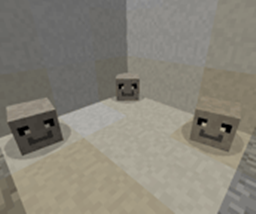
The Pet Rock Mod je jedini Pet Rock Mod koji će vam ikada trebati. Nikada nećete morati da ga hranite, šetate, kupate, čistite ili sterilišete! Svi Pet Rocks dolaze obučeni da "sede" i "ostanu", a najbolje od svega je to što je vaš ljubimac kamen jedini ljubimac koji nikada neće pobeći!
Šta ćete dobiti u kutiji:
- 1 Petrock
100% Rock Solid garancija!
Kako do jednog:
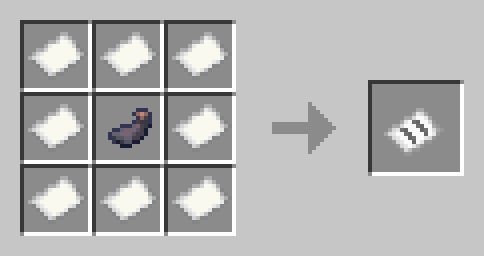
desni klik i dobićete PetRock u kutiji. Ako kliknete desnim tasterom na kutiju, Untamed PetRock će se pojaviti kod vaših nogu. Da biste pripitomili PetRock, potreban vam je Stoneium iz Stoneium Ore
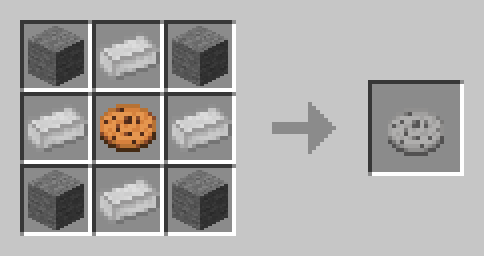
Da biste izlečili oštećeni kamen, morate da napravite Rock Kibble:
Untamed:
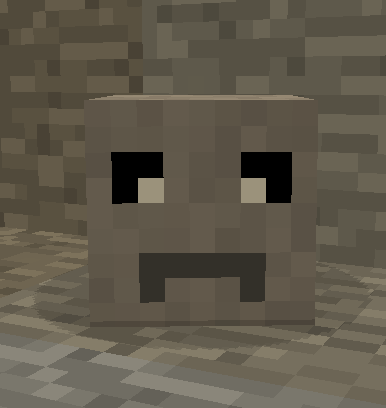
Tamed: Praćenje i sedenje:
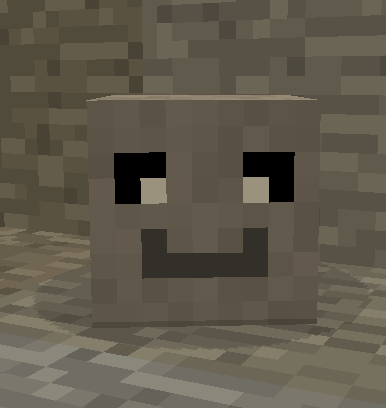
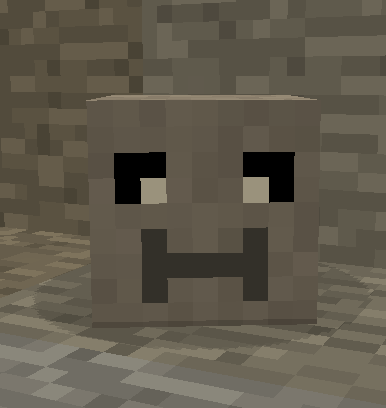
Informacije o redistribuciji moda:
Da redistribuirate sa CuseForge idite ovde:
https://manmaed.net/mod-redistribution-info/
Odgovor će najverovatnije biti Ne
Kako instalirati Petrock - Forge
With Millida Launcher
Install Millida Launcher
The launcher is free: download it at millida.net/launcher and sign in with any nickname.
Click “Install” on this page
The launcher opens and installs the mod for Minecraft 1.10.2–1.21.1 on Forge or NeoForge automatically.
Launch the game
A profile with it appears in the launcher: click “Play”.
Manually
Install Forge or NeoForge
The loader must match the game version of the mod file, for example Minecraft 1.21.1. After installing it, a separate profile appears in your launcher.
Download the file for your version
In the version list above, pick the file petrock-neo-0.18.7.jar (658 KB) for your game version and loader.
Put it in the mods folder
The folder is inside .minecraft (Windows: %appdata%\.minecraft\mods). If it does not exist, create it.
Launch the loader profile
Open “Mods” in the main menu: Petrock - Forge should be in the list.
Minecraft 1.21.1 runs on Java 21: with a different Java version the game may close right after launch.
Verzije
Sa zavisnostima
| Minecraft | Loader | Fajl | Datum | Akcije |
|---|---|---|---|---|
| 1.21 | NeoForge | PetRock v0.18.7 - NeoForge - 1.21658 KB | ||
| 1.21 | NeoForge | PetRock v0.18.4 - NeoForge - 1.21647 KB | ||
| 1.19.2 | Forge | Petrock v0.11.16 - 1.19.2240 KB | ||
| 1.19.2 | Forge | Petrock v0.11.14 - 1.19.2250 KB | ||
| 1.12.2 | — | PetRock v 0.3.0 - 1.12.286.1 KB | ||
| 1.10.2 | — | PetRock v0.1.0 - 1.10.238.5 KB |
Česta pitanja
Which Minecraft versions does Petrock - Forge work on?
There are files for 1.21.1, 1.21, 1.19.2, 1.12.2, 1.10.2. The newest is 1.21.1.
Is Petrock - Forge for Forge or Fabric?
There are files for Forge: 1.19.2 and for NeoForge: 1.21–1.21.1. There are no files for Fabric: a mod for another loader will not start.
Does Petrock - Forge need other mods?
The author lists no required dependencies: the Forge or NeoForge loader is enough.
Which Java does Petrock - Forge need?
Minecraft 1.21.1 runs on Java 21. If the game closes right after launch, the usual cause is the wrong Java version in the profile settings.
Where can I download Petrock - Forge safely?
On this page: the file petrock-neo-0.18.7.jar (658 KB) is stored on Millida’s server, with no link shorteners. SHA-1 checksum: 600d8956869925d65bd8cbf181fe163b2fcfa9ac.
Recenzije
Budi prvi koji će oceniti Petrock - Forge


