
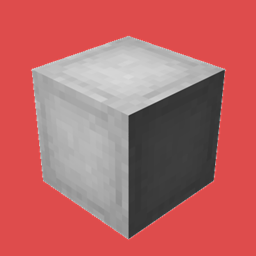
OpenBlocks Elevator (Fabric) Mod za Minecraft 1.21.11
Ovaj mod dodaje čuveni Elevator blok iz 1.12.2, potpuno funkcionalan, tako da možeš da se teleportuješ gore i dole u svom svetu.
- preuzimanja
- 5 preuzimanja
- pregleda
- 36 pregleda
- Ažurirano
- Ažurirano 01.11.2026
- 1.21.9 — 1.21.11
 Fabric
SADA SA KAMUFLAAŽOM kompatibilnom sa bilo kojim blokom!!!
O modu
Jednostavan port OpenBlocks Elevator moda na Fabric
Ovaj mod dodaje čuveni Elevator blok iz 1.12.2, potpuno funkcionalan, tako da možete da se teleportujete gore i dole u svom svetu. Desnim klikom na bilo koji blok kamuflirate lift.
Kraftovanje je isto.
Da biste izmenili domet blokova, morate ručno da izmenite konfiguraciju.
Idite u svoju minecraft fasciklu i otvorite fasciklu config. Izmenite fajl "openblocksconfig.properties" i promenite vrednost 20 na ono što želite.
Ako hostujete server, idite u fasciklu svog servera i izmenite konfiguracioni fajl.
Zahteva Fabric API
Napravljen samo za fabric
Instalirajte ovaj mod i na klijentu i na serveru da bi radio
Preuzmite najnoviju verziju da ne biste imali nikakve bagove u igri
Slike
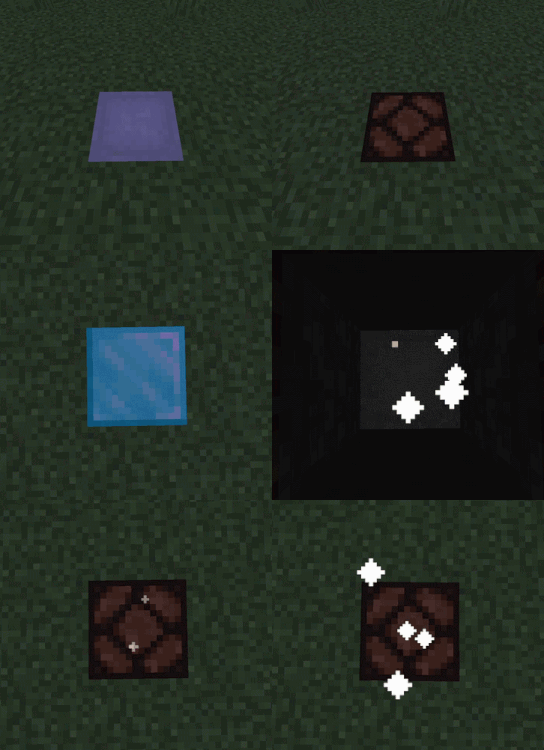
Recept
Ako želite da portujem ovaj mod na određenu verziju minecrafta, samo ostavite komentar :)
Slobodno koristite ovaj mod u svom modpacku
Open Blocks Original mod
Kako instalirati OpenBlocks Elevator (Fabric)
With Millida Launcher
Install Millida Launcher
The launcher is free: download it at millida.net/launcher and sign in with any nickname.
Click “Install” on this page
The launcher opens and installs the mod for Minecraft 1.21.9–1.21.11 on Fabric automatically.
Launch the game
A profile with it appears in the launcher: click “Play”.
Manually
Install Fabric
The loader must match the game version of the mod file, for example Minecraft 1.21.11. After installing it, a separate profile appears in your launcher.
Download the file for your version
In the version list above, pick the file openblocks-1.0.0-1.21.9_1.21.11.jar (37 KB) for your game version.
Put it in the mods folder
The folder is inside .minecraft (Windows: %appdata%\.minecraft\mods). If it does not exist, create it.
Launch the loader profile
Open “Mods” in the main menu: OpenBlocks Elevator (Fabric) should be in the list.
Minecraft 1.21.11 runs on Java 21: with a different Java version the game may close right after launch.
Verzije
Sa zavisnostima
| Minecraft | Loader | Fajl | Datum | Akcije |
|---|---|---|---|---|
| 1.21.9 | Fabric | openblocks-1.0.0-1.21.9_1.21.11.jar37.4 KB 5 |
Česta pitanja
Which Minecraft versions does OpenBlocks Elevator (Fabric) work on?
There are files for 1.21.11, 1.21.10, 1.21.9. The newest is 1.21.11.
Is OpenBlocks Elevator (Fabric) for Forge or Fabric?
Only for Fabric: 1.21.9–1.21.11. There are no files for Forge or NeoForge: a mod for another loader will not start.
Does OpenBlocks Elevator (Fabric) need other mods?
The author lists no required dependencies: the Fabric loader is enough.
Which Java does OpenBlocks Elevator (Fabric) need?
Minecraft 1.21.11 runs on Java 21. If the game closes right after launch, the usual cause is the wrong Java version in the profile settings.
Where can I download OpenBlocks Elevator (Fabric) safely?
On this page: the file openblocks-1.0.0-1.21.9_1.21.11.jar (37 KB) is stored on Millida’s server, with no link shorteners. SHA-1 checksum: 80ae51317758a0f56352719a2ac478f02997ff3d.
Recenzije
Budi prvi koji će oceniti OpenBlocks Elevator (Fabric)


