
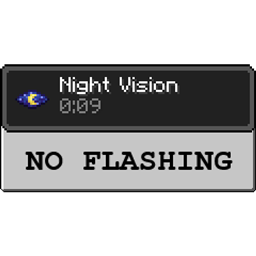
No Night Vision Flashing Mod za Minecraft 1.20.1, 1.12.2
Mrzite treperenje noćnog vida kada mu ostane manje od 10 sekundi? I mi isto, pa ovaj mod to uklanja - nema više treperenja!
 NeoForge
 Forge
ForgeO No Night Vision Flashing modu
Aktivni razvoj: Minecraft 1.18.2
Veb sajt: Team CoFH
Discord: Team CoFH Discord
Ovo je prilično jednostavan mod i radi nekoliko stvari:
- Uklanja efekat treperenja kada efektu noćnog vida ostane manje od 10 sekundi.
- Efekat noćnog vida može se podesiti da postepeno slabi s vremenom. Podrazumevano je 1 sekunda.
- Osnovna svetlina noćnog vida može se podesiti.
Konfiguracija
- Klijent: datoteka nonvflash-client.toml koja se nalazi u /config
Kompatibilnost
Ovaj mod koristi mixin (ASM) od verzije 1.16 i može imati neke probleme s kompatibilnošću, ali je to vrlo malo verovatno.
Ovaj mod je potpuno samostalan i nema zavisnosti. Može se bezbedno uključiti u modpakete.
Kako instalirati No Night Vision Flashing
With Millida Launcher
Install Millida Launcher
The launcher is free: download it at millida.net/launcher and sign in with any nickname.
Click “Install” on this page
The launcher opens and installs the mod for Minecraft 1.12.2–1.20.1 on Forge or NeoForge automatically.
Launch the game
A profile with it appears in the launcher: click “Play”.
Manually
Install Forge or NeoForge
The loader must match the game version of the mod file, for example Minecraft 1.20.1. After installing it, a separate profile appears in your launcher.
Download the file for your version
In the version list above, pick the file no_nv_flash-1.20.1-1.6.0.4.jar (8 KB) for your game version and loader.
Put it in the mods folder
The folder is inside .minecraft (Windows: %appdata%\.minecraft\mods). If it does not exist, create it.
Launch the loader profile
Open “Mods” in the main menu: No Night Vision Flashing should be in the list.
Minecraft 1.20.1 runs on Java 17: with a different Java version the game may close right after launch.
Verzije
Sa zavisnostima
| Minecraft | Loader | Fajl | Datum | Akcije |
|---|---|---|---|---|
| 1.20.1 | NeoForge, Forge | no_nv_flash-1.20.1-1.6.0.4.jar7.7 KB 2 | ||
| 1.12.2 | — | NoNVFlash-1.12.2-1.2.0.3-universal.jar7 KB 6 |
Česta pitanja
Which Minecraft versions does No Night Vision Flashing work on?
There are files for 1.20.1, 1.12.2. The newest is 1.20.1.
Is No Night Vision Flashing for Forge or Fabric?
There are files for Forge: 1.20.1 and for NeoForge: 1.20.1. There are no files for Fabric: a mod for another loader will not start.
Does No Night Vision Flashing need other mods?
The author lists no required dependencies: the Forge or NeoForge loader is enough.
Which Java does No Night Vision Flashing need?
Minecraft 1.20.1 runs on Java 17. If the game closes right after launch, the usual cause is the wrong Java version in the profile settings.
Where can I download No Night Vision Flashing safely?
On this page: the file no_nv_flash-1.20.1-1.6.0.4.jar (8 KB) is stored on Millida’s server, with no link shorteners. SHA-1 checksum: cc3b48da1d463b11b16bf19c7d075d4942f25e94.
Recenzije
Budi prvi koji će oceniti No Night Vision Flashing


