

Netherific Mod za Minecraft 1.20.1, 1.16.5
Proširuje Nether više nego što je Mojang uradio, sa jedinstvenim mehanikama, blokovima, predmetima i mobovima, poznat i kao Nourished Nether
- preuzimanja
- 1 preuzimanja
- pregleda
- 12 pregleda
- Ažurirano
- Ažurirano 20.10.2026
- 1.16.5 — 1.20.1
 Forge
Forge
O Netherific modu
Ovaj mod je arhiviran i više neće primati dalja ažuriranja.
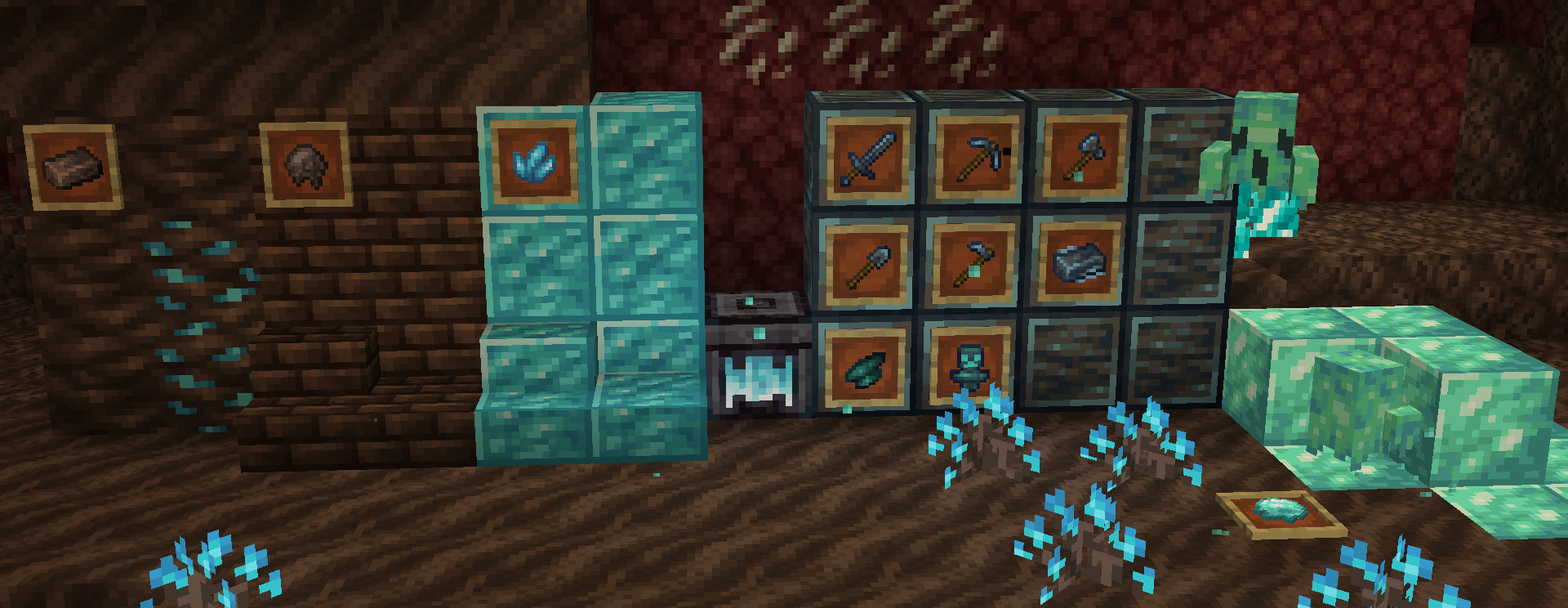
Netherific (poznat i kao Phantasmic) je mod za proširenje Nethera za 1.18.2+ koji ima za cilj da proširi Nether više nego što je Mojang uradio tokom Nether Update-a. Proširuje sve trenutne nether biome novim mehanikama, mobovima, predmetima, blokovima i još mnogo toga, a sve to i dalje deluje vanilla.
undefined
Zahteva Geckolib za neke verzije
- Ukupno preko 50 novih blokova, od kojih su mnogi dekorativni, a nekoliko ima jedinstvene funkcionalnosti.
- Nove namirnice povezane sa Netherom kao što su Ghost Peppers, Fungus stew, Polterpork i Hoglin meat
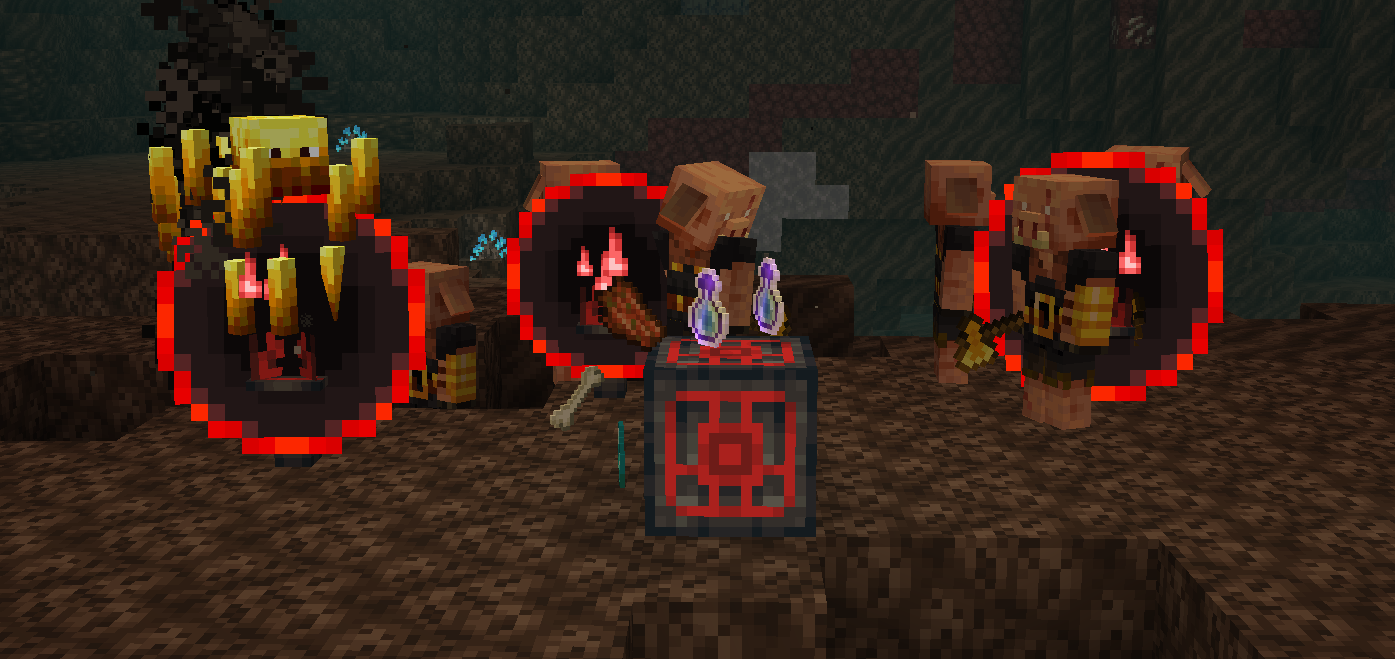
- Dodaje Nether Reactor Core iz starih verzija Pocket Edition-a sa novim pristupom.
- Novi sablasni mob za soul sand valleys
- Nova mehanika kovanja duša koja se koristi za pretvaranje određenih overworld i nether predmeta u predmete više "nalik duši".
- Novi jedinstveni set alata napravljen kovanjem duša
- Proširenja svih trenutnih nether bioma, kao što su nove dekoracije, blokovi i predmeti.
- Određene funkcije se mogu konfigurisati putem config fajla i gamerules!
-Većina ovih funkcija postoji samo u najnovijim verzijama-
"Da li će Phantasmic biti back-portovan na X verziju?"
1.18.2 je jedina verzija na koju će biti back-portovan.
"Da li će Phantasmic biti portovan na fabric?"
Ne.
"Da li smem da koristim Phantasmic u svom modpack-u?"
Naravno! Kredit / link ka modu bi bio cenjen, ali nije neophodan.
"Gde mogu da pružim prevod / doprinesem prevodima moda?"
Mod možete prevesti ovde
- YouTube je dostupan ovde
- Community Discord Server možete se pridružiti ovde -- (Pridružite se za sneak peaks i podršku!)
- Ako želite da donirate, moj Ko-Fi je dostupan ovde
- Omogućeno korišćenjem MCreator
Kako instalirati Netherific
With Millida Launcher
Install Millida Launcher
The launcher is free: download it at millida.net/launcher and sign in with any nickname.
Click “Install” on this page
The launcher opens and installs the mod for Minecraft 1.16.5–1.20.1 on Forge automatically.
Launch the game
A profile with it appears in the launcher: click “Play”.
Manually
Install Forge
The loader must match the game version of the mod file, for example Minecraft 1.20.1. After installing it, a separate profile appears in your launcher.
Download the file for your version
In the version list above, pick the file phantasmic-1.20.1-0.2.5.jar (1.2 MB) for your game version.
Put it in the mods folder
The folder is inside .minecraft (Windows: %appdata%\.minecraft\mods). If it does not exist, create it.
Launch the loader profile
Open “Mods” in the main menu: Netherific should be in the list.
Minecraft 1.20.1 runs on Java 17: with a different Java version the game may close right after launch.
Verzije
Sa zavisnostima
| Minecraft | Loader | Fajl | Datum | Akcije |
|---|---|---|---|---|
| 1.20.1 | Forge | 0.2.5 - 1.20.11.2 MB 1 | ||
| 1.16.5 | — | Release V8580 KB |
Česta pitanja
Which Minecraft versions does Netherific work on?
There are files for 1.20.1, 1.16.5. The newest is 1.20.1.
Is Netherific for Forge or Fabric?
Only for Forge: 1.20.1. There are no files for Fabric or NeoForge: a mod for another loader will not start.
Does Netherific need other mods?
The author lists no required dependencies: the Forge loader is enough.
Which Java does Netherific need?
Minecraft 1.20.1 runs on Java 17. If the game closes right after launch, the usual cause is the wrong Java version in the profile settings.
Where can I download Netherific safely?
On this page: the file phantasmic-1.20.1-0.2.5.jar (1.2 MB) is stored on Millida’s server, with no link shorteners. SHA-1 checksum: d8f98348248c3712b257132a35eec35e5f3643f5.
Recenzije
Budi prvi koji će oceniti Netherific


