

MEGA Cells Mod za Minecraft 1.20.1, 1.21.1
ME Greater Accumulation: Za slučajeve kada kilobajti jednostavno nisu dovoljni.
 NeoForge
 Forge
Forge Fabric
O MEGA Cells modu
ME Greater Accumulation: Za kada kilobajti jednostavno nisu dovoljni.
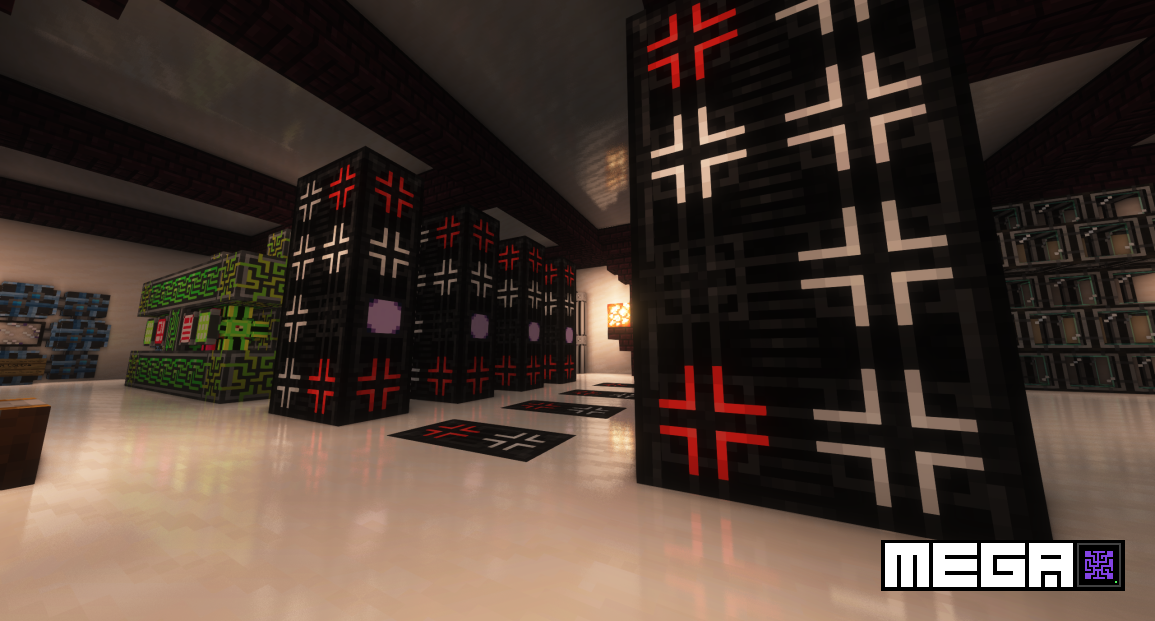
MEGA Cells je dodatak za Applied Energistics 2 koji pruža više nivoa skladištenja, kapaciteta od 1M do čak 256M, slično starim dodacima kao što su Extra Cells 2 i njegovi naslednici. Za razliku od konvencionalnih dodataka istog tipa, MEGA radi stvari prilično drugačije, sa sopstvenom linijom napretka i komponentama koje dodatno unapređuju i izazivaju postojeće postavke AE2 igrača, istovremeno naglašavajući prepoznatljiv vizuelni stil sa crnim kolornim šemama.
- 1M - 256M ćelije za predmete i tečnosti (standardne + prenosive)
- MEGA Crafting CPU sa namenskim potpuno crnim crafting jedinicama: 1M - 256M skladištenje, 4-nitna ko-procesorska jedinica i odgovarajući monitor
- Integracija sa više drugih AE2 dodataka kao što su Applied Mekanistics (1-256M hemijske ćelije) i Applied Botanics (1-256M mana ćelije)
- MEGA Bulk Item Storage Cell: Dizajnirana za beskonačno skladištenje jedne vrste predmeta
- Bulk Compression: Automatska konverzija između ingota, grumena i blokova za skladištenje u bulk item ćelijama, uz punu podršku za auto-crafting putem Decompression Module
- MEGA Pattern Provider: Dvostruki kapacitet skladištenja za processing patterns
- Superdense Energy Cell i Greater Energy Card: Povećano skladištenje energije za AE mreže i prenosive uređaje
...i još mnogo toga dolazi.
Sav kod je licenciran pod LGPLv3, u skladu sa istom licencom koju koristi Applied Energistics 2 i sa delom koda pozajmljenim iz samog AE2. Svi resursi su licencirani pod CC BY-NC-SA 3.0, u skladu sa istom licencom koju koristi AE2 i sa većinom koja potiče iz AE2 sopstvenih resursa. Neki resursi su obezbeđeni eksterno ljubaznošću SeaKerman.
Kako instalirati MEGA Cells
With Millida Launcher
Install Millida Launcher
The launcher is free: download it at millida.net/launcher and sign in with any nickname.
Click “Install” on this page
The launcher opens and installs the mod for Minecraft 1.20.1–1.21.1 on Fabric, Forge or NeoForge automatically.
Launch the game
A profile with it appears in the launcher: click “Play”.
Manually
Install Fabric, Forge or NeoForge
The loader must match the game version of the mod file, for example Minecraft 1.21.1. After installing it, a separate profile appears in your launcher.
Download the file for your version
In the version list above, pick the file megacells-4.11.0.jar (1.1 MB) for your game version and loader.
Put it in the mods folder
The folder is inside .minecraft (Windows: %appdata%\.minecraft\mods). If it does not exist, create it.
Launch the loader profile
Open “Mods” in the main menu: MEGA Cells should be in the list.
Minecraft 1.21.1 runs on Java 21: with a different Java version the game may close right after launch.
Verzije
Sa zavisnostima
| Minecraft | Loader | Fajl | Datum | Akcije |
|---|---|---|---|---|
| 1.21.1 | NeoForge | 4.11.0 (NeoForge 1.21.1)1.1 MB 3 | ||
| 1.20.1 | NeoForge, Forge | 2.4.6 (Forge 1.20.1)378 KB 5 | ||
| 1.20.1 | Fabric | 2.4.6 (Fabric 1.20.1)304 KB 6 | ||
| 1.21 | NeoForge | 4.0.1-alpha (NeoForge 1.21)308 KB 1 | ||
| 1.20.4 | NeoForge | 3.0.2-beta (NeoForge 1.20.4)294 KB | ||
| 1.20.1 | Forge | 2.1.0-beta.8 (Forge 1.20.1)266 KB | ||
| 1.20.1 | Fabric | 2.1.0-beta.8 (Fabric 1.20.1)240 KB |
Česta pitanja
Which Minecraft versions does MEGA Cells work on?
There are files for 1.21.1, 1.21, 1.20.4, 1.20.1. The newest is 1.21.1.
Is MEGA Cells for Forge or Fabric?
There are files for Fabric: 1.20.1, for Forge: 1.20.1 and for NeoForge: 1.20.1–1.21.1.
Does MEGA Cells need other mods?
The author lists no required dependencies: the Fabric, Forge or NeoForge loader is enough.
Which Java does MEGA Cells need?
Minecraft 1.21.1 runs on Java 21. If the game closes right after launch, the usual cause is the wrong Java version in the profile settings.
Where can I download MEGA Cells safely?
On this page: the file megacells-4.11.0.jar (1.1 MB) is stored on Millida’s server, with no link shorteners. SHA-1 checksum: f0b1a44bf30c8a9e14e2fa7fce37360191aa55e8.
Recenzije
Budi prvi koji će oceniti MEGA Cells


