
Medieval Paintings Mod za Minecraft 1.21.1, 1.21
Dodaje nove slike u srednjovekovno-fantastičnom stilu u igru!
 NeoForge
 Forge
Forge📖 O modu -
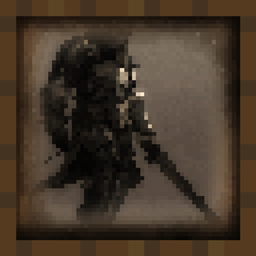
Dodaje više od 50 slika koje prikazuju lepotu srednjovekovno-fantastične umetnosti.
Rezolucija slika je 16x16 i teksture prilagođene vanilla igri uklapaju se u Minecraft svet. Postavite slike kao i svaki običan predmet za slikanje i preobrazite unutrašnjost svojih gradnji.
Pridružite se našem Discord serveru da pokažete svoj umetnički talenat Minecraft zajednici. Postoji poseban kanal samo za umetnike koji žele da predstave svoj rad u modu.
Da zamenite vanilla slike srednjovekovnim:
Preuzmite Resource Pack - https://www.curseforge.com/minecraft/texture-packs/medieval-paintings
❓ Česta pitanja -
P: Hoćete li preneti mod na Fabric? O: Ne. Ne volim da se samopovređujem.
P: Možete li da ažurirate na najnoviju verziju? O: Da, ažuriraću svoj mod na svaku novu glavnu verziju Minecrafta.
P: Hoćete li preneti na 1.12.2/1.7.10? O: Ne. Morao bih ponovo da učim kako se pravi mod.
P: Možete li da dodate ... ? O: Pridružite se našem Discord serveru. Postoji kanal posvećen tome. Ako mi se svidi vaša ideja, imaće veliku šansu da bude dodata.

🔗 Linkovi -
Ovde možete da me podržite i pratite moje projekte!
Kako instalirati Medieval Paintings
With Millida Launcher
Install Millida Launcher
The launcher is free: download it at millida.net/launcher and sign in with any nickname.
Click “Install” on this page
The launcher opens and installs the mod for Minecraft 1.18–1.21.11 on Forge or NeoForge automatically.
Launch the game
A profile with it appears in the launcher: click “Play”.
Manually
Install Forge or NeoForge
The loader must match the game version of the mod file, for example Minecraft 1.21.11. After installing it, a separate profile appears in your launcher.
Download the file for your version
In the version list above, pick the file medieval_paintings-1.21.1-7.0.jar (896 KB) for your game version and loader.
Put it in the mods folder
The folder is inside .minecraft (Windows: %appdata%\.minecraft\mods). If it does not exist, create it.
Launch the loader profile
Open “Mods” in the main menu: Medieval Paintings should be in the list.
Minecraft 1.21.11 runs on Java 21: with a different Java version the game may close right after launch.
Verzije
Sa zavisnostima
| Minecraft | Loader | Fajl | Datum | Akcije |
|---|---|---|---|---|
| 1.21 | NeoForge | medieval_paintings-1.21.1-7.0.jar896 KB 5 | ||
| 1.21 | Forge | medieval_paintings-1.21-7.0.jar892 KB 4 | ||
| 1.18.1 | — | medieval_paintings-2.0.jar937 KB |
Česta pitanja
Which Minecraft versions does Medieval Paintings work on?
There are files for 1.18–1.21.11, 14 versions in total. The newest is 1.21.11.
Is Medieval Paintings for Forge or Fabric?
There are files for Forge: 1.21–1.21.10 and for NeoForge: 1.21–1.21.11. There are no files for Fabric: a mod for another loader will not start.
Does Medieval Paintings need other mods?
The author lists no required dependencies: the Forge or NeoForge loader is enough.
Which Java does Medieval Paintings need?
Minecraft 1.21.11 runs on Java 21. If the game closes right after launch, the usual cause is the wrong Java version in the profile settings.
Where can I download Medieval Paintings safely?
On this page: the file medieval_paintings-1.21.1-7.0.jar (896 KB) is stored on Millida’s server, with no link shorteners. SHA-1 checksum: a126b225fb23ecc3a00f8a2a5c00abd418a6077b.
Recenzije
Budi prvi koji će oceniti Medieval Paintings


