

Jade 🔍 Mod za Minecraft 1.20.1, 1.21.1
Prikazuje informacije o onome što gledaš. (Hwyla/Waila fork za Minecraft 1.16+)
 NeoForge
 Fabric
 Quilt
Quilt Forge
ForgeJade 🔍
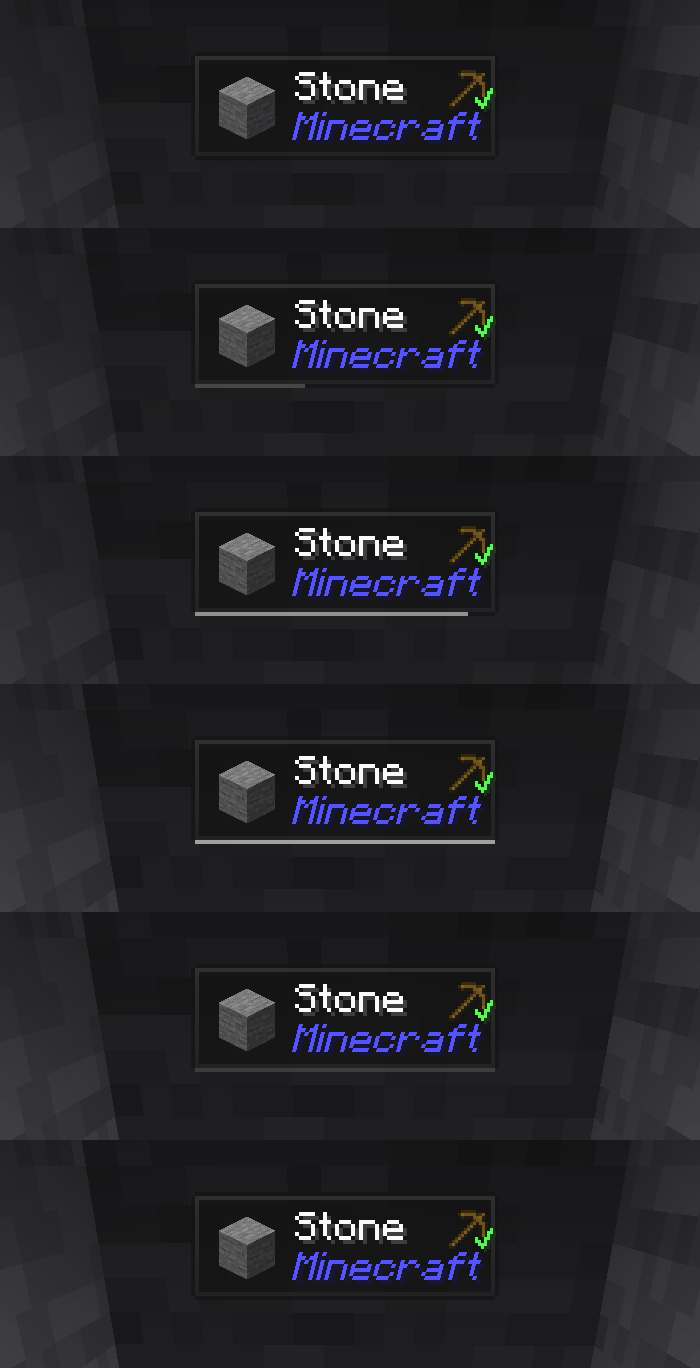
Jade je HUD mod za informacije - Hwyla/Waila za moderne verzije Minecrafta. Dizajniran za bolje korisničko iskustvo i API.
Jade može da se instalira samo na strani klijenta. Ali mnoge funkcije zahtevaju Jade na strani servera. (skladištenje predmeta, količina goriva u pivskom postolju, pčele u košnici...)
Za integraciju modova, probajte Jade Addons: NeoForge Fabric

Tasteri (podrazumevano):
- Numerički deo tastature 0: Otvori ekran za konfiguraciju
- Numerički deo tastature 1: Uključi/isključi overlay
- Numerički deo tastature 2: Uključi/isključi prikaz tečnosti
- Numerički deo tastature 3: Prikaži recepte (Zahteva JEI)
- Numerički deo tastature 4: Prikaži upotrebe (Zahteva JEI)
- Numerički deo tastature 5: Izgovori metu

Značajne promene u odnosu na Hwyla:
- Redizajn API-ja
- Više vanilla dodataka
- Veća mogućnost konfiguracije
- Bolja pristupačnost
Kao što zahteva originalni projekat Hwyla, Jade koristi Creative Commons Attribution-NonCommercial-ShareAlike 4.0 International (CC BY-NC-SA 4.0) licencu.
Kako instalirati Jade 🔍
With Millida Launcher
Install Millida Launcher
The launcher is free: download it at millida.net/launcher and sign in with any nickname.
Click “Install” on this page
The launcher opens and installs the mod for Minecraft 1.16–26.3 on Fabric, Forge, NeoForge or Quilt automatically, together with its dependencies: Fabric API.
Launch the game
A profile with it appears in the launcher: click “Play”.
Manually
Install Fabric, Forge, NeoForge or Quilt
The loader must match the game version of the mod file, for example Minecraft 26.3. After installing it, a separate profile appears in your launcher.
Download the file for your version
In the version list above, pick the file Jade-mc26.3-NeoForge-26.3.5.jar (1.0 MB) for your game version and loader.
Put it in the mods folder
The folder is inside .minecraft (Windows: %appdata%\.minecraft\mods). If it does not exist, create it. Required dependencies go there too: Fabric API.
Launch the loader profile
Open “Mods” in the main menu: Jade 🔍 should be in the list.
On a server
A server on Fabric, Forge, NeoForge or Quilt
The mod only works on a server with the same loader and game version, for example 26.3.
File goes into the server’s mods folder
Stop the server, put the mod file into the mods folder and start the server again.
Use the “To server” button
On Millida Hosting, the button at the top of the page uploads the file to your server and restarts it for you.
Verzije
Sa zavisnostima
| Minecraft | Loader | Fajl | Datum | Akcije |
|---|---|---|---|---|
| 26.1.2 | NeoForge | 26.1.21005 KB 7 | ||
| 26.3 | NeoForge | 26.31 MB 17 | ||
| 26.3 | Fabric, Quilt | 26.31 MB 548 | ||
| 26.3 | NeoForge | 26.31 MB 1 | ||
| 26.3 | Fabric, Quilt | 26.31 MB | ||
| 26.3 | Fabric, Quilt | 26.31 MB | ||
| 26.3 | Fabric, Quilt | 26.31 MB | ||
| 26.3 | NeoForge | 26.31007 KB |
Šta je potrebno za pokretanje
- Fabric APIobavezno
- Just Enough Items (JEI)opciono
Sadržaj koji ga zahteva
Recenzije
Budi prvi koji će oceniti Jade 🔍


