
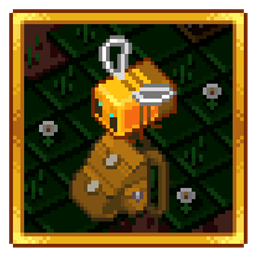
Improved Backpacks Mod za Minecraft 1.12.2, 1.16.5
Cool ranci koji se mogu poboljšati gvožđem, zlatom itd. [Novo] Baubles integracija!
- preuzimanja
- 3 preuzimanja
- pregleda
- 13 pregleda
- Ažurirano
- Ažurirano 21.10.2026
- 1.12 — 1.16.5
 Forge
Forge
Ovaj mod dodaje rančeve koje možete nadograditi, preimenovati, obojiti, postaviti i nositi!
Karakteristike:
- Bojite rančeve korišćenjem boja
- Nadograđujte rančeve korišćenjem džepova
- Preimenujte rančeve pritiskom na Sneak + Use (u vazduhu)
- Postavite ranac na pod Sneak + Use (na blok)
- Nosite ranac u slotu za Chestplate/Baubles/Curios
- Jaka zaštita od duplikacije predmeta u poređenju sa drugim prenosivim skladištima!
- Otvorite ranac koji se nalazi u slotu za Chestplate/Baubles/Curios pomoću prečice!
- Otvorite ranac koji se nalazi u drugim slotovima desnim klikom na njega!
Integracija:
- Quark
- Inventory Tweaks
- Baubles / Curios
- JEI / NEI
Novi radni sto - Sewing Table
Materijali
Ranac i džepovi za ranac
Dodatne karakteristike
Legacy 1.12 verzija
Pitanja i odgovori:
- Mogu li da koristim ovaj mod u svom mod paketu?
- Da
- Koje Minecraft verzije se trenutno aktivno podržavaju?
- 1.16.5
Zdravo MMD, ovo je DreenDex2078 dana 07.04.2020
Kako instalirati Improved Backpacks
With Millida Launcher
Install Millida Launcher
The launcher is free: download it at millida.net/launcher and sign in with any nickname.
Click “Install” on this page
The launcher opens and installs the mod for Minecraft 1.12–1.16.5 on Forge automatically.
Launch the game
A profile with it appears in the launcher: click “Play”.
Manually
Install Forge
The loader must match the game version of the mod file, for example Minecraft 1.16.5. After installing it, a separate profile appears in your launcher.
Download the file for your version
In the version list above, pick the file ImprovedBackpacks-1.6.2.1.jar (2.2 MB) for your game version.
Put it in the mods folder
The folder is inside .minecraft (Windows: %appdata%\.minecraft\mods). If it does not exist, create it.
Launch the loader profile
Open “Mods” in the main menu: Improved Backpacks should be in the list.
Minecraft 1.16.5 runs on Java 8: with a different Java version the game may close right after launch.
Verzije
Sa zavisnostima
| Minecraft | Loader | Fajl | Datum | Akcije |
|---|---|---|---|---|
| 1.16.5 | Forge | ImprovedBackpacks - 1.6.2.12.2 MB 2 | ||
| 1.12.1 | — | ImprovedBackpacks - 1.4.0.0147 KB 1 |
Česta pitanja
Which Minecraft versions does Improved Backpacks work on?
There are files for 1.16.5, 1.12.2, 1.12.1, 1.12. The newest is 1.16.5.
Is Improved Backpacks for Forge or Fabric?
Only for Forge: 1.16.5. There are no files for Fabric or NeoForge: a mod for another loader will not start.
Does Improved Backpacks need other mods?
The author lists no required dependencies: the Forge loader is enough.
Which Java does Improved Backpacks need?
Minecraft 1.16.5 runs on Java 8. If the game closes right after launch, the usual cause is the wrong Java version in the profile settings.
Where can I download Improved Backpacks safely?
On this page: the file ImprovedBackpacks-1.6.2.1.jar (2.2 MB) is stored on Millida’s server, with no link shorteners. SHA-1 checksum: 950951ecb73b4bf96488f9d54bdaea38a7d7d09c.
Recenzije
Budi prvi koji će oceniti Improved Backpacks


