

Impersonate Mod za Minecraft 1.21.11
Impersonate: preuzeti ili glumiti lik
- pregleda
- 7 pregleda
- Ažurirano
- Ažurirano 18.10.2026
- 1.21.11
 Fabric
O Impersonate modu
Have you ever wanted to impersonate another player ? Be it for making machinimas, roleplaying, playing 5D chess in factions, or just pranking friends, there are lots of (relatively) good reasons to assume the identity of someone else.
Requires the latest version of Fabric API
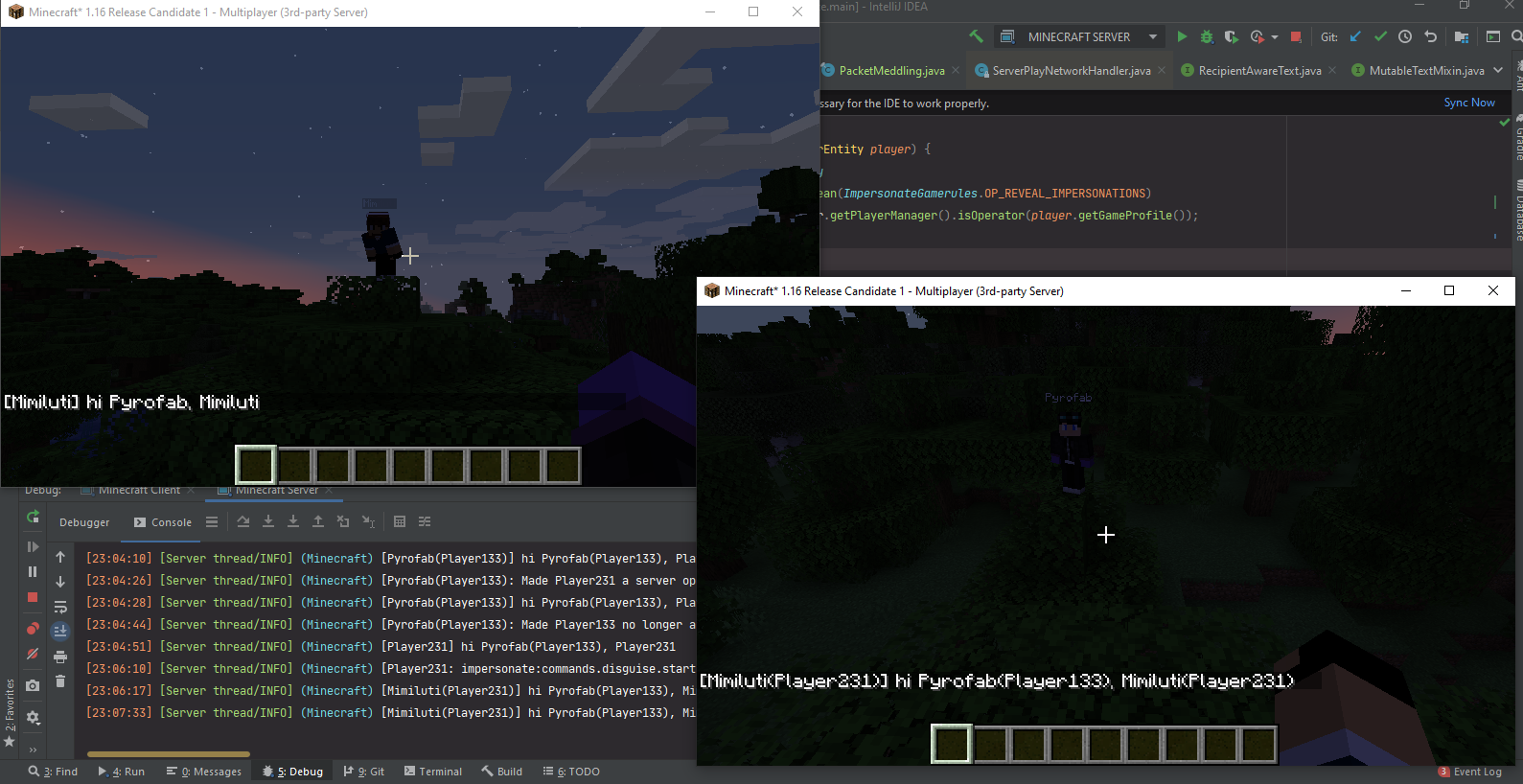
Overview
Impersonate allows players to take on the name and appearance of other players. When impersonating someone, a player will:
- have the skin of the impersonated player
- have the nameplate of the impersonated player
- send every chat message as if they were the impersonated player
- appear as the impersonated players in online player lists
- sign books as if they were the impersonated player
- etc.
They will however not fool the impersonated player's pets, if any.
To avoid moderation chaos, server logs will always display the actual player's name, alongside their fake identity. Server operators will have ongoing impersonations revealed in the same way.
This mod works serverside (compatible with vanilla clients), but installation on clients is still recommended, notably for server operators.
Commands
Impersonate adds the /impersonate command, allowing server operators and mapmakers to interact with the API through commands.
- /impersonate disguise
- /impersonate disguise as <name> [<targets>] [<key>] : disguises one or more players
- <name> : Name of the player to impersonate. Does not have to be online or even real.
- [<targets>] (optional) : If specified, must be either a player's username or a target selector. If unspecified, defaults to the player using the command. When used in a command block, player is not optional.
- [<key>] (optional) : If specified, must be a valid identifier serving as a key for the impersonation.
- /impersonate disguise clear [<targets>] [<key>] : stops the impersonation of one or more players
- [<targets>] (optional) : If specified, must be either a player's username or a target selector. If unspecified, defaults to the player using the command. When used in a command block, player is not optional.
- [<key>] (optional) : If specified, must be a valid identifier that was previously used as a key to start an impersonation. If left unspecified, the command will clear every active impersonation.
Permissions
If you have LuckPerms installed, the above commands can be used by players with the impersonate.command.disguise permission. If you only grant impersonate.command.disguise.self, players will only be able to use the commands on themselves.
Gamerules
- impersonate:fakeCapes : Whether impersonators should get the cape and elytra of impersonated players. Defaults to false.
- impersonate:opRevealImpersonations : Whether impersonations should be revealed to online server operators. Defaults to true.
- impersonate:logRevealImpersonations : Whether ongoing impersonations should be revealed in the server logs. Defaults to true.
Using Impersonate (for developers)
Mod developers can use gradle to add Impersonate as a dependency. More information is available in the Github Readme.
Kako instalirati Impersonate
With Millida Launcher
Install Millida Launcher
The launcher is free: download it at millida.net/launcher and sign in with any nickname.
Click “Install” on this page
The launcher opens and installs the mod for Minecraft 1.21.11 on Fabric automatically.
Launch the game
A profile with it appears in the launcher: click “Play”.
Manually
Install Fabric
The loader must match the game version of the mod file, for example Minecraft 1.21.11. After installing it, a separate profile appears in your launcher.
Download the file for your version
In the version list above, pick the file impersonate-3.4.0-standalone.jar (173 KB) for your game version.
Put it in the mods folder
The folder is inside .minecraft (Windows: %appdata%\.minecraft\mods). If it does not exist, create it.
Launch the loader profile
Open “Mods” in the main menu: Impersonate should be in the list.
Minecraft 1.21.11 runs on Java 21: with a different Java version the game may close right after launch.
Verzije
Sa zavisnostima
| Minecraft | Loader | Fajl | Datum | Akcije |
|---|---|---|---|---|
| 1.21.11 | Fabric | impersonate-3.4.0.jar173 KB |
Česta pitanja
Which Minecraft versions does Impersonate work on?
Only Minecraft 1.21.11: there are no files for other versions.
Is Impersonate for Forge or Fabric?
Only for Fabric: 1.21.11. There are no files for Forge or NeoForge: a mod for another loader will not start.
Does Impersonate need other mods?
The author lists no required dependencies: the Fabric loader is enough.
Which Java does Impersonate need?
Minecraft 1.21.11 runs on Java 21. If the game closes right after launch, the usual cause is the wrong Java version in the profile settings.
Where can I download Impersonate safely?
On this page: the file impersonate-3.4.0-standalone.jar (173 KB) is stored on Millida’s server, with no link shorteners. SHA-1 checksum: d735c416e8d873ff05d2fb3105c40915b2d6f182.
Recenzije
Budi prvi koji će oceniti Impersonate


