

Hudium Mod za Minecraft 1.19.1
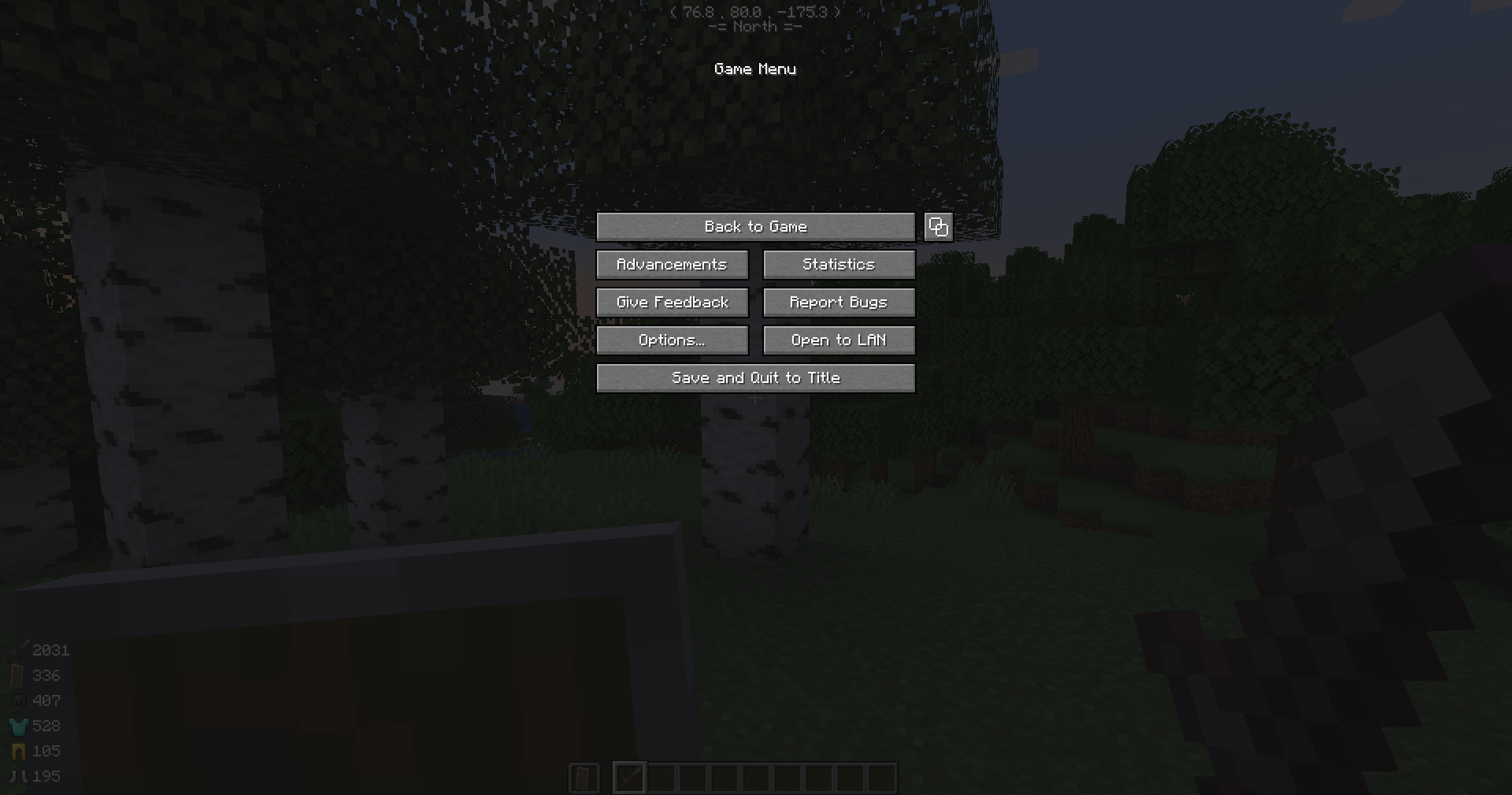
Mnogo HUD izmena uključujući statistike igrača, informacije o blokovima/entitetima, informacije o izdržljivosti itd. Nema više muke sa instaliranjem toliko modova!
 Fabric
 Quilt
QuiltHudium
Have you ever been driven mad because of the pain installing so many mods like WTHIT and AppleSkin for a bit nicer and more useful HUD?
Well, I have. And that's why I made this mod. The mod that ends everything.
No extra library required! (Before 1.2.0 you can optionally install Mod Menu for the in-game config screen)
The mod provides many HUD tweaks you can see in other mods, including:
- Player Stats
- Block/Entity Info (With primitive plugin support)
- Durability Info
- More to come...
That's not all. Every single feature above can be toggled via the config. (Also with bundled config screen since 1.2.0!)
Also, I appreciate feature requests! If you want a new feature, you can just come to the issues and open one, and I'll try to implement it ASAP.
This mod, including the library (Omega Config and SpruceUI) it uses, is licensed under MIT. Feel free to add it into your modpack.
Forge port is planned. Stay tuned for further updates!
Kako instalirati Hudium
With Millida Launcher
Install Millida Launcher
The launcher is free: download it at millida.net/launcher and sign in with any nickname.
Click “Install” on this page
The launcher opens and installs the mod for Minecraft 1.19–1.19.1 on Fabric or Quilt automatically.
Launch the game
A profile with it appears in the launcher: click “Play”.
Manually
Install Fabric or Quilt
The loader must match the game version of the mod file, for example Minecraft 1.19.1. After installing it, a separate profile appears in your launcher.
Download the file for your version
In the version list above, pick the file hudium-fabric-1.4.5+mc1.19.jar (242 KB) for your game version and loader.
Put it in the mods folder
The folder is inside .minecraft (Windows: %appdata%\.minecraft\mods). If it does not exist, create it.
Launch the loader profile
Open “Mods” in the main menu: Hudium should be in the list.
Minecraft 1.19.1 runs on Java 17: with a different Java version the game may close right after launch.
Verzije
Sa zavisnostima
| Minecraft | Loader | Fajl | Datum | Akcije |
|---|---|---|---|---|
| 1.19.1 | Fabric, Quilt | [Fabric/Quilt 1.19] 1.4.5242 KB |
Recenzije
Budi prvi koji će oceniti Hudium


