

Hot Kettles Mod za Minecraft 1.20.1, 1.21.11
Dodaje čajnike i pića u Minecraft
 NeoForge
 Fabric
 Quilt
 Forge
Hot Kettles
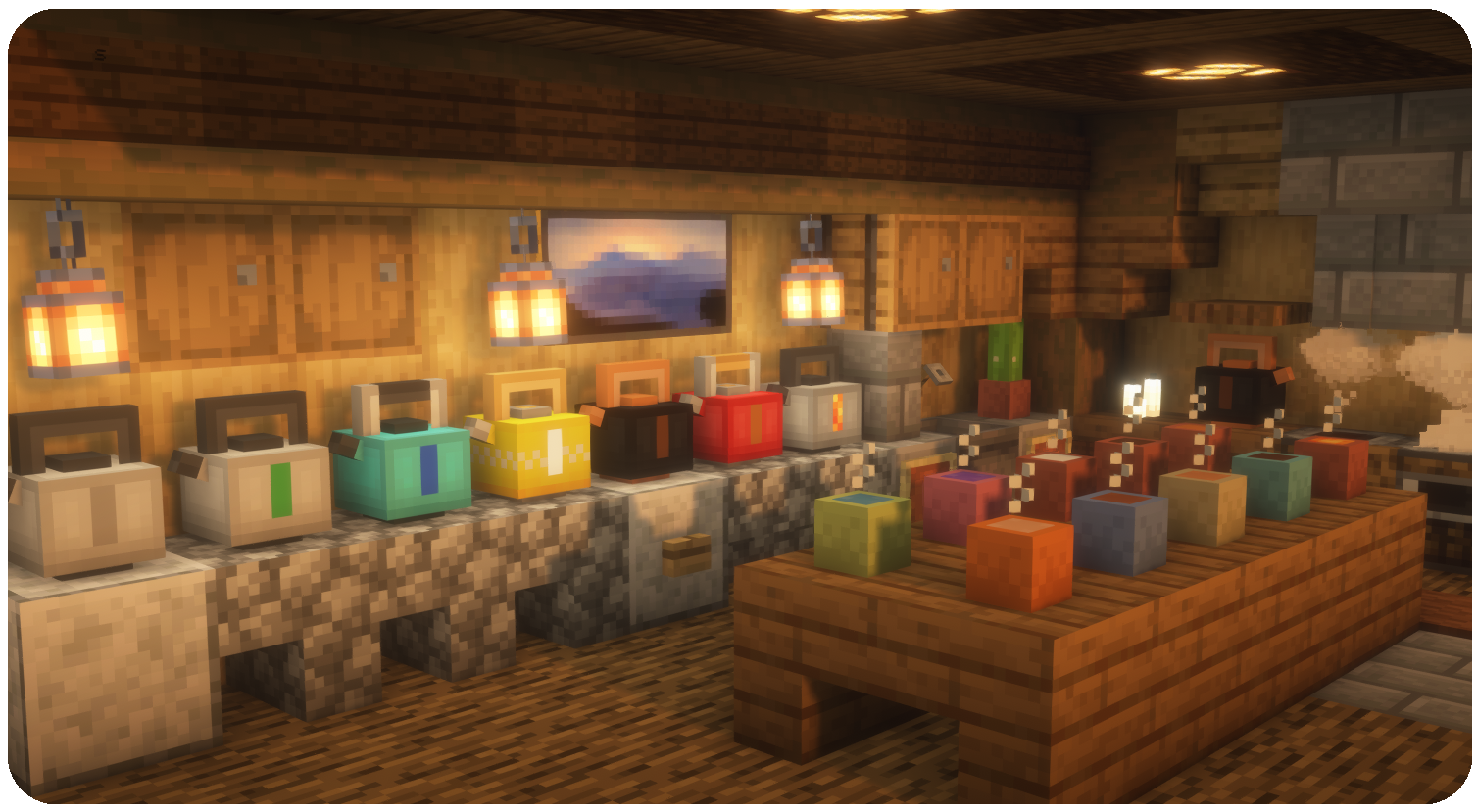
Add decorative and functional drinks to Minecraft, they are colorful, give you potion effects, and add a nice dimension of coziness to the game!
How to Use
- Craft a kettle with the recipe below, right clicking the kettle with an empty hand will give you instructions on what to do next.
- The options are to put cactus, water, milk, or lava in an empty kettle.
- In a water kettle you can add apple or cocoa.
- You can heat a kettle by putting fire, torch, or lava beneath it, which will give you hot drinks instead of cold drinks.
- This covers the variety of kettles, then you can use an empty mug, crafted from a clay mug smelted in a furnace, to grab a cup of liquid from the kettle!
- Some of these drinks can be used in recipes to make more fancy drinks!
Recipes
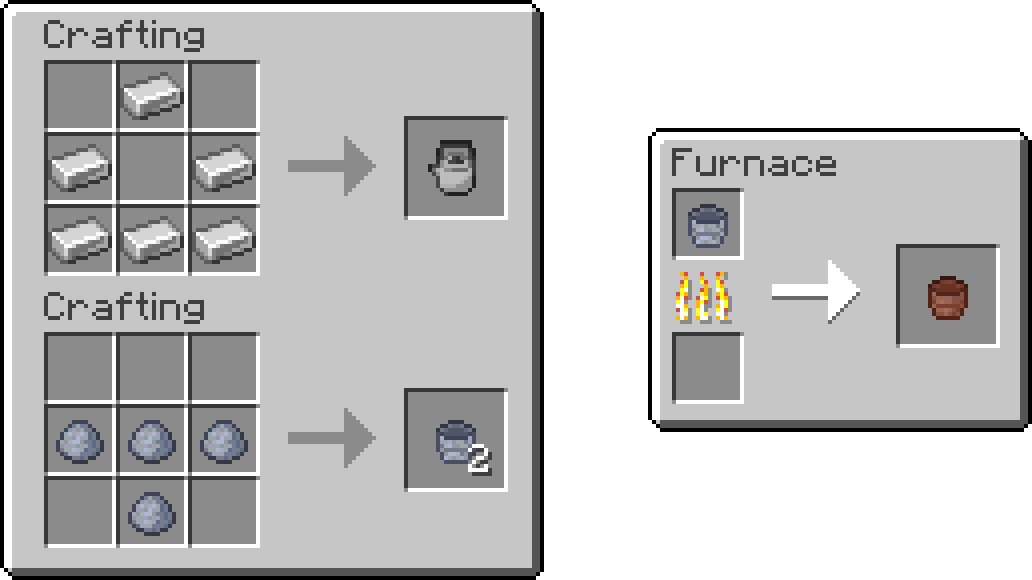
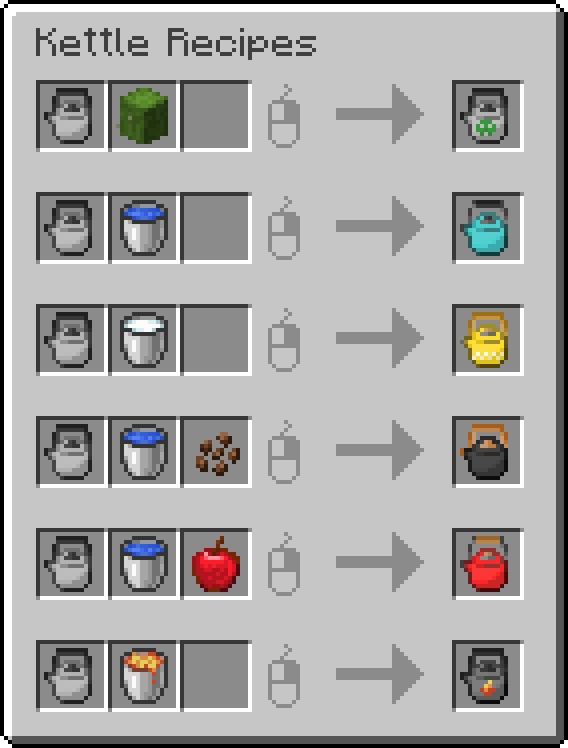
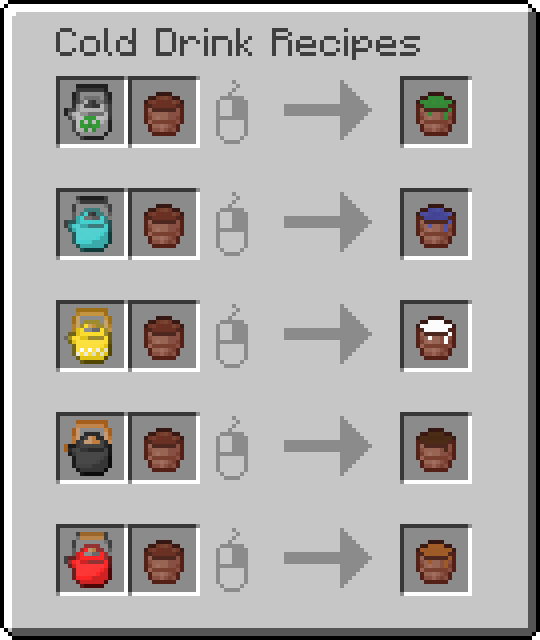
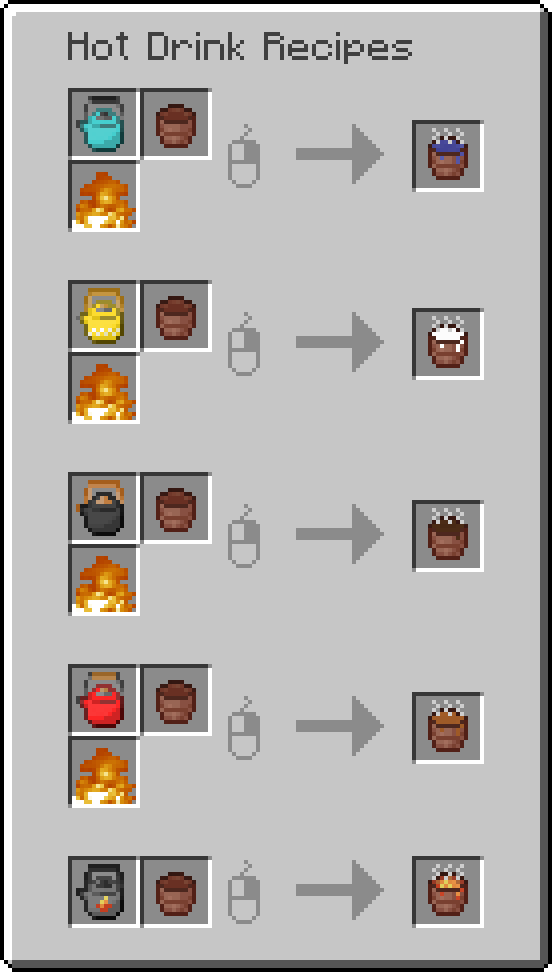
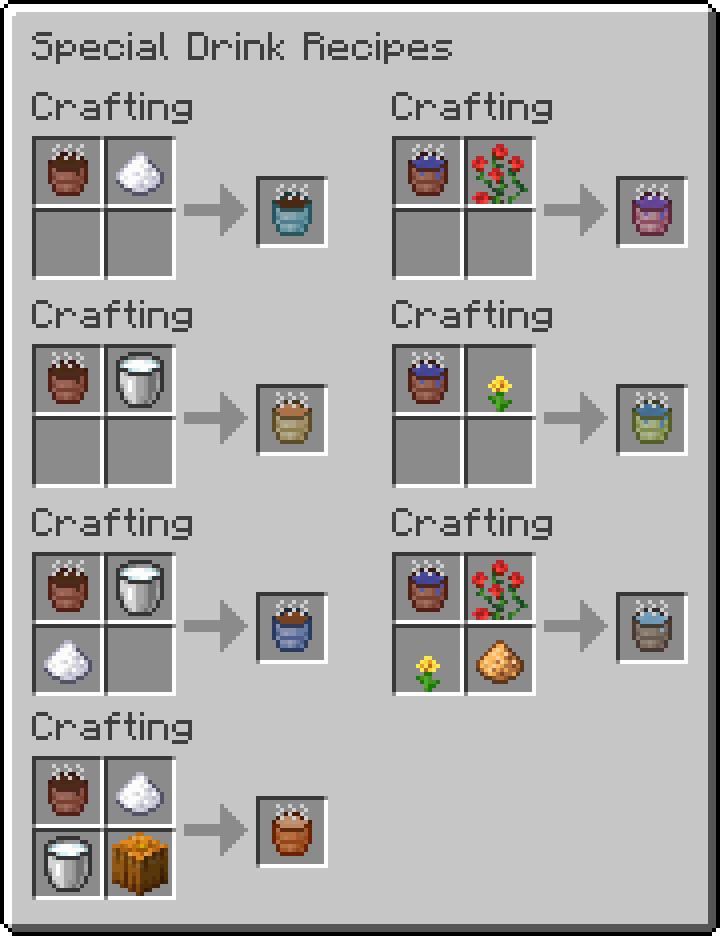
Effects
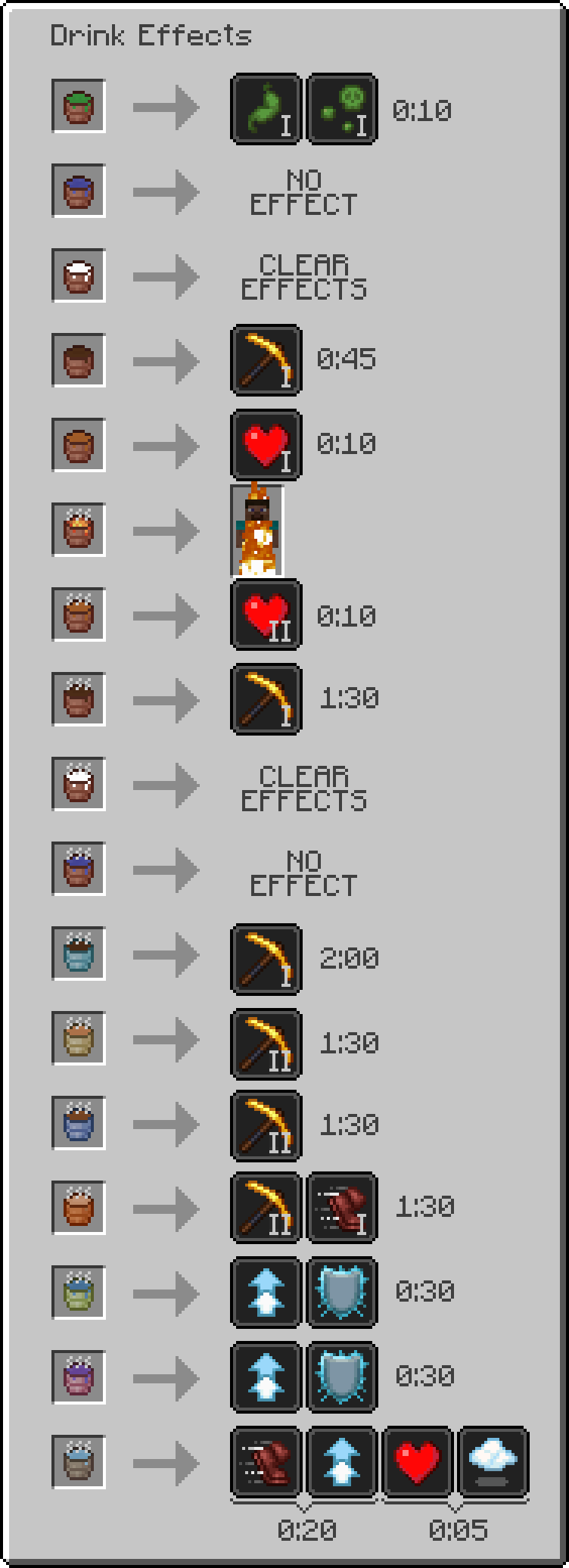
Do you want to play with this mod in Beta 1.7.3?
The original mod created by me and Telvarost can be found here
Kako instalirati Hot Kettles
With Millida Launcher
Install Millida Launcher
The launcher is free: download it at millida.net/launcher and sign in with any nickname.
Click “Install” on this page
The launcher opens and installs the mod for Minecraft 1.20–1.21.11 on Fabric, Forge, NeoForge or Quilt automatically.
Launch the game
A profile with it appears in the launcher: click “Play”.
Manually
Install Fabric, Forge, NeoForge or Quilt
The loader must match the game version of the mod file, for example Minecraft 1.21.11. After installing it, a separate profile appears in your launcher.
Download the file for your version
In the version list above, pick the file hotkettles-neoforge-1.2.3+mc1.21.11.jar (140 KB) for your game version and loader.
Put it in the mods folder
The folder is inside .minecraft (Windows: %appdata%\.minecraft\mods). If it does not exist, create it.
Launch the loader profile
Open “Mods” in the main menu: Hot Kettles should be in the list.
Minecraft 1.21.11 runs on Java 21: with a different Java version the game may close right after launch.
Verzije
Sa zavisnostima
| Minecraft | Loader | Fajl | Datum | Akcije |
|---|---|---|---|---|
| 1.21.11 | NeoForge | [1.21.11] NeoForge 1.2.3140 KB | ||
| 1.21.11 | Fabric, Quilt | [1.21.11] Fabric 1.2.3135 KB | ||
| 1.20.2 | Forge | [1.20.1] Forge 1.2.0128 KB |
Recenzije
Budi prvi koji će oceniti Hot Kettles


