

HealingBed Mod za Minecraft 1.12.2, 26.2
Tražiš način da brže izlečiš lika u Minecraftu? Sada to možeš dok spavaš uz našu Healing Bed modifikaciju.
 NeoForge
 Fabric
 Forge
ForgeO HealingBed modu

Healing Bed
Looking for a way to heal your character faster in Minecraft?
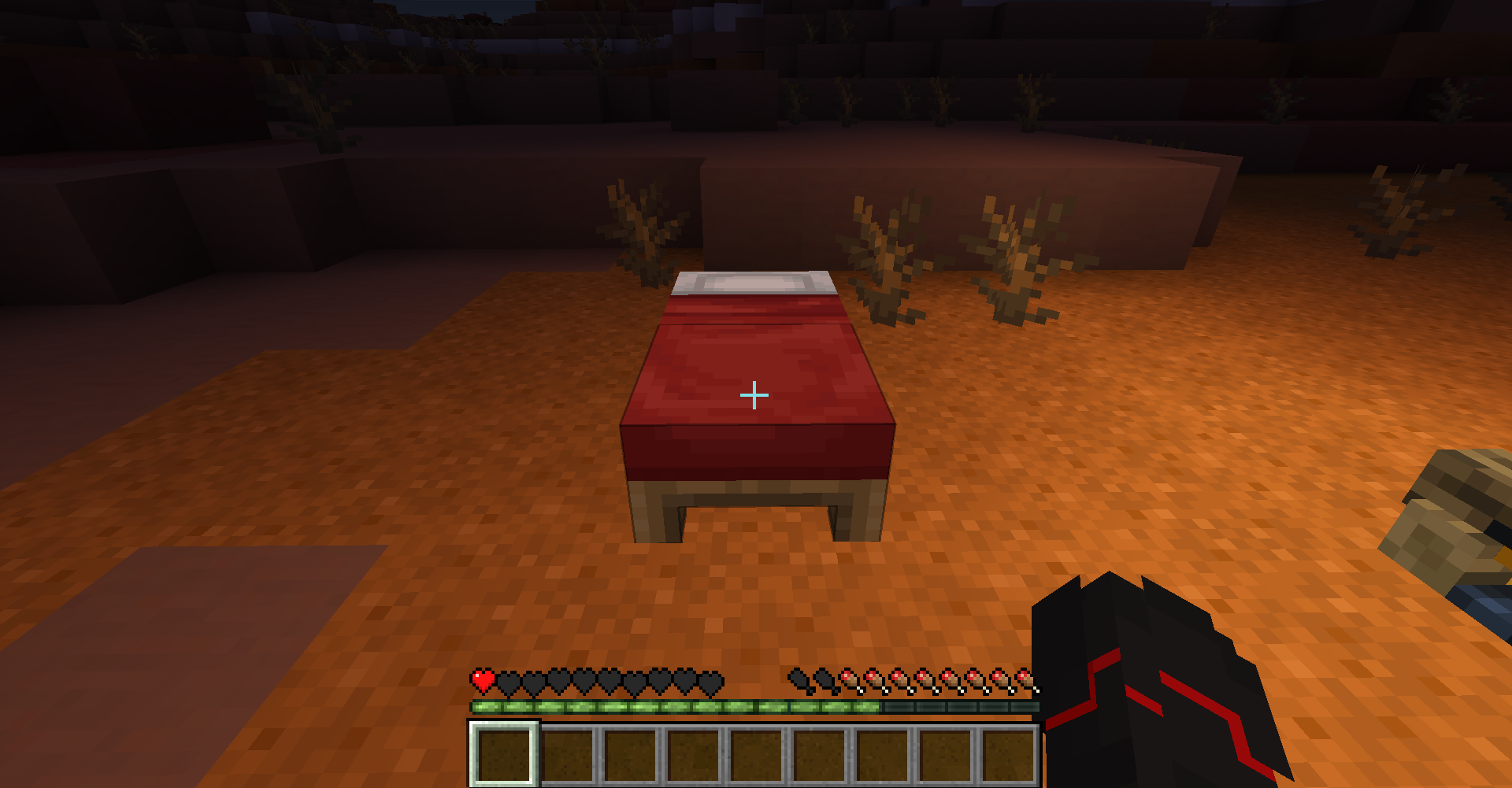
Now you can do it while you sleep with our healing bed modification.
This unique feature allows your character to heal faster during a night's rest,
so you'll have more strength and health to continue exploring the game world.
Install our mod and see how your character will recover faster than ever before!
Download
NeoForge
1.21.4 1.21.3 1.21.2 1.21.1 1.21 1.20.6 1.20.4 1.20.1
Forge
1.20.1 1.20 1.19.4 1.19.3 1.19.2 1.19.1 1.19 1.18.2 1.18.1 1.18 1.17.1 1.16.5 1.16.4 1.16.3 1.16.2 1.16.1 1.15.2 1.15.1 1.15 1.14.4 1.14.3 1.14.2 1.13.2 1.12.2
Fabric
1.20.4 1.20.3 1.20.2 1.20.1 1.20 1.19.4 1.19.3 1.19.2 1.19.1 1.19 1.18.2 1.18.1 1.18 1.17.1
DataPack
1.21.8 1.21.7 1.21.6 1.21.5 1.21.4 1.21.3 1.21.2 1.21.1 1.21 1.20.6 1.20.5 1.20.4 1.20.3 1.20.2 1.20.1 1.20 1.19.4 1.19.3 1.19.2 1.19.1 1.19 1.18.2 1.18.1 1.18 1.17.1 1.17 1.16.5 1.16.4 1.16.3 1.16.2 1.16.1 1.16 1.15.2 1.15.1 1.15 1.14.4 1.14.3 1.14.2 1.14.1 1.14 1.13.2 1.13.1 1.13

Kako instalirati HealingBed
With Millida Launcher
Install Millida Launcher
The launcher is free: download it at millida.net/launcher and sign in with any nickname.
Click “Install” on this page
The launcher opens and installs the mod for Minecraft 1.12.2–26.2 on Fabric, Forge or NeoForge automatically.
Launch the game
A profile with it appears in the launcher: click “Play”.
Manually
Install Fabric, Forge or NeoForge
The loader must match the game version of the mod file, for example Minecraft 26.2. After installing it, a separate profile appears in your launcher.
Download the file for your version
In the version list above, pick the file healingbed 26.2 (neoforge).jar (8 KB) for your game version and loader.
Put it in the mods folder
The folder is inside .minecraft (Windows: %appdata%\.minecraft\mods). If it does not exist, create it.
Launch the loader profile
Open “Mods” in the main menu: HealingBed should be in the list.
Verzije
Sa zavisnostima
| Minecraft | Loader | Fajl | Datum | Akcije |
|---|---|---|---|---|
| 26.2 | NeoForge | healingbed 26.2 (neoforge)7.6 KB | ||
| 26.2 | Fabric | healingbed 26.2 (Fabric)35 KB | ||
| 26.2 | NeoForge | healingbed 26.2 (neoforge)7.6 KB | ||
| 1.12.2 | NeoForge, Forge | healing bed 1.12.2106 KB 3 |
Česta pitanja
Which Minecraft versions does HealingBed work on?
There are files for 26.2, 1.12.2. The newest is 26.2.
Is HealingBed for Forge or Fabric?
There are files for Fabric: 26.2, for Forge: 1.12.2 and for NeoForge: 1.12.2–26.2.
Does HealingBed need other mods?
The author lists no required dependencies: the Fabric, Forge or NeoForge loader is enough.
Where can I download HealingBed safely?
On this page: the file healingbed 26.2 (neoforge).jar (8 KB) is stored on Millida’s server, with no link shorteners. SHA-1 checksum: 1bce2a5d9cfeaa0dca28d1a3f14b35badf7dbf02.
Recenzije
Budi prvi koji će oceniti HealingBed


