

GeOre Mod za Minecraft 1.20.1, 1.21.1
Sakupljanje resursa u stilu geoda
 NeoForge
 Forge
O GeOre modu
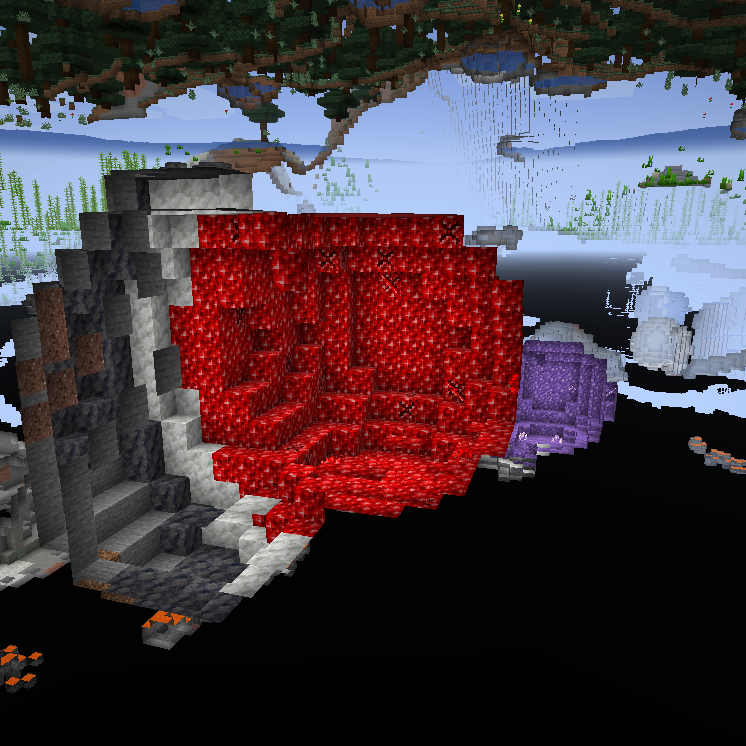
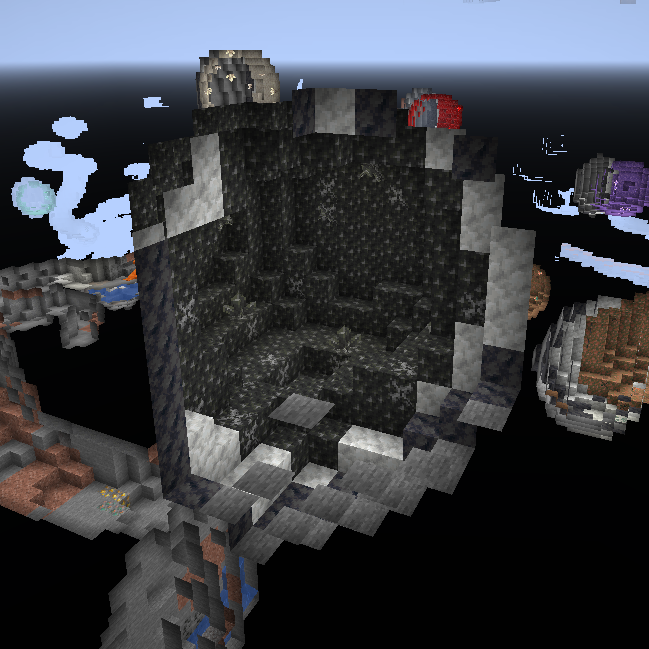
Ovaj mod se u velikoj meri inspiriše vanilla amethyst geode funkcijom i primenjuje je na druge vredne resurse.
Ideja je da ako želite da napravite farme ruda, moraćete da izađete i istražite svet i pokušate da pronađete geodu rude koju tražite. Ove geode funkcionišu kao vanilla geode po tome što generišu priličan broj dekorativnih blokova i nekoliko budding verzija ovog bloka. Budding verzija će uzgajati kristale rude koje možete ubrati kada potpuno izrastu. Budding blokovi ruda se neće ispustiti kada se iskopaju čak ni sa silk touch, takođe se ne mogu pomerati klipovima, tako da gde ih nađete tu ih morate koristiti.
Često postavljana pitanja:
Možete li ovo backportovati? Ne, verzije ispod 1.17 nisu sadržale geode i neću ponovo implementirati funkciju iz novije verzije na starijoj verziji. Gde mogu da nađem Ge-Ores koje nisu povezane sa vanilla? Ge-Ores ruda koje se ne pojavljuju u Vanilla Minecraft-u moraju biti omogućene u konfiguraciji pre nego što se mogu pojaviti, primeri ovih su: Zinc, Topaz, Sapphire, itd.
Zašto su neke Ge-Ores onemogućene po defaultu? To je zato što rude koje predstavljaju ne postoje u svim modpackovima, što ove Ge-Ores čini manje funkcionalnim, ali čak i bez potrebnih modova i dalje možete da ih koristite za dekoracije ili promenite njihove recepte da daju druge predmete ;)
Za pitanja slobodno se pridružite mom Discord-u.
Želite da nas podržite?

-Mrbysco
-ShyNieke
Potreban vam je server?

Kako instalirati GeOre
With Millida Launcher
Install Millida Launcher
The launcher is free: download it at millida.net/launcher and sign in with any nickname.
Click “Install” on this page
The launcher opens and installs the mod for Minecraft 1.20–26.1.2 on Forge or NeoForge automatically.
Launch the game
A profile with it appears in the launcher: click “Play”.
Manually
Install Forge or NeoForge
The loader must match the game version of the mod file, for example Minecraft 26.1.2. After installing it, a separate profile appears in your launcher.
Download the file for your version
In the version list above, pick the file GeOre-26.1.2-8.0.6.jar (807 KB) for your game version and loader.
Put it in the mods folder
The folder is inside .minecraft (Windows: %appdata%\.minecraft\mods). If it does not exist, create it.
Launch the loader profile
Open “Mods” in the main menu: GeOre should be in the list.
Verzije
Sa zavisnostima
| Minecraft | Loader | Fajl | Datum | Akcije |
|---|---|---|---|---|
| 26.1.2 | NeoForge | GeOre-26.1.2-8.0.6.jar807 KB | ||
| 1.21.1 | NeoForge | GeOre-1.21.1-6.2.3.jar814 KB | ||
| 1.20.1 | Forge, NeoForge | GeOre-1.20.1-2.5.0.jar821 KB | ||
| 1.20.1 | Forge | GeOre-1.20.1-2.4.1.jar367 KB |
Česta pitanja
Which Minecraft versions does GeOre work on?
There are files for 26.1.2, 1.21.1, 1.20.1, 1.20. The newest is 26.1.2.
Is GeOre for Forge or Fabric?
There are files for Forge: 1.20–1.20.1 and for NeoForge: 1.20.1–26.1.2. There are no files for Fabric: a mod for another loader will not start.
Does GeOre need other mods?
The author lists no required dependencies: the Forge or NeoForge loader is enough.
Where can I download GeOre safely?
On this page: the file GeOre-26.1.2-8.0.6.jar (807 KB) is stored on Millida’s server, with no link shorteners. SHA-1 checksum: 54bcb70be4d81dbbf214b4698d974fd9bc337994.
Recenzije
Budi prvi koji će oceniti GeOre


