

Formations Nether Mod za Minecraft 1.21.1, 1.21
Formations Nether dodaje mnogo novih struktura u Nether!
 Fabric
 Forge
Forge NeoForge
 Quilt
QuiltFormations Nether dodaje gomilu novih struktura u Nether!
Strukture
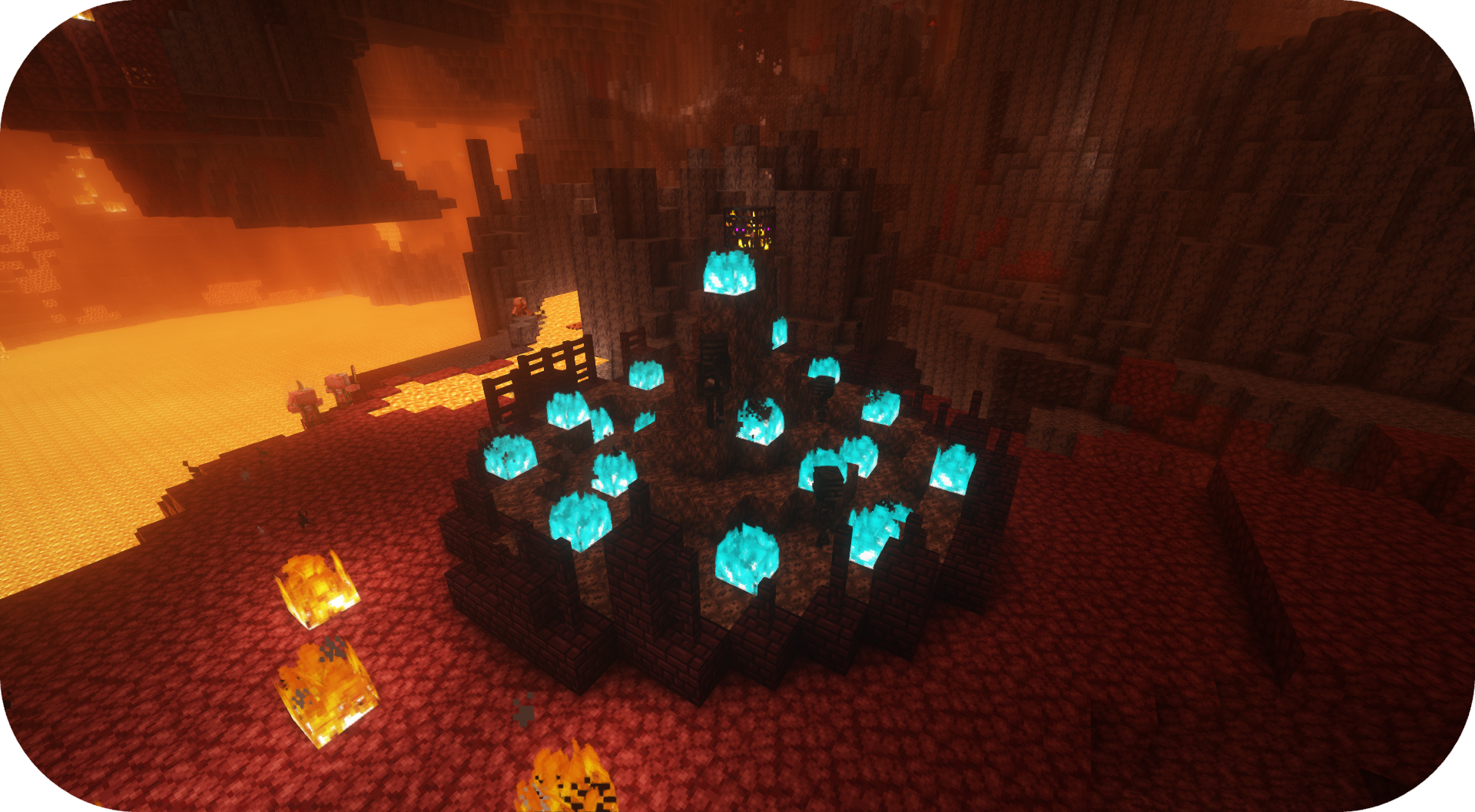
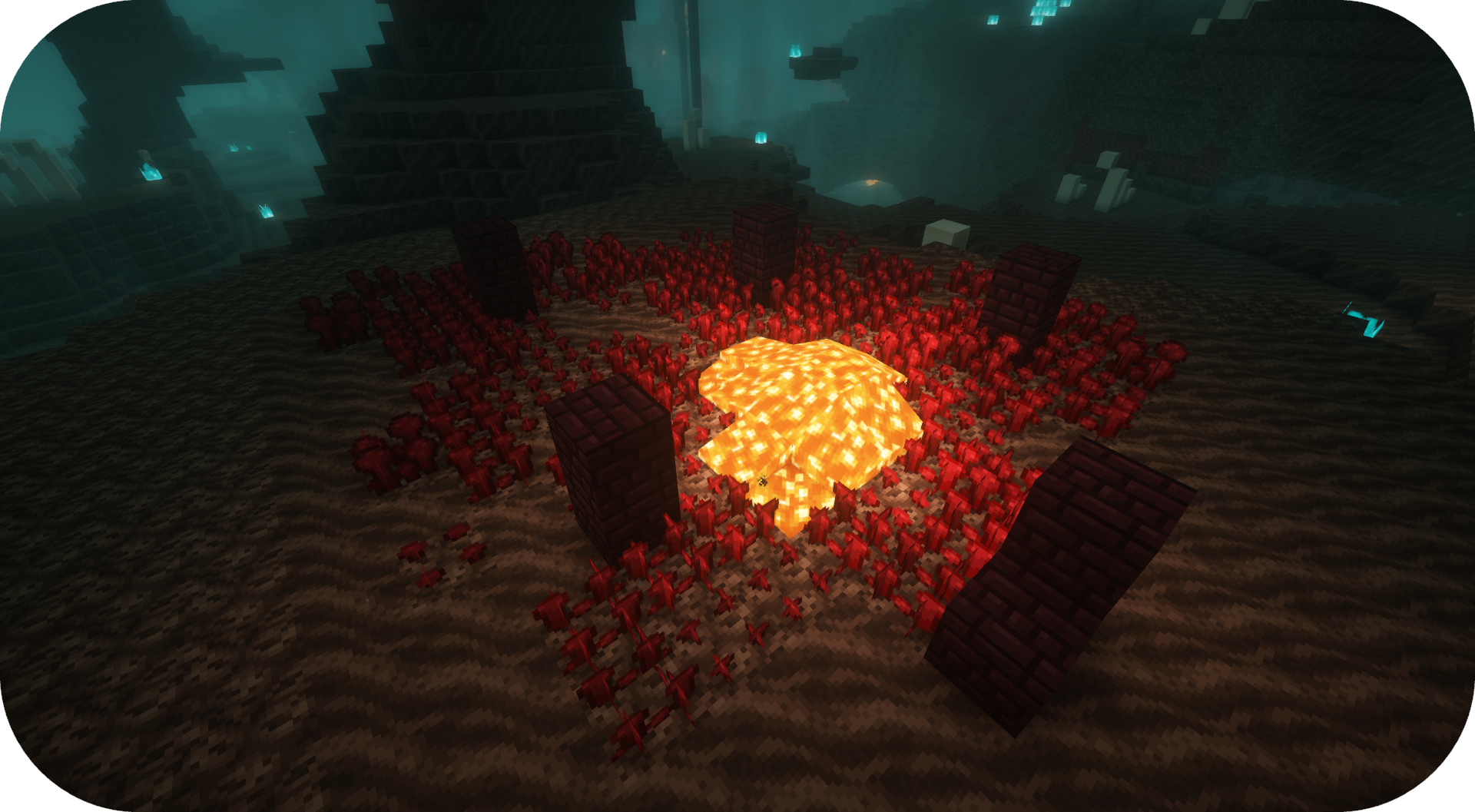
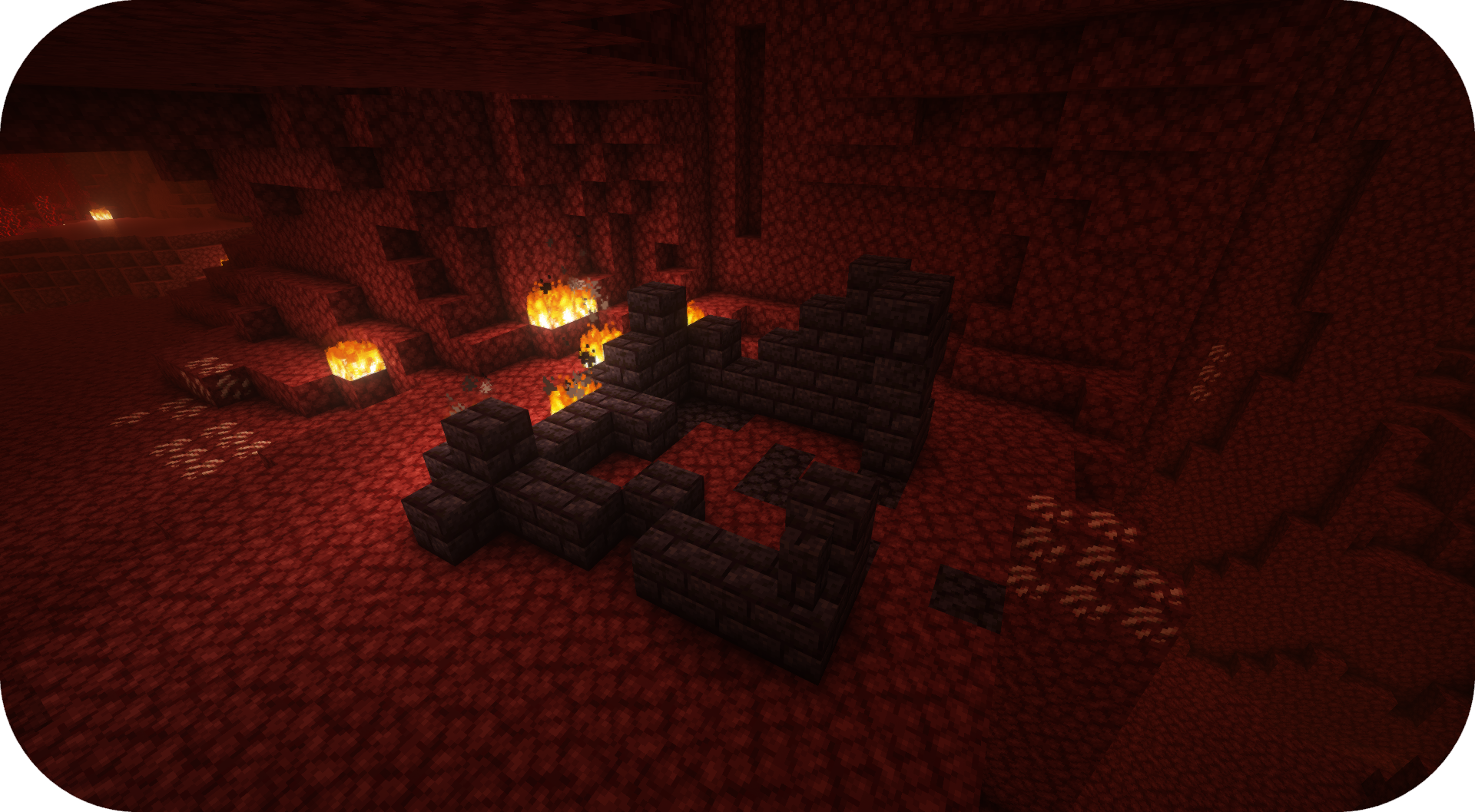
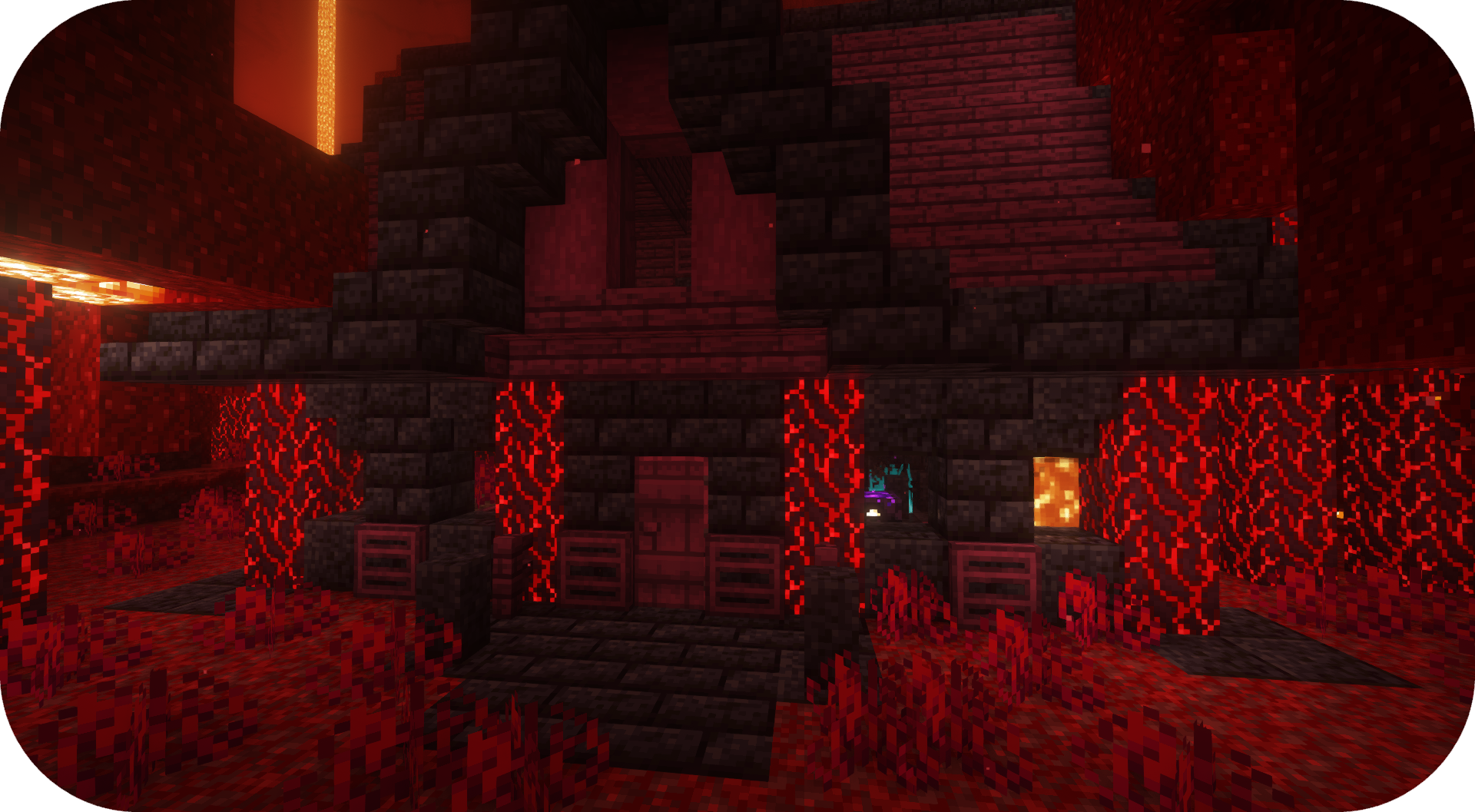
Nekoliko primera struktura koje možete pronaći u Formations Nether. Za više slika, pogledajte galeriju slika.
Često postavljana pitanja
Mogu li da koristim tvoj mod u svom modpacku? Da, slobodno koristite moj mod u svom modpacku

Discord
Za budući sadržaj, predstojeće modove i diskusiju, slobodno se pridružite SuperMartijn642 Discord serveru! [ ](https://discord.gg/QEbGyUYB2e)

Kako instalirati Formations Nether
With Millida Launcher
Install Millida Launcher
The launcher is free: download it at millida.net/launcher and sign in with any nickname.
Click “Install” on this page
The launcher opens and installs the mod for Minecraft 1.21–26.3 on Fabric, Forge, NeoForge or Quilt automatically, together with its dependencies: Formations (Structure Library).
Launch the game
A profile with it appears in the launcher: click “Play”.
Manually
Install Fabric, Forge, NeoForge or Quilt
The loader must match the game version of the mod file, for example Minecraft 26.3. After installing it, a separate profile appears in your launcher.
Download the file for your version
In the version list above, pick the file formationsnether-1.0.5b-mc1.21+.jar (323 KB) for your game version and loader.
Put it in the mods folder
The folder is inside .minecraft (Windows: %appdata%\.minecraft\mods). If it does not exist, create it. Required dependencies go there too: Formations (Structure Library).
Launch the loader profile
Open “Mods” in the main menu: Formations Nether should be in the list.
On a server
A server on Fabric, Forge, NeoForge or Quilt
The mod only works on a server with the same loader and game version, for example 26.3.
File goes into the server’s mods folder
Stop the server, put the mod file into the mods folder and start the server again.
Use the “To server” button
On Millida Hosting, the button at the top of the page uploads the file to your server and restarts it for you.
Verzije
Sa zavisnostima
| Minecraft | Loader | Fajl | Datum | Akcije |
|---|---|---|---|---|
| 26.3 | Fabric, Forge, NeoForge, Quilt | 26.3323 KB 17 | ||
| 26.1 | Fabric, Forge, NeoForge, Quilt | 26.1920 KB 1 | — |
Šta je potrebno za pokretanje
- Formations (Structure Library)obavezno
Česta pitanja
Which Minecraft versions does Formations Nether work on?
There are files for 1.21–26.3, 17 versions in total. The newest is 26.3.
Is Formations Nether for Forge or Fabric?
There are files for Fabric: 1.21–26.3, for Forge: 1.21–26.3, for NeoForge: 1.21–26.3 and for Quilt: 1.21–26.3.
What does Formations Nether need to work?
Required: Formations (Structure Library). Without it the mod will not start: dependencies go into the same mods folder.
Do players need to install Formations Nether?
No. Formations Nether works on the server side: it is installed on the server only, and players do not need to download anything.
Where can I download Formations Nether safely?
On this page: the file formationsnether-1.0.5b-mc1.21+.jar (323 KB) is stored on Millida’s server, with no link shorteners. SHA-1 checksum: 6b0e0f58399fc0ba3a69fd1ddda860a534e469c6.
Recenzije
Budi prvi koji će oceniti Formations Nether


