

Featurify - WorldGen Control Mod za Minecraft 1.20.1, 26.3
Mod za konfiguraciju generisanja sveta koji uklanja potrebu za datapack-ovima. Dodaj, onemogući, zameni bilo koju karakteristiku, zameni, onemogući bilo koji biom drugim biomom.
 NeoForge
 Fabric
 Quilt
 Forge
O Featurify - WorldGen Control modu
Featurify is a worldgen feature configuration mod that eliminates the need for datapacks. Add, remove, and tweak features in any biome.
Currently, it is possible to:
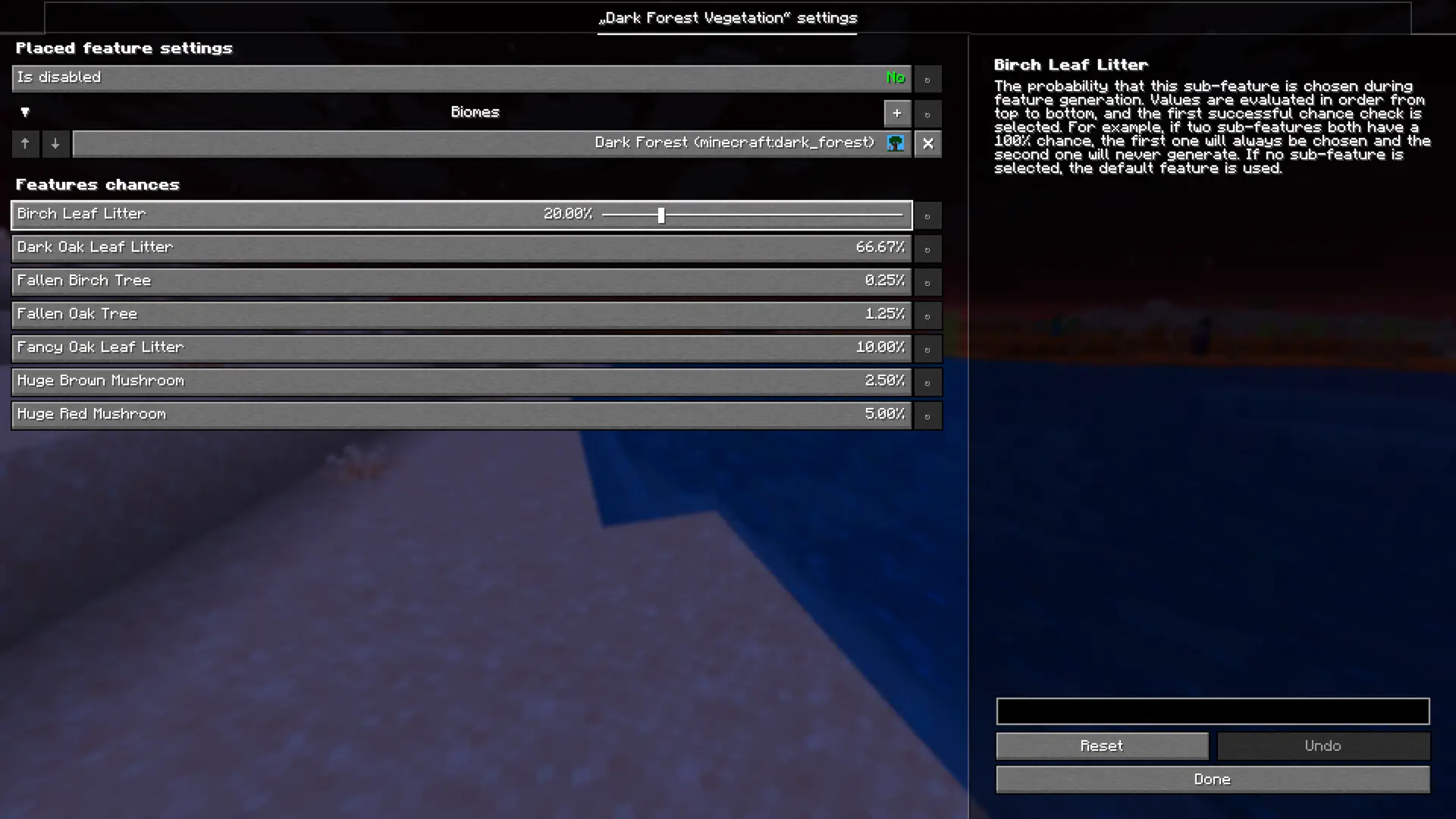
- Globally disable all placed features: Disable all placed features across your world with a single setting.
- Disable individual placed features: Disable specific placed features individually, preventing them from generating in your world.
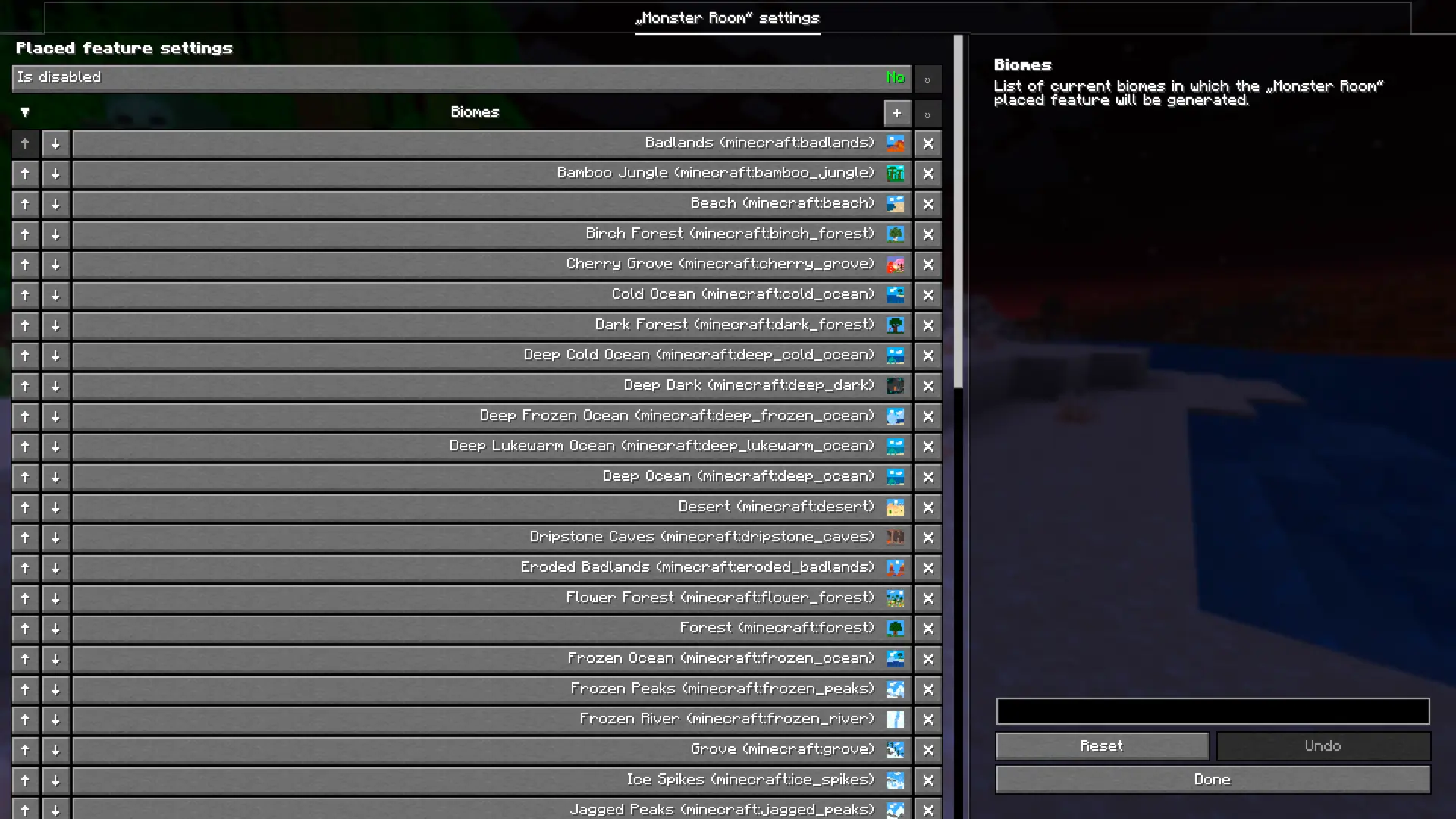
- Manage biomes for specific features: Add or remove biomes for individual placed features to control where they generate.
- Disable specific biomes: Disable specific biomes individually, preventing them from generating in your world.
- Replace specific biomes: Replace specific biomes with another biome.
Since the mod is still in the early development phase, you can expect a lot of more features in the future.
Available Commands:
- /featurify dump: Dumps the complete config file with all available settings to JSON file.
- /featurify config status: Prints version (hash) of both the client and server config files in chat.
- /featurify config sync fromServer: Synchronizes the config file from the server to the client.
- /featurify config sync toServer: Synchronizes the config file from the client to the server.
💡 How to use the mod
This mod is designed for in-game configuration, so it requires the YACL (YetAnotherConfigLib) mod.
Fabric/Quilt
If you’re using Fabric or Quilt, you’ll also need the Mod Menu mod or another mod that provides access to mod configs.
NeoForge/Forge
No extra mods are needed.
🖥️ In-Game configuration
All placed feature settings can be configured directly in game through intuitive configuration screens. Changes are applied immediately, making it easy to add, remove, and modify placed features without editing files or creating datapacks.
The same goes for biomes, you can disable specific biomes or replace them with another biome directly in game, and changes are applied immediately.
📝 JSON file configuration
All configurations mentioned in the In-Game section of this guide are mirrored and saved in a JSON file located at config/featurify.json. This file is particularly useful for managing configurations on the server side. For that case it is recommended to configure everything based on the In-Game section of this guide.
⚙️ Compatibility
Featurify is designed to be fully compatible with most of the worldgen mods and datapacks, and it currently offers enhanced compatibility with the following:
Global datapack loaders:
- Paxi
- Open Loader
- Global Packs
- Global Datapacks
WorldGen mods:
- Lithostitched
- TerraBlender
- Blueprint
- Biolith
Since feature generation is a complex system, things can occasionally break, especially with mods that implement their own custom feature generation logic or heavily alter vanilla generation behavior.
💬 Community
Feel free to join our community at the discord server to chat, share your creations, ask any question or to simply be updated about the latest development of the mod and notified when the new release is out. Also don't hesitate to report any crash or bug via GitHub issues.
👋 Support
I will continue developing my mods as a hobby because I truly enjoy it. If you'd like to support me, you can do so on Patreon or Ko-fi. Your support is greatly appreciated.
📜 License
The mod is licensed with CC BY-NC-ND 4.0 license.
Please feel free to explore my code for examples of how I've tackled and solved various challenges while developing this mod. You're welcome to incorporate code snippets into your own projects. Also feel free to use this mod in any modpack ( although credit/link back to this page will be greatly appreciated).
Kako instalirati Featurify - WorldGen Control
With Millida Launcher
Install Millida Launcher
The launcher is free: download it at millida.net/launcher and sign in with any nickname.
Click “Install” on this page
The launcher opens and installs the mod for Minecraft 1.20–26.3 on Fabric, Forge, NeoForge or Quilt automatically.
Launch the game
A profile with it appears in the launcher: click “Play”.
Manually
Install Fabric, Forge, NeoForge or Quilt
The loader must match the game version of the mod file, for example Minecraft 26.3. After installing it, a separate profile appears in your launcher.
Download the file for your version
In the version list above, pick the file featurify-neoforge-2.0.16+mc26.3.jar (284 KB) for your game version and loader.
Put it in the mods folder
The folder is inside .minecraft (Windows: %appdata%\.minecraft\mods). If it does not exist, create it.
Launch the loader profile
Open “Mods” in the main menu: Featurify - WorldGen Control should be in the list.
Verzije
Sa zavisnostima
| Minecraft | Loader | Fajl | Datum | Akcije |
|---|---|---|---|---|
| 1.20.1 | Forge | Featurify 2.0.16469 KB 2 | ||
| 26.3 | NeoForge | Featurify 2.0.16284 KB | ||
| 26.3 | Fabric, Quilt | Featurify 2.0.16288 KB 1 |
Česta pitanja
Which Minecraft versions does Featurify - WorldGen Control work on?
There are files for 26.3, 1.20.1, 1.20. The newest is 26.3.
Is Featurify - WorldGen Control for Forge or Fabric?
There are files for Fabric: 26.3, for Forge: 1.20–1.20.1, for NeoForge: 26.3 and for Quilt: 26.3.
How do I download Featurify - WorldGen Control?
With Millida Launcher: it installs Featurify - WorldGen Control into a modpack by itself, for the right game version and loader. The launcher is free.
Recenzije
Budi prvi koji će oceniti Featurify - WorldGen Control


