

Expanded Equivalence Mod za Minecraft 1.12.2, 1.19.2
Dodaje EMC za predmete različitih modova i mehanike pravljenja za ProjectE.
- preuzimanja
- 1 preuzimanja
- pregleda
- 12 pregleda
- Ažurirano
- Ažurirano 24.10.2026
- 1.12.2 — 1.19.2
 Forge
Forge
O Expanded Equivalence modu
Ovo je dodatak za ProjectE.
Ovaj dodatak zahteva HammerLib.
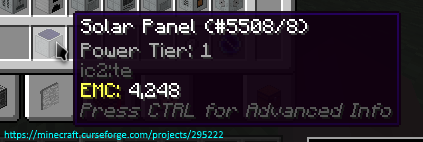
Ovaj dodatak dodaje integraciju za ProjectE i mnoge druge modove. Cilj mu je da registruje EMC vrednosti za različite sisteme pravljenja kao što su Draconic Evolution Fusion Crafting, Avaritia extreme crafting i drugi.
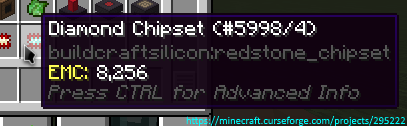
Ovde možete videti sve trenutno podržane modove/planove
Dozvole:
- Možete koristiti ovaj mod u svom mod paketu.
- Nije vam dozvoljeno da ponovo objavljujete ovaj mod na drugim sajtovima bez pružanja CurseForge linka za preuzimanje i moje dozvole (PM na
Zeitheron, ili preko Discord-a)
- Nije vam dozvoljeno da uključite ovaj (ili bilo koji drugi mod DragonForge tima) u svoj mod. Pravljenje dodataka je, međutim, dozvoljeno, ali bi bio lep PM.
Napomena:
- Jedina podržana verzija Minecraft-a je najnovija za koju ovaj mod postoji. NE PITAJTE ZA DOWNGRADE!
Želite da diskutujete o nečemu? Potrebna vam je pomoć sa API-jima?
Pridružite se discord serveru i pratite Zeitheron na Twitter-u!
Ako želite da podržite moj rad, možete postati patron preko Patreon-a.
Kako instalirati Expanded Equivalence
With Millida Launcher
Install Millida Launcher
The launcher is free: download it at millida.net/launcher and sign in with any nickname.
Click “Install” on this page
The launcher opens and installs the mod for Minecraft 1.12.2–1.19.2 on Forge automatically.
Launch the game
A profile with it appears in the launcher: click “Play”.
Manually
Install Forge
The loader must match the game version of the mod file, for example Minecraft 1.19.2. After installing it, a separate profile appears in your launcher.
Download the file for your version
In the version list above, pick the file ExpandedEquivalence-1.19.2-19.1.2.jar (87 KB) for your game version.
Put it in the mods folder
The folder is inside .minecraft (Windows: %appdata%\.minecraft\mods). If it does not exist, create it.
Launch the loader profile
Open “Mods” in the main menu: Expanded Equivalence should be in the list.
Minecraft 1.19.2 runs on Java 17: with a different Java version the game may close right after launch.
Verzije
Sa zavisnostima
| Minecraft | Loader | Fajl | Datum | Akcije |
|---|---|---|---|---|
| 1.19.2 | Forge | [1.19.2] Expanded Equivalence - 19.1.287.1 KB | ||
| 1.19.2 | Forge | [1.19.2] Expanded Equivalence - 19.1.083 KB | ||
| 1.12.2 | — | [1.12.2] Expanded Equivalence - 12.3.1782.7 KB 1 | ||
| 1.12.2 | — | [1.12.2] Expanded Equivalence - 1b61.5 KB |
Česta pitanja
Which Minecraft versions does Expanded Equivalence work on?
There are files for 1.19.2, 1.12.2. The newest is 1.19.2.
Is Expanded Equivalence for Forge or Fabric?
Only for Forge: 1.19.2. There are no files for Fabric or NeoForge: a mod for another loader will not start.
Does Expanded Equivalence need other mods?
The author lists no required dependencies: the Forge loader is enough.
Which Java does Expanded Equivalence need?
Minecraft 1.19.2 runs on Java 17. If the game closes right after launch, the usual cause is the wrong Java version in the profile settings.
Where can I download Expanded Equivalence safely?
On this page: the file ExpandedEquivalence-1.19.2-19.1.2.jar (87 KB) is stored on Millida’s server, with no link shorteners. SHA-1 checksum: 4f30d2cb6779b8448ed1e30f118102a740a022af.
Recenzije
Budi prvi koji će oceniti Expanded Equivalence


