

Essential Mod za Minecraft 1.20.1, 1.21.1
Poboljšajte svoj Minecraft jednim jednostavnim modom. Hostujte svetove besplatno, ćaskajte sa prijateljima i mnogo više!
 Fabric
 NeoForge
 Forge
ForgeO Essential Mod modu


Poboljšaj svoj Minecraft uz jedan jednostavan mod. Brzo, pristupačno i za svakoga!
[ ](https://essential.gg/downloads)

Hostuj svoj Minecraft svet besplatno, pozovi prijatelje i igrajte zajedno u samo nekoliko klikova!

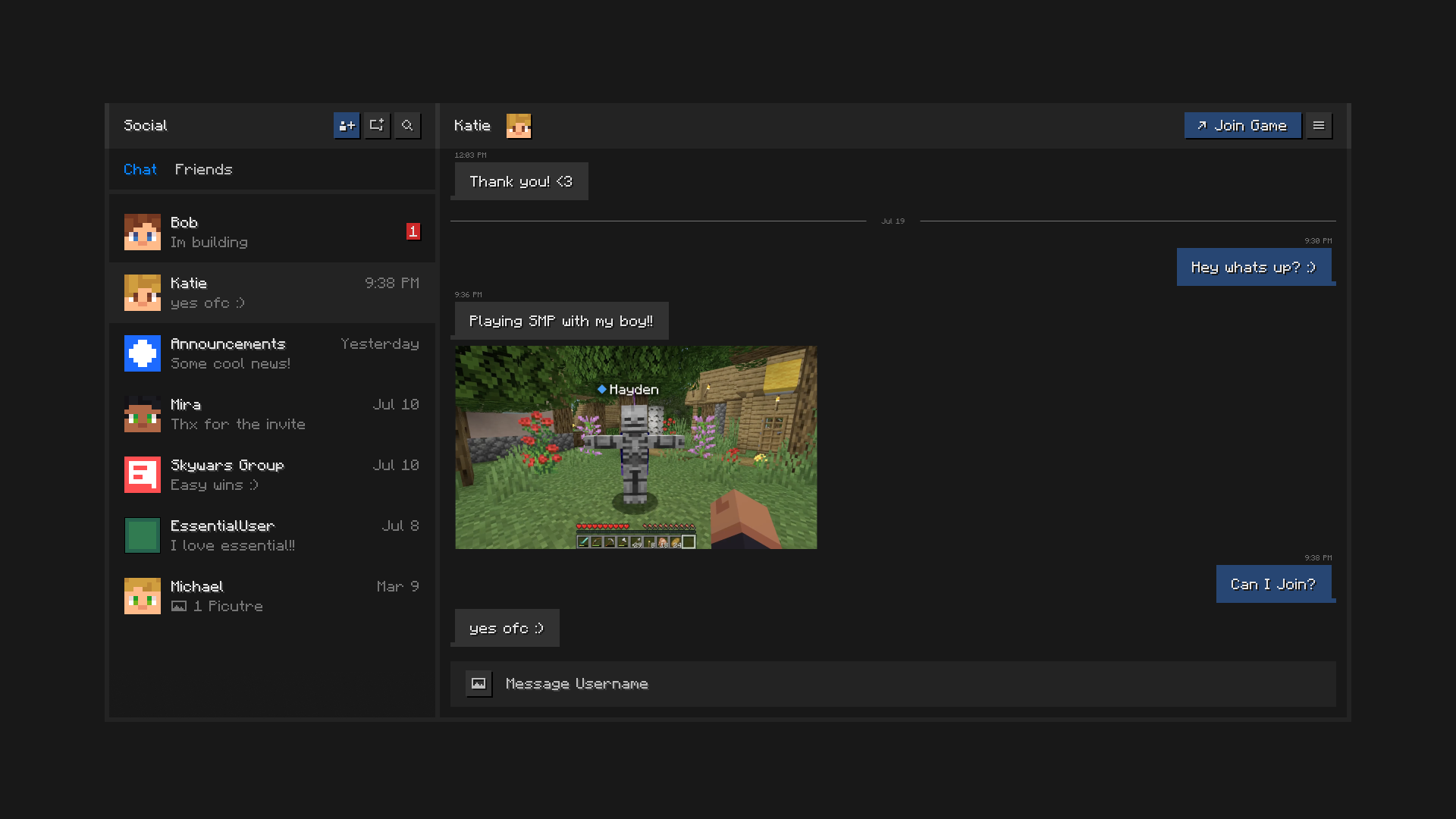
Ostani povezan sa prijateljima, sve unutar Minecraft-a. Ćaskaj, pravi grupe, deli slike i šalji pozivnice za svetove i servere.

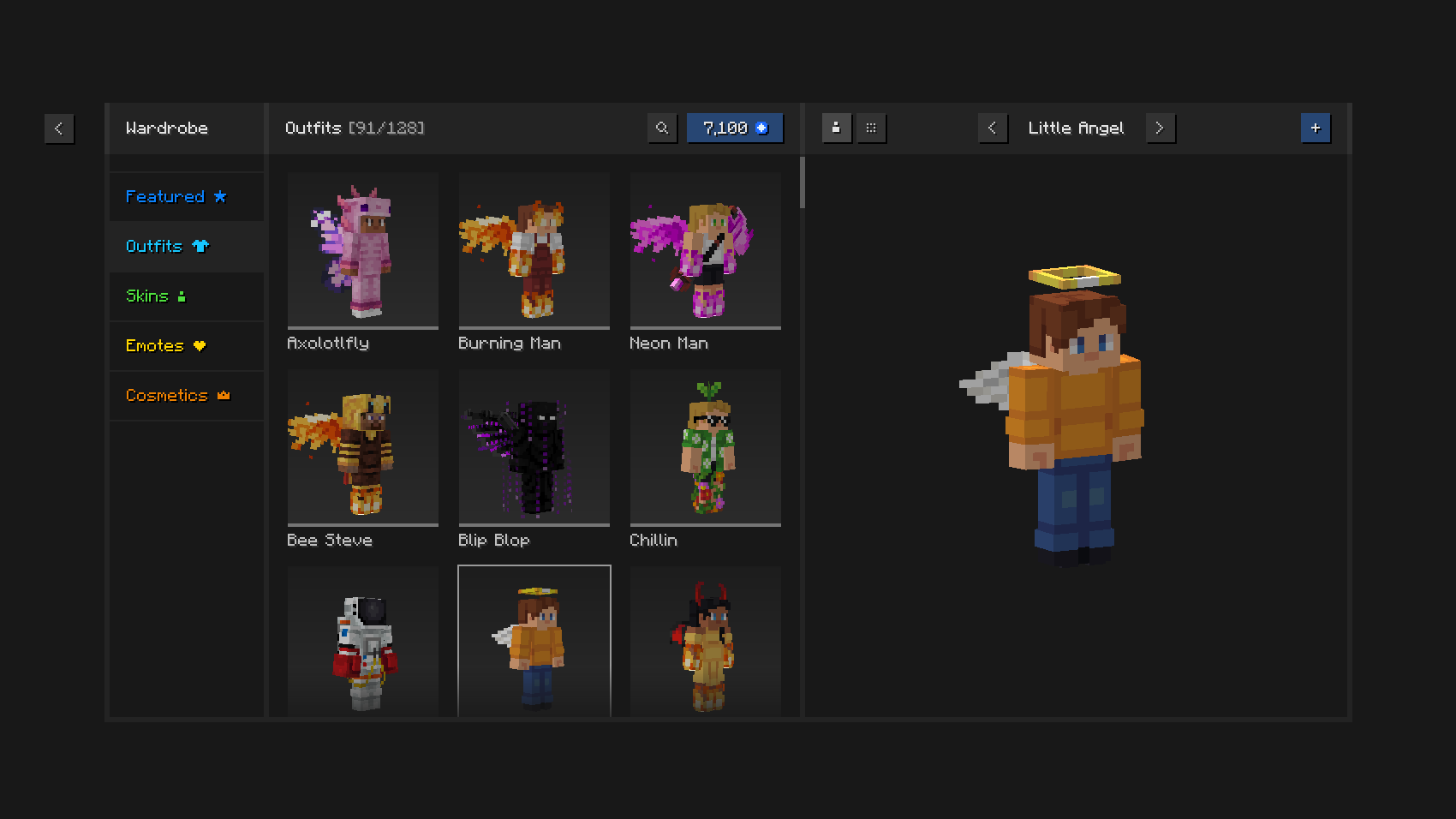
Igraj u stilu uz jedinstvene odevne kombinacije i kozmetiku, menadžer skinova u igri i izražajne emote.

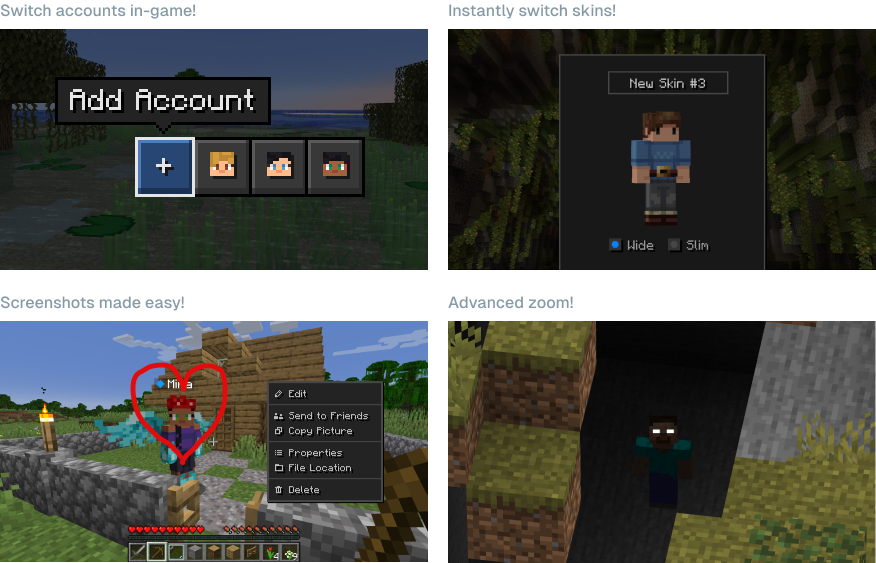
Uštedi vreme i trud koristeći moćne mogućnosti Essential-a.

Mogu li da koristim Essential sa drugim modovima i modpack-ovima? Da, Essential je široko kompatibilan sa drugim modovima i odličan dodatak tvom omiljenom modpack-u. Lako možeš da hostuješ modovane svetove za sebe i prijatelje, besplatno, samo se pobrini da imaju iste modove instalirane.
Koje verzije Minecraft-a Essential podržava? Essential mod podržava najpopularnije verzije Minecraft Java Edition (1.8, 1.12, 1.16 do 26.3) i oba modloadera, Fabric i Forge.

Kako funkcioniše Essential-ov hosting svetova? Essential koristi vodeću peer-to-peer tehnologiju i snagu hardvera tvog računara kako bi ti omogućio da lako i besplatno hostuješ Minecraft svetove i pozoveš prijatelje.
[ ](https://essential.gg/wiki)
© ModCore Inc, Spark Universe GmbH 2026

Kako instalirati Essential Mod
With Millida Launcher
Install Millida Launcher
The launcher is free: download it at millida.net/launcher and sign in with any nickname.
Click “Install” on this page
The launcher opens and installs the mod for Minecraft 1.8–26.2 on Fabric, Forge or NeoForge automatically.
Launch the game
A profile with it appears in the launcher: click “Play”.
Manually
Install Fabric, Forge or NeoForge
The loader must match the game version of the mod file, for example Minecraft 26.2. After installing it, a separate profile appears in your launcher.
Download the file for your version
In the version list above, pick the file Essential_1-4-1-1_fabric_26-2.jar (51 MB) for your game version and loader.
Put it in the mods folder
The folder is inside .minecraft (Windows: %appdata%\.minecraft\mods). If it does not exist, create it.
Launch the loader profile
Open “Mods” in the main menu: Essential Mod should be in the list.
Essential Mod works on the player’s side only: there is no need to install it on a server.
Verzije
Sa zavisnostima
| Minecraft | Loader | Fajl | Datum | Akcije |
|---|---|---|---|---|
| 1.21.1 | NeoForge | 1.21.149.1 MB 38 | ||
| 1.21.4 | NeoForge | 1.21.449.1 MB 1 | ||
| 1.21.8 | NeoForge | 1.21.849.1 MB | ||
| 1.8.9 | Forge | 1.8.953.2 MB | ||
| 1.16.5 | Forge | 1.16.549.1 MB 2 | ||
| 1.12.2 | Forge | 1.12.253.2 MB 2 | ||
| 1.18.2 | Forge | 1.18.249.1 MB 1 | ||
| 1.19.2 | Forge | 1.19.249.1 MB 3 |
Sadržaj koji ga zahteva
Česta pitanja
Which Minecraft versions does Essential Mod work on?
There are files for 1.8–26.2, 25 versions in total. The newest is 26.2.
Does Essential Mod need other mods?
The author lists no required dependencies: the Fabric, Forge or NeoForge loader is enough.
Do I need to install Essential Mod on a server?
No. Essential Mod works on the player’s side only: there is no need to install it on a server.
Where can I download Essential Mod safely?
On this page: the file Essential_1-4-1-1_fabric_26-2.jar (51 MB) is stored on Millida’s server, with no link shorteners. SHA-1 checksum: 5a26631c7eca58b2e5a852002bfa8d1b01b1f10c.
Recenzije
Budi prvi koji će oceniti Essential Mod


