
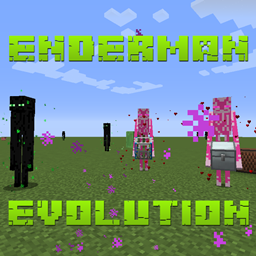
Enderman Evolution Mod za Minecraft 1.12.2
Mod za rani period igre fokusiran na Endermane
- preuzimanja
- 1 preuzimanja
- pregleda
- 16 pregleda
- Ažurirano
- Ažurirano 26.10.2026
- 1.12.2
 Forge
Forge
O Enderman Evolution modu
Patreon: p455w0rd
Osnovna svrha ovog moda je da olakša pribavljanje Ender Pearls u ranoj fazi igre.
Evolved Enderman
Ovi Enderman su evoluirali do te mere da mogu da hodaju po vodi i da se pojavljuju tokom dana bez negativnih posledica.
Frienderman
Frienderman su prijateljski Enderman koji mogu da rade razne stvari kako bi ti pomogli. Ako pripitomiš jednog koristeći Friender Pearl (nasumična šansa), moći ćeš da mu podesiš režim na Follow ili Idle. Tvoj pripitomljeni Frienderman će te štititi (slično kao pripitomljeni vuk) kada budeš napadnut. Takođe možeš svom pripitomljenom Friendermanu da daš kovčeg (EnderStorage, IronChests i Vanilla su trenutno podržani) koji će nositi i pokupiti obližnje predmete kada padnu.
Ender Daisy
Ender Daisies se prirodno pojavljuju u overworld-u, nether-u i end-u. Da ih ponovo zasadiš, samo ih uberi i klikni desnim tasterom miša na podržani blok za rast (grass, dirt, farmland, netherrack, end stone, end stone brick ili end portal frame). Rastu samo pri nivou svetlosti manjem od 8. Mogu se posipati koštanim brašnom samo na end varijantama podržanih blokova za rast.
Pridruži mi se na Discord-u
Pokaži malo ljubavi
@TheRealp455w0rd
Kako instalirati Enderman Evolution
With Millida Launcher
Install Millida Launcher
The launcher is free: download it at millida.net/launcher and sign in with any nickname.
Click “Install” on this page
The launcher opens and installs the mod for Minecraft 1.12.2 on Forge automatically.
Launch the game
A profile with it appears in the launcher: click “Play”.
Manually
Install Forge
The loader must match the game version of the mod file, for example Minecraft 1.12.2. After installing it, a separate profile appears in your launcher.
Download the file for your version
In the version list above, pick the file EndermanEvolution-1.12.2-1.0.33.jar (269 KB) for your game version.
Put it in the mods folder
The folder is inside .minecraft (Windows: %appdata%\.minecraft\mods). If it does not exist, create it.
Launch the loader profile
Open “Mods” in the main menu: Enderman Evolution should be in the list.
Minecraft 1.12.2 runs on Java 8: with a different Java version the game may close right after launch.
Verzije
Sa zavisnostima
| Minecraft | Loader | Fajl | Datum | Akcije |
|---|---|---|---|---|
| 1.12.2 | Forge | EndermanEvolution-1.12.2-1.0.33.jar269 KB 1 | ||
| 1.12.2 | — | EndermanEvolution-1.12.2-1.0.30.jar273 KB | ||
| 1.12.2 | — | EndermanEvolution-1.12.2-1.0.29.jar274 KB |
Česta pitanja
Which Minecraft versions does Enderman Evolution work on?
Only Minecraft 1.12.2: there are no files for other versions.
Is Enderman Evolution for Forge or Fabric?
Only for Forge: 1.12.2. There are no files for Fabric or NeoForge: a mod for another loader will not start.
Does Enderman Evolution need other mods?
The author lists no required dependencies: the Forge loader is enough.
Which Java does Enderman Evolution need?
Minecraft 1.12.2 runs on Java 8. If the game closes right after launch, the usual cause is the wrong Java version in the profile settings.
Where can I download Enderman Evolution safely?
On this page: the file EndermanEvolution-1.12.2-1.0.33.jar (269 KB) is stored on Millida’s server, with no link shorteners. SHA-1 checksum: abcc72f5a87a47197216b6b4fb84665892783d62.
Recenzije
Budi prvi koji će oceniti Enderman Evolution


