
Distracting Trims Mod za Minecraft 1.20.1, 26.3
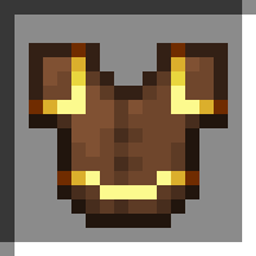
Oklop sa zlatnim ukrasom će odvratiti pigline od napada na tebe, baš kao vanilla zlatni oklop.
 NeoForge
 Fabric
 Forge
ForgeO Distracting Trims modu
In vanilla Minecraft piglins are easily distracted by gold and will not attack players who are wearing golden armour. With this mod installed the distracting properties of gold armour are extended to any armour that has a golden armour trim applied!
Can the effects of this mod be applied to trims of other material types? Yes, while the base mod only applies to the golden material you can use datapack tags to apply the mod to other materials of your choice. Any material in the distractingtrims:distracts_piglins tag will have this effect.
Does normal gold armour still distract Piglins? Yes, this mod only extends the functionality to include golden armour trims.
Is this a server or client mod? For best results it is recommended to install this mod on the client and server. While the mod will likely work as a server side only mod it is not something I have thoroughly tested and validated.
This project is sponsored by Nodecraft. Use code DARKHAX for 30% off your first month of service!
Kako instalirati Distracting Trims
With Millida Launcher
Install Millida Launcher
The launcher is free: download it at millida.net/launcher and sign in with any nickname.
Click “Install” on this page
The launcher opens and installs the mod for Minecraft 1.20.1–26.3 on Fabric, Forge or NeoForge automatically.
Launch the game
A profile with it appears in the launcher: click “Play”.
Manually
Install Fabric, Forge or NeoForge
The loader must match the game version of the mod file, for example Minecraft 26.3. After installing it, a separate profile appears in your launcher.
Download the file for your version
In the version list above, pick the file DistractingTrims-neoforge-MC26.3-26.3.0.1.jar (16 KB) for your game version and loader.
Put it in the mods folder
The folder is inside .minecraft (Windows: %appdata%\.minecraft\mods). If it does not exist, create it.
Launch the loader profile
Open “Mods” in the main menu: Distracting Trims should be in the list.
Verzije
Sa zavisnostima
| Minecraft | Loader | Fajl | Datum | Akcije |
|---|---|---|---|---|
| 26.3 | NeoForge | DistractingTrims-neoforge-MC26.3-26.3.0.1.jar16.1 KB | ||
| 26.3 | Fabric | DistractingTrims-fabric-MC26.3-26.3.0.1.jar16.5 KB 3 | ||
| 1.20.1 | Forge, NeoForge | DistractingTrims-Forge-1.20.1-2.0.5.jar8.8 KB |
Česta pitanja
Which Minecraft versions does Distracting Trims work on?
There are files for 26.3, 1.20.1. The newest is 26.3.
Is Distracting Trims for Forge or Fabric?
There are files for Fabric: 26.3, for Forge: 1.20.1 and for NeoForge: 1.20.1–26.3.
Does Distracting Trims need other mods?
The author lists no required dependencies: the Fabric, Forge or NeoForge loader is enough.
Where can I download Distracting Trims safely?
On this page: the file DistractingTrims-neoforge-MC26.3-26.3.0.1.jar (16 KB) is stored on Millida’s server, with no link shorteners. SHA-1 checksum: 24ddd0e3054fb5c873ec54d0f64b370bf66d58f8.
Recenzije
Budi prvi koji će oceniti Distracting Trims


