
Create: Ultimate Factory Mod za Minecraft 1.20.1, 1.21.1
Dodatak za Create mod razvijen da poveća mogućnosti automatizacije, dodajući 30 (razumno) izbalansiranih recepata u igru.
 Fabric
 NeoForge
 Forge
Forge Quilt
QuiltO Create: Ultimate Factory modu
Za 1.18.2 i starije, pogledajte verziju datapack-a
O modu
Create: Ultimate Factory je jednostavan Create dodatak koji uvodi nove mogućnosti automatizacije. Kroz 30 novih (razumno) izbalansiranih recepata, ovaj mod zapravo čini desetine Minecraft resursa obnovljivim.
Na primer, Tuff je sada obnovljiv, što igračima daje pouzdan izvor ruda. Lapis Lazuli, Amethyst, Redstone... Skoro svi resursi sada mogu biti automatizovani. To uključuje i retke predmete i loot, po mnogo manjoj stopi.
Da li ste ikada sanjali o automatizaciji Diamond ili Netherite? Sada je moguće!
Mediji
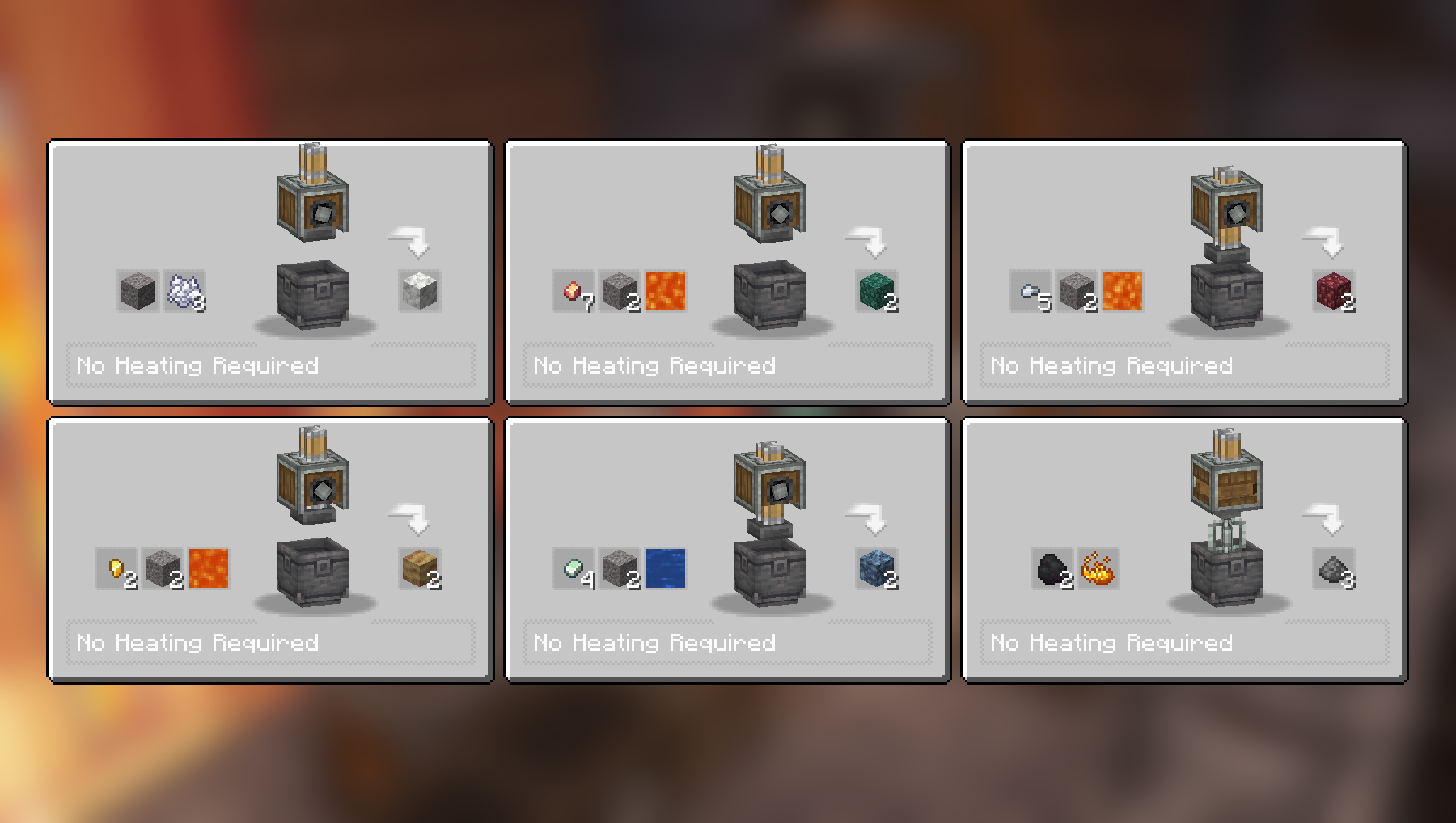
Recepti za Compacting i Mixing:
Još recepata za Compacting i Mixing:
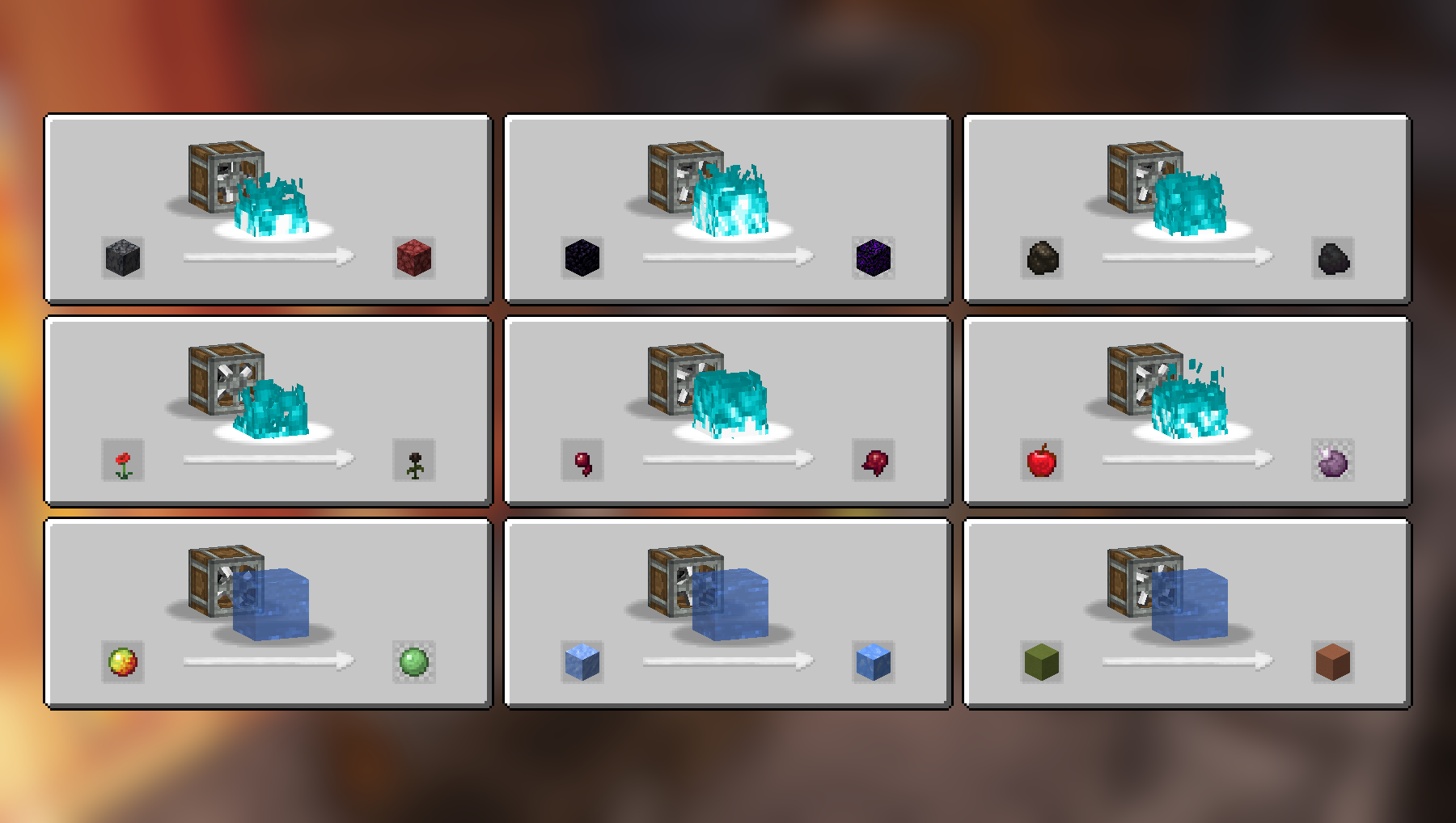
Recepti za Haunting i Splashing:
Recepti za Crushing:
Još recepata za Crushing:
Kompletna lista recepata (2.2.4)
Compacting
- Cobblestone i Lava u Tuff
- Stone i Lava u Deepslate
- Coal Blocks i Lava u Diamond (mora biti zagrejano aktivnim Blaze Burner-om)
- Gravel i Bone Meal u Calcite
- Zinc Nuggets, Gravel i Water u Asurine
- Iron Nuggets, Gravel i Lava u Crimsite
- Gold Nuggets, Gravel i Lava u Ochrum
- Copper Nuggets, Gravel i Lava u Veridium
- Blaze Powder u Blaze Rod
Mixing
- Netherrack, Flint i Lava u Redstone
- Calcite i Water u Dripstone
- Coal i Blaze Powder u Gunpowder
Haunting
- Basalt u Netherrack
- Obsidian u Crying Obsidian
- Charcoal u Coal
- Poppy u Wither Rose
- Spider Eye u Fermented Spider Eye
- Apple u Chorus Fruit
Splashing
- Packed Ice u Blue Ice
- Magma Cream u Slime Ball
- Colored Terracotta u Terracotta
Crushing
- Blackstone u Wither Skull (retko), povremeno vraća Blackstone
- Scoria u Blaze Powder
- Nether Bricks u Nether Brick i Netherite Scraps (izuzetno retko)
- Soul Sand u Glowstone Dust
- Limestone u Quartz i Lapis Lazuli
- Red Sandstone u Red Sand i Nautilus Shell (izuzetno retko)
- Crying Obsidian u Powdered Obsidian i Amethyst Shard
- Corals u Heart of the Sea (izuzetno retko)
- Dead Corals u Bone Meal
- Red Mushroom Blocks u Red Mushrooms
- Brown Mushroom Blocks u Brown Mushrooms
- Endstone u Ender Pearl (retko), povremeno vraća Endstone
Video snimci
Zavisnosti
Za gore navedene recepte potreban je samo osnovni Create mod.
JEI se preporučuje, ali nije obavezan.
Instalacija
Dodajte .jar fajl moda u svoju mods fasciklu.
Alternativno, možete potražiti mod u CurseForge launcher-u (ako se ne pojavi, pokušajte da ukucate ime autora). Kada ga nađete, kliknite na "Install" da biste ga dodali u svoj modpack.
Dozvole
Slobodni ste da uključite ovaj mod u bilo koji modpack, javni ili privatni.
Podržite moj rad
Preuzmite moje projekte na CurseForge
Preuzmite moje projekte na Modrinth
Donirajte na Paypal
Kako instalirati Create: Ultimate Factory
With Millida Launcher
Install Millida Launcher
The launcher is free: download it at millida.net/launcher and sign in with any nickname.
Click “Install” on this page
The launcher opens and installs the mod for Minecraft 1.20–26.2 on Fabric, Forge, NeoForge or Quilt automatically.
Launch the game
A profile with it appears in the launcher: click “Play”.
Manually
Install Fabric, Forge, NeoForge or Quilt
The loader must match the game version of the mod file, for example Minecraft 26.2. After installing it, a separate profile appears in your launcher.
Download the file for your version
In the version list above, pick the file create_ultimate_factory-2.2.4-fabric-26.2.jar (259 KB) for your game version and loader.
Put it in the mods folder
The folder is inside .minecraft (Windows: %appdata%\.minecraft\mods). If it does not exist, create it.
Launch the loader profile
Open “Mods” in the main menu: Create: Ultimate Factory should be in the list.
Verzije
Sa zavisnostima
| Minecraft | Loader | Fajl | Datum | Akcije |
|---|---|---|---|---|
| 26.2 | Fabric | create_ultimate_factory-2.2.4-fabric-26.2.jar259 KB 51 | ||
| 1.21 | NeoForge | create_ultimate_factory-2.2.4-neoforge-1.21.1.jar230 KB 340 | ||
| 1.20.1 | Forge, NeoForge | create_ultimate_factory-2.2.4-forge-1.20.1.jar229 KB 120 | ||
| 1.21 | NeoForge | create_ultimate_factory-2.2.3-neoforge-1.21.1.jar229 KB | ||
| 1.20.1 | Forge, NeoForge | create_ultimate_factory-2.2.3-forge-1.20.1.jar228 KB | ||
| 1.20.1 | Fabric, Quilt | create_ultimate_factory-2.0.0-fabric-1.20.1.jar222 KB 47 |
Česta pitanja
Which Minecraft versions does Create: Ultimate Factory work on?
There are files for 26.2, 1.21.1, 1.21, 1.20.1, 1.20. The newest is 26.2.
Is Create: Ultimate Factory for Forge or Fabric?
There are files for Fabric: 1.20–26.2, for Forge: 1.20–1.20.1, for NeoForge: 1.20–1.21.1 and for Quilt: 1.20–1.20.1.
Does Create: Ultimate Factory need other mods?
The author lists no required dependencies: the Fabric, Forge, NeoForge or Quilt loader is enough.
Where can I download Create: Ultimate Factory safely?
On this page: the file create_ultimate_factory-2.2.4-fabric-26.2.jar (259 KB) is stored on Millida’s server, with no link shorteners. SHA-1 checksum: dad0d63849a485082727b80af6fe758db530792c.
Recenzije
Budi prvi koji će oceniti Create: Ultimate Factory


