
Create: Netherless ((Neo)Forge) Mod za Minecraft 1.20.1, 1.21.1
🚫Sakupljajte i automatizujte Nether resurse bez potrebe za Netherom
 NeoForge
 Forge
O Create: Netherless ((Neo)Forge) modu
Ako želiš Fabric verziju, klikni ovde
Create: Netherless je dodatak za Create Mod;
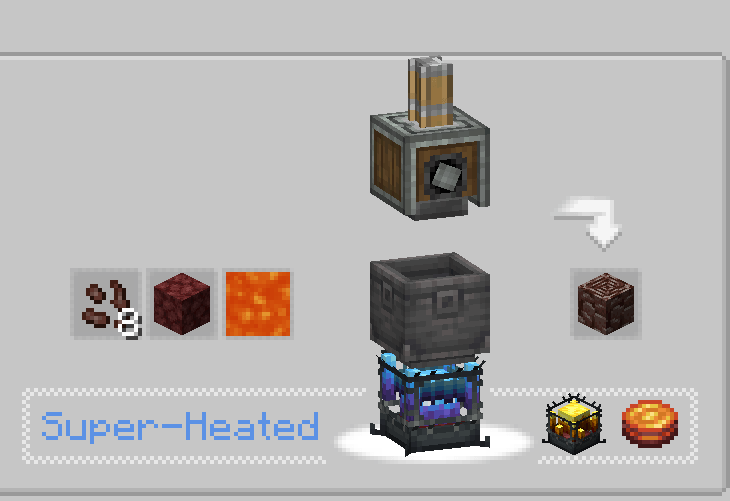
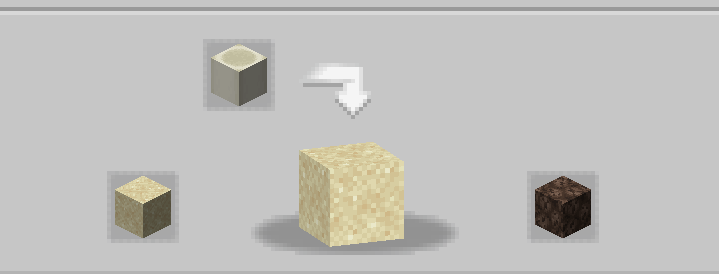
Cilj ovog moda je da igračima pruži mogućnost da prave i automatizuju većinu Nether resursa čak i bez pristupa Netheru! To uključuje Blaze, Netherite, Netherrack ili bilo šta drugo što ti padne na pamet, a što je zaključano iza Nethera. Ako misliš da su neki recepti neuravnoteženi/ne rade/nedostaju, javi mi u sekciji za komentare💬!
Često postavljana pitanja (FAQ):
▶P: Kako da vidim recepte? O: Možeš koristiti modove za pregled recepata kao što su JEI ili EMI.
▶P: Da li će uklanjanje/dodavanje ovog dodatka postojećem svetu izazvati probleme? O: Možeš bezbedno obrisati/dodati ovaj mod u bilo kom svetu bez problema.
▶P: Da li će ovaj mod ikada doći na Fabric? O: Hoće! samo klikni ovde!
▶P: Da li je ovaj dodatak dostupan za 6.0.x? O: Da, jeste!
▶P: Šta je sledeće za mod? O: Dodatak je trenutno pauziran jer radimo na drugim projektima. Planiran je novi sadržaj i balansiranje, uz uvođenje ectoplasma na primer, ali za sada ćeš morati da sačekaš!
▶Imaš još pitanja? Možeš se pridružiti Discord serveru Honeycomb Studio i pitati ih tamo!
Izvinjavam se ako pravim greške, Francuz sam.. ako vidiš pravopisne greške, molim te javi mi!
Ovaj mod NE onemogućava Nether!
Kako instalirati Create: Netherless ((Neo)Forge)
With Millida Launcher
Install Millida Launcher
The launcher is free: download it at millida.net/launcher and sign in with any nickname.
Click “Install” on this page
The launcher opens and installs the mod for Minecraft 1.19.2–1.21.1 on Forge or NeoForge automatically.
Launch the game
A profile with it appears in the launcher: click “Play”.
Manually
Install Forge or NeoForge
The loader must match the game version of the mod file, for example Minecraft 1.21.1. After installing it, a separate profile appears in your launcher.
Download the file for your version
In the version list above, pick the file create_netherless-2.0.0-1.21.1.jar (30 KB) for your game version and loader.
Put it in the mods folder
The folder is inside .minecraft (Windows: %appdata%\.minecraft\mods). If it does not exist, create it.
Launch the loader profile
Open “Mods” in the main menu: Create: Netherless ((Neo)Forge) should be in the list.
Minecraft 1.21.1 runs on Java 21: with a different Java version the game may close right after launch.
Verzije
Sa zavisnostima
| Minecraft | Loader | Fajl | Datum | Akcije |
|---|---|---|---|---|
| 1.21.1 | NeoForge | create_netherless-2.0.0-1.21.1.jar30.2 KB 66 | ||
| 1.20.1 | Forge | create_netherless-2.0.0-1.20.1.jar30.1 KB 19 | ||
| 1.19.2 | Forge | Create: Netherless 1.19.2-1.137.6 KB 1 |
Česta pitanja
Which Minecraft versions does Create: Netherless ((Neo)Forge) work on?
There are files for 1.21.1, 1.20.1, 1.19.2. The newest is 1.21.1.
Is Create: Netherless ((Neo)Forge) for Forge or Fabric?
There are files for Forge: 1.19.2–1.20.1 and for NeoForge: 1.21.1. There are no files for Fabric: a mod for another loader will not start.
Does Create: Netherless ((Neo)Forge) need other mods?
The author lists no required dependencies: the Forge or NeoForge loader is enough.
Which Java does Create: Netherless ((Neo)Forge) need?
Minecraft 1.21.1 runs on Java 21. If the game closes right after launch, the usual cause is the wrong Java version in the profile settings.
Where can I download Create: Netherless ((Neo)Forge) safely?
On this page: the file create_netherless-2.0.0-1.21.1.jar (30 KB) is stored on Millida’s server, with no link shorteners. SHA-1 checksum: 2d3499b77c8bcbe8c7a301750271c3d2a0b35cbe.
Recenzije
Budi prvi koji će oceniti Create: Netherless ((Neo)Forge)


