

Craft Config Lib Mod za Minecraft 1.21.1, 26.3
A client-side configuration library that supports presets and built-in keybinds.
 Fabric
 NeoForge
Craft Config Lib
A client-sided configuration library with preset support, made for my mods. Feel free to use it in your mod if it fits your needs.
NOTE: you should only use this for client sided mods.

Features
- Config Presets
- Allow switching between multiple different configs quickly
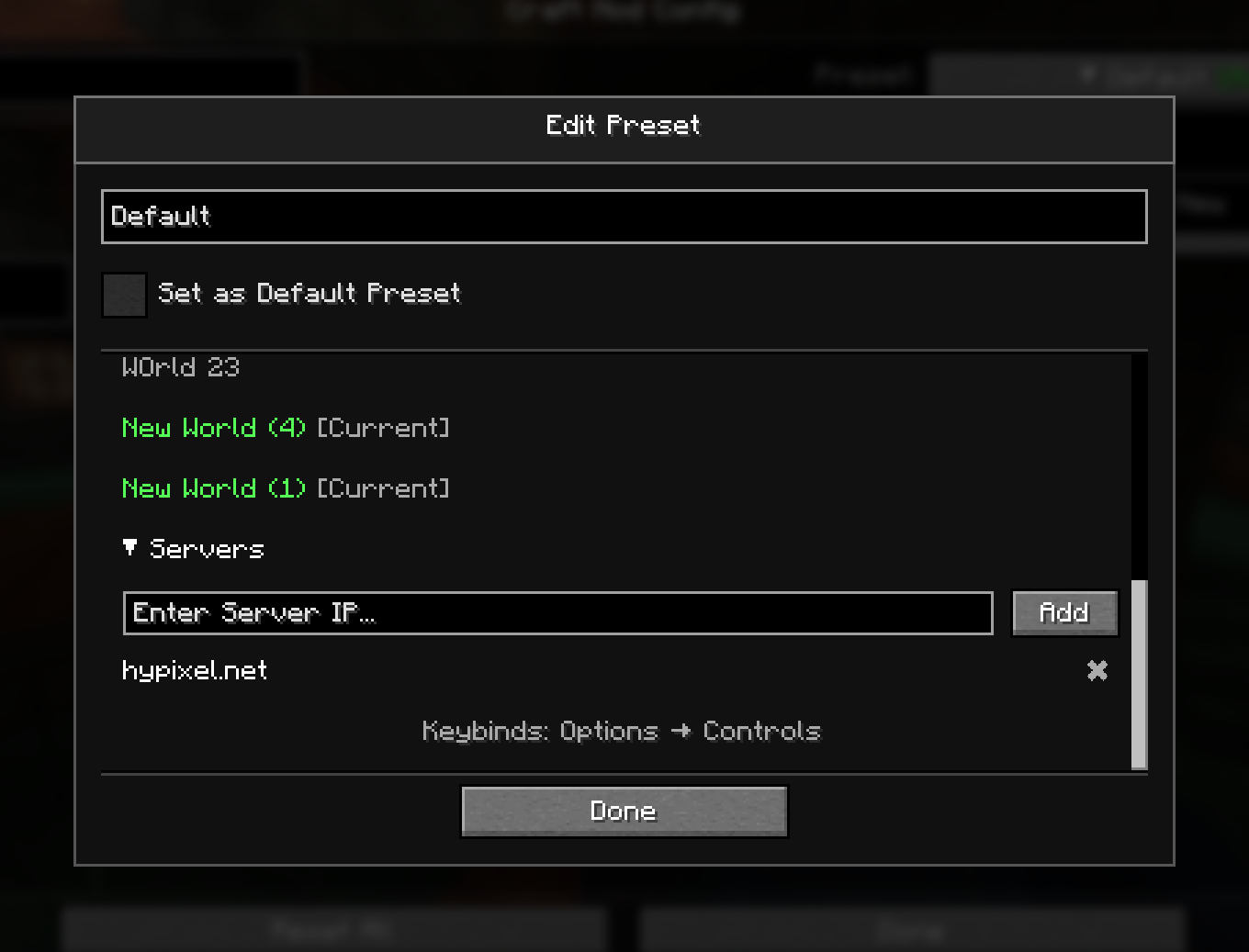
- Auto apply presets on specific world/servers
- Built-in keybind support
- Automatically create options (boolean only) that can be binded to a key
- Auto config registering
- Registers the config screens automatically, without the need of manually registering the configs.

Showcase
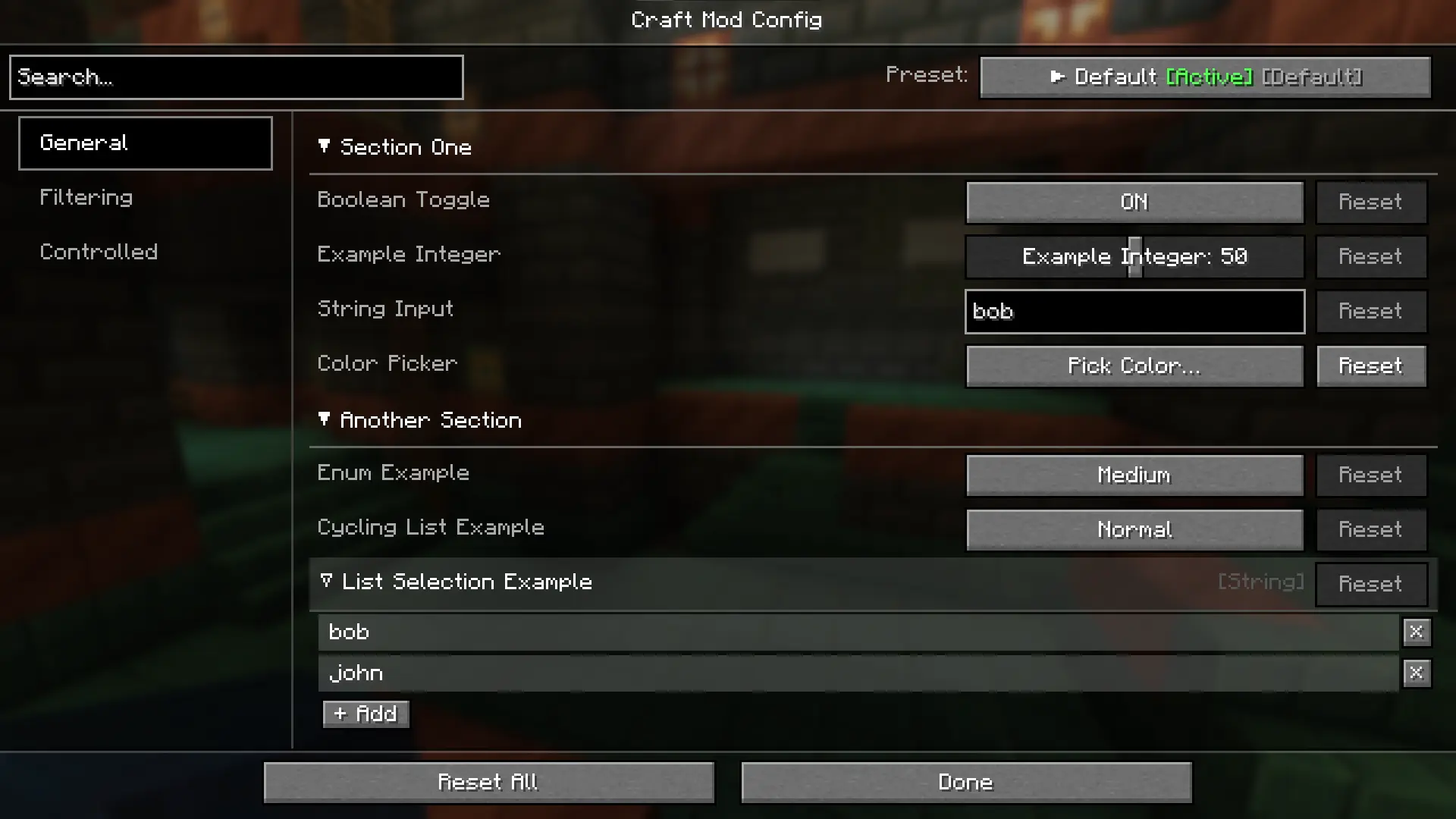
Main config screen
Presets editing
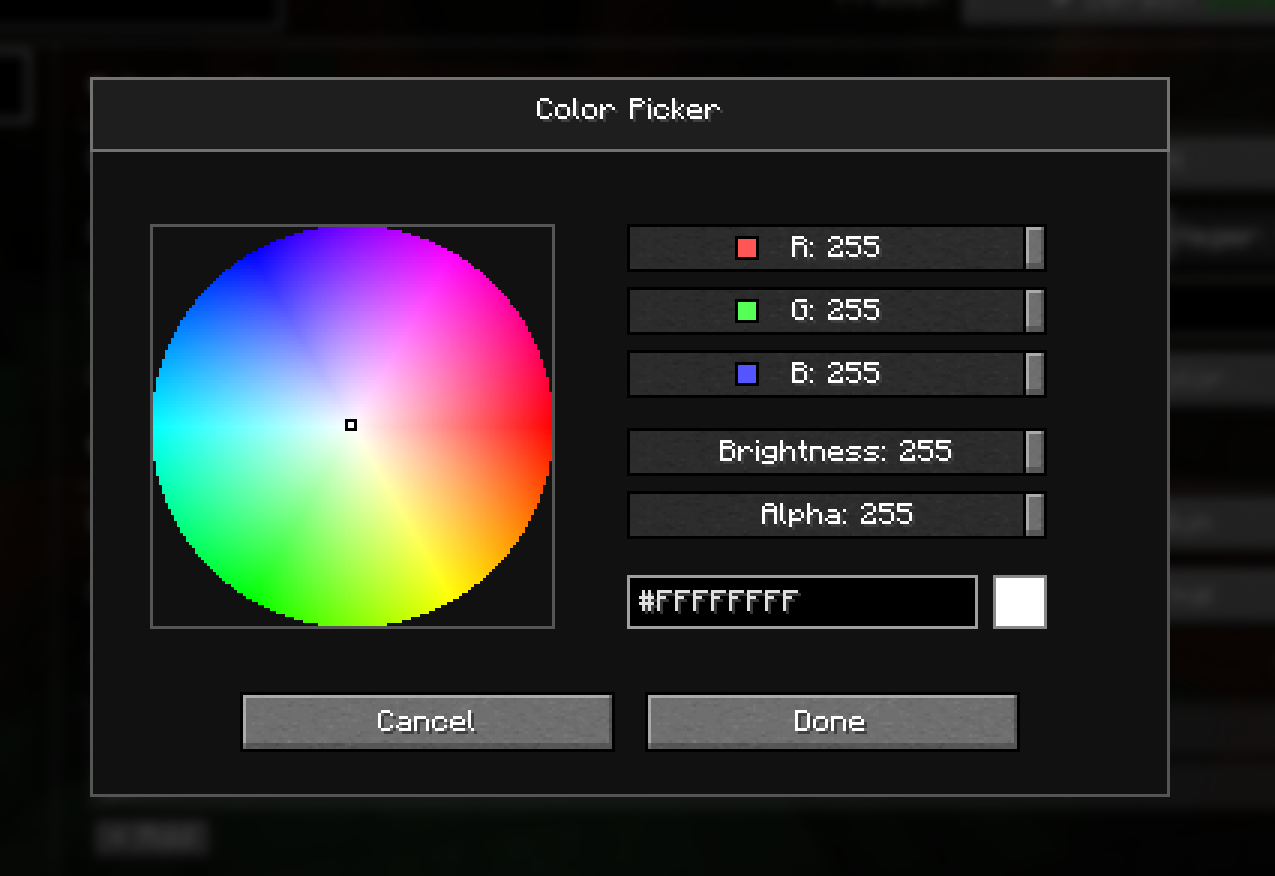
Color Picker
For developers
Setup
Add to repositories
repositories { maven { url = "https://api.modrinth.com/maven" } }
Then in your dependencies include this
dependencies { implementation("maven.modrinth:craft-config:") }
Replace with the one that is suitable.
You can find the version names at https://modrinth.com/mod/craft-config/versions
Kako instalirati Craft Config Lib
With Millida Launcher
Install Millida Launcher
The launcher is free: download it at millida.net/launcher and sign in with any nickname.
Click “Install” on this page
The launcher opens and installs the mod for Minecraft 1.21.1–26.3 on Fabric or NeoForge automatically, together with its dependencies: Fabric API.
Launch the game
A profile with it appears in the launcher: click “Play”.
Manually
Install Fabric or NeoForge
The loader must match the game version of the mod file, for example Minecraft 26.3. After installing it, a separate profile appears in your launcher.
Download the file for your version
In the version list above, pick the file craft_config-1.1.13+26.3-fabric.jar (297 KB) for your game version and loader.
Put it in the mods folder
The folder is inside .minecraft (Windows: %appdata%\.minecraft\mods). If it does not exist, create it. Required dependencies go there too: Fabric API.
Launch the loader profile
Open “Mods” in the main menu: Craft Config Lib should be in the list.
Craft Config Lib works on the player’s side only: there is no need to install it on a server.
Verzije
Sa zavisnostima
| Minecraft | Loader | Fajl | Datum | Akcije |
|---|---|---|---|---|
| 26.3 | Fabric | 26.3297 KB 1 | ||
| 26.2 | NeoForge | 26.2268 KB | ||
| 1.21.1 | NeoForge | 1.21.1263 KB | ||
| 26.1.2 | NeoForge | 26.1.2268 KB | ||
| 1.21.1 | NeoForge | 1.21.1263 KB | ||
| 26.1.2 | Fabric | 26.1.2297 KB | ||
| 26.2 | Fabric | 26.2297 KB | ||
| 1.21.8 | Fabric | 1.21.8288 KB |
Šta je potrebno za pokretanje
- Fabric APIobavezno
Recenzije
Budi prvi koji će oceniti Craft Config Lib


