
CompatLayer Mod za Minecraft 1.11.2
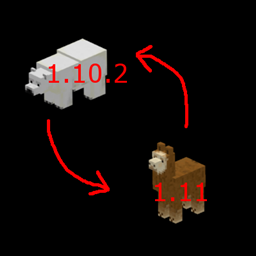
Sloj kompatibilnosti koji pomaže da modovi budu kompatibilni između 1.10 i 1.11
O CompatLayer modu
Ovaj mali mod/biblioteka ima nekoliko alata koji mogu pomoći da modovi budu binarno kompatibilni između 1.10 i 1.11. Ako se pobrinete da pravilno koristite API u ovom modu, moguće je napraviti mod jar koji radi na obe verzije.
Nekoliko stvari koje treba da uradite pored onoga što ova biblioteka radi:
- Sva imena resursa (lang fajlovi, imena modela, json fajlovi, teksture, ...) napišite malim slovima u vašoj 1.10.2 verziji. Dodajte FMLMissingMapping event handler da bi se stari svetovi ispravno učitali
- Mod id takođe treba da bude malim slovima
- Zamenite tileEntity.worldObj sa tileEntity.getWorld()
- Zamenite entityPlayer.worldObj sa entityPlayer.getEntityWorld()
Ovo je alfa verzija. Verovatno još uvek nije sve kompletno.
Wiki za više informacija: https://github.com/McJty/compatlayer/wiki
Tutorijal za modere: http://modwiki.temporal-reality.com/mw/index.php?title=CompatLayer-1.11
Maven za 1.10.2: http://jenkins.k-4u.nl/view/McJty/job/Compatlayer%201.10/
Maven za 1.11: http://jenkins.k-4u.nl/view/McJty/job/Compatlayer%201.11/
Kako instalirati CompatLayer
With Millida Launcher
Install Millida Launcher
The launcher is free: download it at millida.net/launcher and sign in with any nickname.
Click “Install” on this page
The launcher opens and installs the mod for Minecraft 1.11–1.11.2 automatically.
Launch the game
A profile with it appears in the launcher: click “Play”.
Manually
Download the file for your version
In the version list above, pick the file compatlayer-1.11.2-0.3.1.jar (40 KB) for your game version.
Put it in the mods folder
The folder is inside .minecraft (Windows: %appdata%\.minecraft\mods). If it does not exist, create it.
Launch the loader profile
Open “Mods” in the main menu: CompatLayer should be in the list.
Minecraft 1.11.2 runs on Java 8: with a different Java version the game may close right after launch.
Verzije
Sa zavisnostima
| Minecraft | Loader | Fajl | Datum | Akcije |
|---|---|---|---|---|
| 1.11.2 | — | compatlayer-1.11.2-0.3.1.jar39.8 KB | ||
| 1.11 | — | compatlayer-1.11-0.0.39beta.jar27.3 KB | ||
| 1.11 | — | compatlayer-1.11-0.0.33alpha.jar24.7 KB |
Česta pitanja
Which Minecraft versions does CompatLayer work on?
There are files for 1.11.2, 1.11. The newest is 1.11.2.
Which Java does CompatLayer need?
Minecraft 1.11.2 runs on Java 8. If the game closes right after launch, the usual cause is the wrong Java version in the profile settings.
Where can I download CompatLayer safely?
On this page: the file compatlayer-1.11.2-0.3.1.jar (40 KB) is stored on Millida’s server, with no link shorteners. SHA-1 checksum: d233cd213052094aa6d7a311a8363b217afd3e20.
Recenzije
Budi prvi koji će oceniti CompatLayer


