
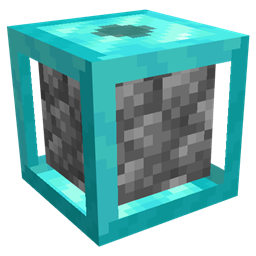
Cobblegen Galore Mod za Minecraft 1.21.1
Ovaj mod vam omogućava da automatski generišete osnovne blokove kao što su cobblestone, basalt i druge
- preuzimanja
- 1 preuzimanja
- pregleda
- 25 pregleda
- Ažurirano
- Ažurirano 18.10.2026
- 1.21.1
 NeoForge
O Cobblegen Galore modu
Cobblegen Galore podiže generisanje blokova na viši nivo uvodeći prilagodljive generatore blokova sa više nivoa, od bakra do netherita, pri čemu svaki nudi brže generisanje. Ovaj mod vam omogućava da automatski generišete osnovne blokove kao što su kamenčić (cobblestone), bazalt i druge - što ga čini obaveznim za SkyBlock pakete zasnovane na resursima.
Ključne karakteristike:
Generatori blokova po nivoima: Napredujte od bakarnih do netheritnih generatora, pri čemu svaki nivo generiše blokove brže od prethodnog.
Generator kamenčića: Lako automatizujte proizvodnju kamenčića koristeći lavu i vodu.
Generator bazalta: Podesite automatizovano generisanje bazalta kombinovanjem lave i plavog leda.
Prilagodljivi generatori blokova: Napravite generatore za bilo koji blok koji nastaje interakcijom tečnosti ili blokova. Spremno za automatizaciju: Povećajte proizvodnju resursa uz automatizaciju bez ruku.
Savršen za SkyBlock pakete, Cobblegen Galore je neprocenjiv za automatizaciju proizvodnje resursa tamo gde su materijali ograničeni. Uz generatore po nivoima koji rastu u efikasnosti, možete napredovati kroz svoju SkyBlock avanturu sa lakoćom - održavajući protok resursa dok se fokusirate na gradnju, istraživanje i napredak!
Kako instalirati Cobblegen Galore
With Millida Launcher
Install Millida Launcher
The launcher is free: download it at millida.net/launcher and sign in with any nickname.
Click “Install” on this page
The launcher opens and installs the mod for Minecraft 1.21.1 on NeoForge automatically.
Launch the game
A profile with it appears in the launcher: click “Play”.
Manually
Install NeoForge
The loader must match the game version of the mod file, for example Minecraft 1.21.1. After installing it, a separate profile appears in your launcher.
Download the file for your version
In the version list above, pick the file cobblegengalore-1.21.1-0.2.9.jar (87 KB) for your game version.
Put it in the mods folder
The folder is inside .minecraft (Windows: %appdata%\.minecraft\mods). If it does not exist, create it.
Launch the loader profile
Open “Mods” in the main menu: Cobblegen Galore should be in the list.
Minecraft 1.21.1 runs on Java 21: with a different Java version the game may close right after launch.
Verzije
Sa zavisnostima
| Minecraft | Loader | Fajl | Datum | Akcije |
|---|---|---|---|---|
| 1.21.1 | NeoForge | cobblegengalore-1.21.1-0.2.9.jar86.8 KB 1 |
Česta pitanja
Which Minecraft versions does Cobblegen Galore work on?
Only Minecraft 1.21.1: there are no files for other versions.
Is Cobblegen Galore for Forge or Fabric?
Only for NeoForge: 1.21.1. There are no files for Forge or Fabric: a mod for another loader will not start.
Does Cobblegen Galore need other mods?
The author lists no required dependencies: the NeoForge loader is enough.
Which Java does Cobblegen Galore need?
Minecraft 1.21.1 runs on Java 21. If the game closes right after launch, the usual cause is the wrong Java version in the profile settings.
Where can I download Cobblegen Galore safely?
On this page: the file cobblegengalore-1.21.1-0.2.9.jar (87 KB) is stored on Millida’s server, with no link shorteners. SHA-1 checksum: d08c1d93e7918eebed6e405d0680d11d33c80bf6.
Recenzije
Budi prvi koji će oceniti Cobblegen Galore


