
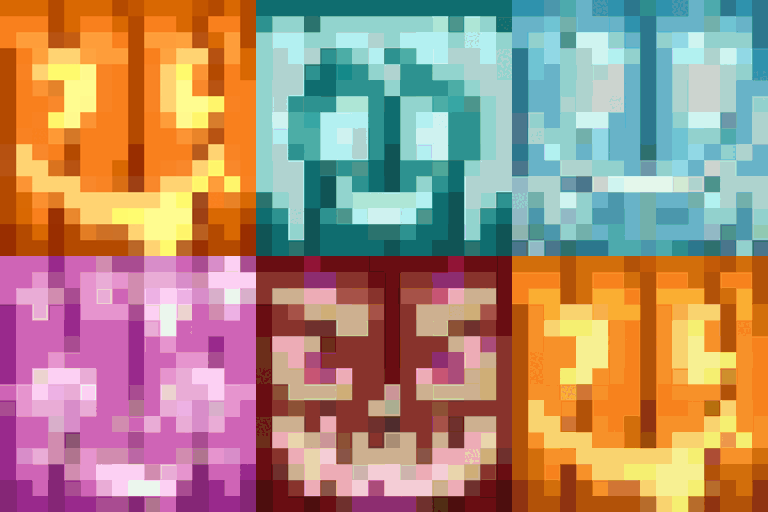
Chroma Carvings Mod za Minecraft 1.21.1
Dodaje obojene varijante i nove stilove bundeva, izrezbarenih bundeva i Jack o'Lantern-a sa Snow golem-ima koji se uklapaju
- pregleda
- 27 pregleda
- Ažurirano
- Ažurirano 18.10.2026
- 1.21.1
 NeoForge
O Chroma Carvings modu
Chroma Carvings dodaje živopisan obrt u Minecraft sezonu jeze tako što uvodi obojene izrezbarene bundeve, jack o'lanterns i snežne goleme koji se slažu, unoseći novi život u vaše kreacije sa temom Noći veštica ili snežne predele.
Karakteristike
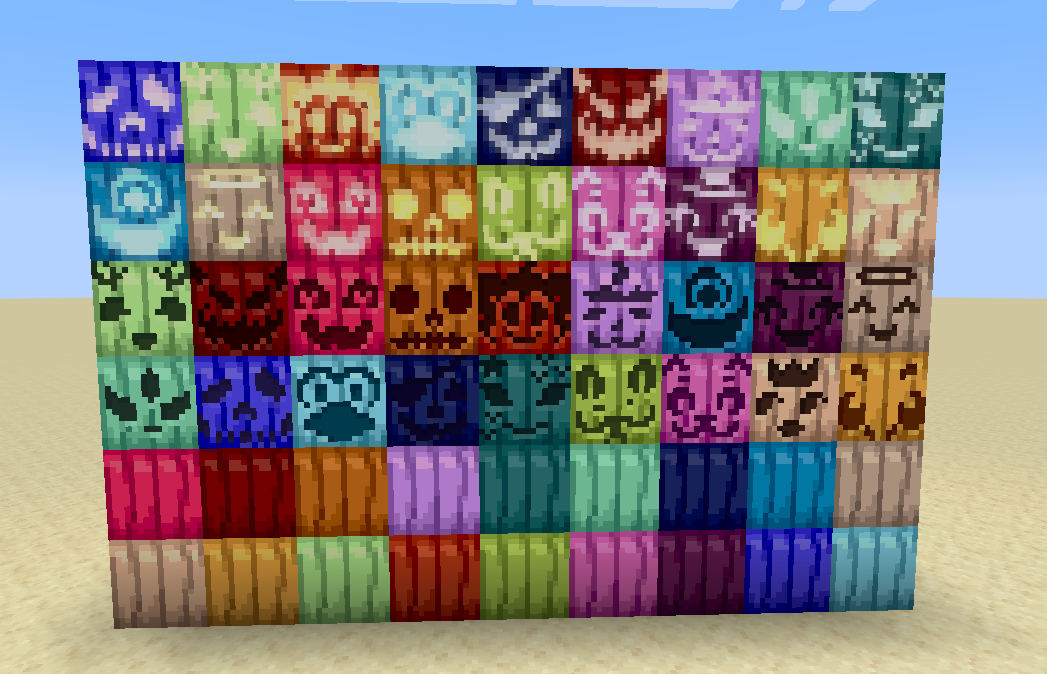
Obojene izrezbarene bundeve
- Napravite izrezbarene bundeve u 16 različitih boja koristeći bilo koju izrezbarenu bundevu i boju po vašem izboru.
- Postavite ih kao ukrasne blokove ili ih nosite kao kacige za šareni osećaj strašila.
- Svaka obojena izrezbarena bundeva zadržava sposobnost originala da se koristi u pravljenju ili kao pokrivalo za glavu.
Obojeni Jack O'Lanterns
- Osvetlite svoj svet jack o'lanterns u svih 16 boja koje se mogu bojiti.
- Napravite ih kombinovanjem obojene izrezbarene bundeve sa bakljom ili koristeći bilo koji jack o'lantern i boju.
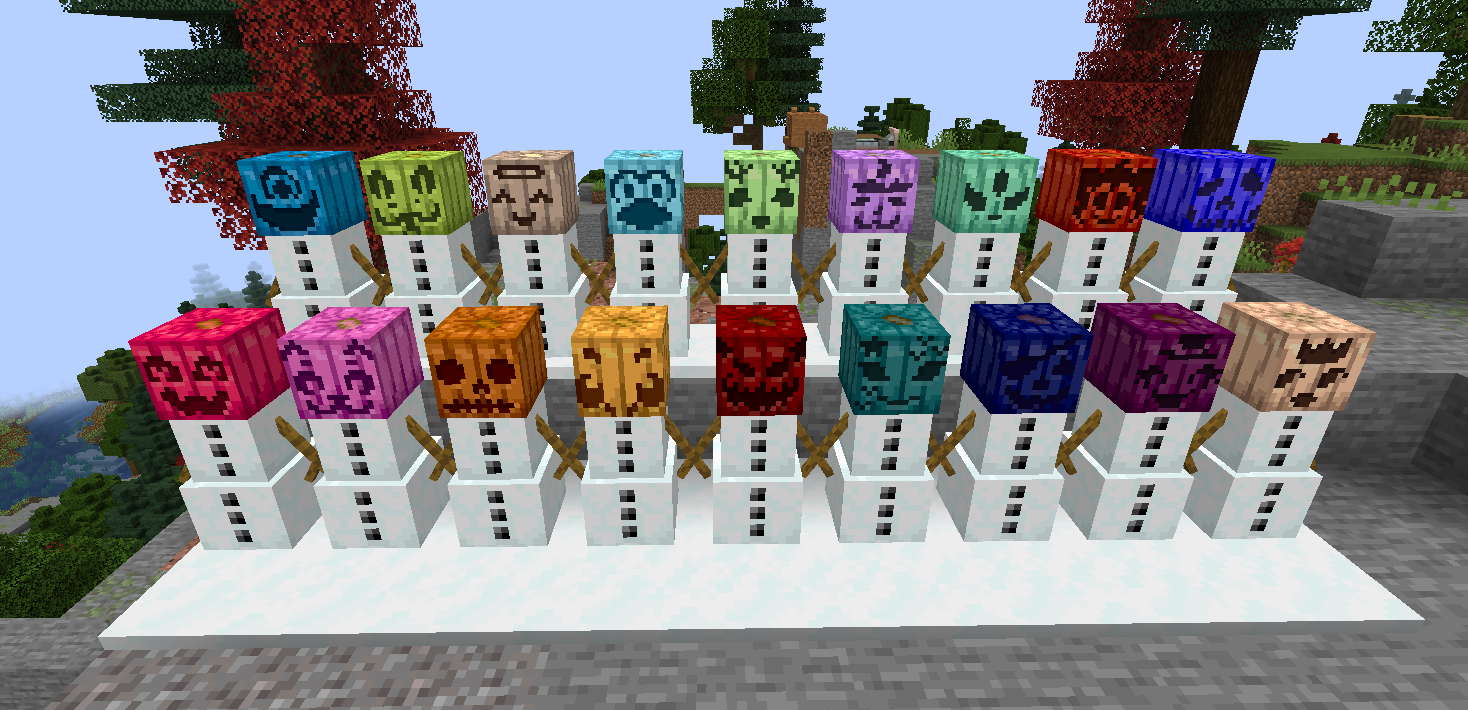
Obojeni snežni golemi
- Napravite snežne goleme sa obojenom izrezbarenom bundevom kao glavom za jedinstven, živopisan izgled.
- Obojeni snežni golemi funkcionišu identično kao obični snežni golemi, ostavljajući snežne tragove i napadajući neprijateljske mobove.
- Savršeno za izgradnju šarenih zimskih armija ili ukrašavanje snežnih bioma.
Kompatibilnost
- Instalirajte Dyenamics and Friends za još više boja bundeva!
Ulepšajte svoj Minecraft svet sa Chroma Carvings još danas!
Za podršku ili povratne informacije dođite na moj Discord
Kako instalirati Chroma Carvings
With Millida Launcher
Install Millida Launcher
The launcher is free: download it at millida.net/launcher and sign in with any nickname.
Click “Install” on this page
The launcher opens and installs the mod for Minecraft 1.21.1 on NeoForge automatically.
Launch the game
A profile with it appears in the launcher: click “Play”.
Manually
Install NeoForge
The loader must match the game version of the mod file, for example Minecraft 1.21.1. After installing it, a separate profile appears in your launcher.
Download the file for your version
In the version list above, pick the file chromacarvings-1.21.1-0.2.0.jar (263 KB) for your game version.
Put it in the mods folder
The folder is inside .minecraft (Windows: %appdata%\.minecraft\mods). If it does not exist, create it.
Launch the loader profile
Open “Mods” in the main menu: Chroma Carvings should be in the list.
Minecraft 1.21.1 runs on Java 21: with a different Java version the game may close right after launch.
Verzije
Sa zavisnostima
| Minecraft | Loader | Fajl | Datum | Akcije |
|---|---|---|---|---|
| 1.21.1 | NeoForge | chromacarvings-1.21.1-0.2.0.jar263 KB |
Česta pitanja
Which Minecraft versions does Chroma Carvings work on?
Only Minecraft 1.21.1: there are no files for other versions.
Is Chroma Carvings for Forge or Fabric?
Only for NeoForge: 1.21.1. There are no files for Forge or Fabric: a mod for another loader will not start.
Does Chroma Carvings need other mods?
The author lists no required dependencies: the NeoForge loader is enough.
Which Java does Chroma Carvings need?
Minecraft 1.21.1 runs on Java 21. If the game closes right after launch, the usual cause is the wrong Java version in the profile settings.
Where can I download Chroma Carvings safely?
On this page: the file chromacarvings-1.21.1-0.2.0.jar (263 KB) is stored on Millida’s server, with no link shorteners. SHA-1 checksum: b791809827bfd4e3d28fc208815d92bfed92c602.
Recenzije
Budi prvi koji će oceniti Chroma Carvings


