
Chargers Mod za Minecraft 1.20.1, 1.21.1
Mali mod koji dodaje 4 podesiva punjača i jedan bežični
 NeoForge
 Forge
ForgeO Chargers modu
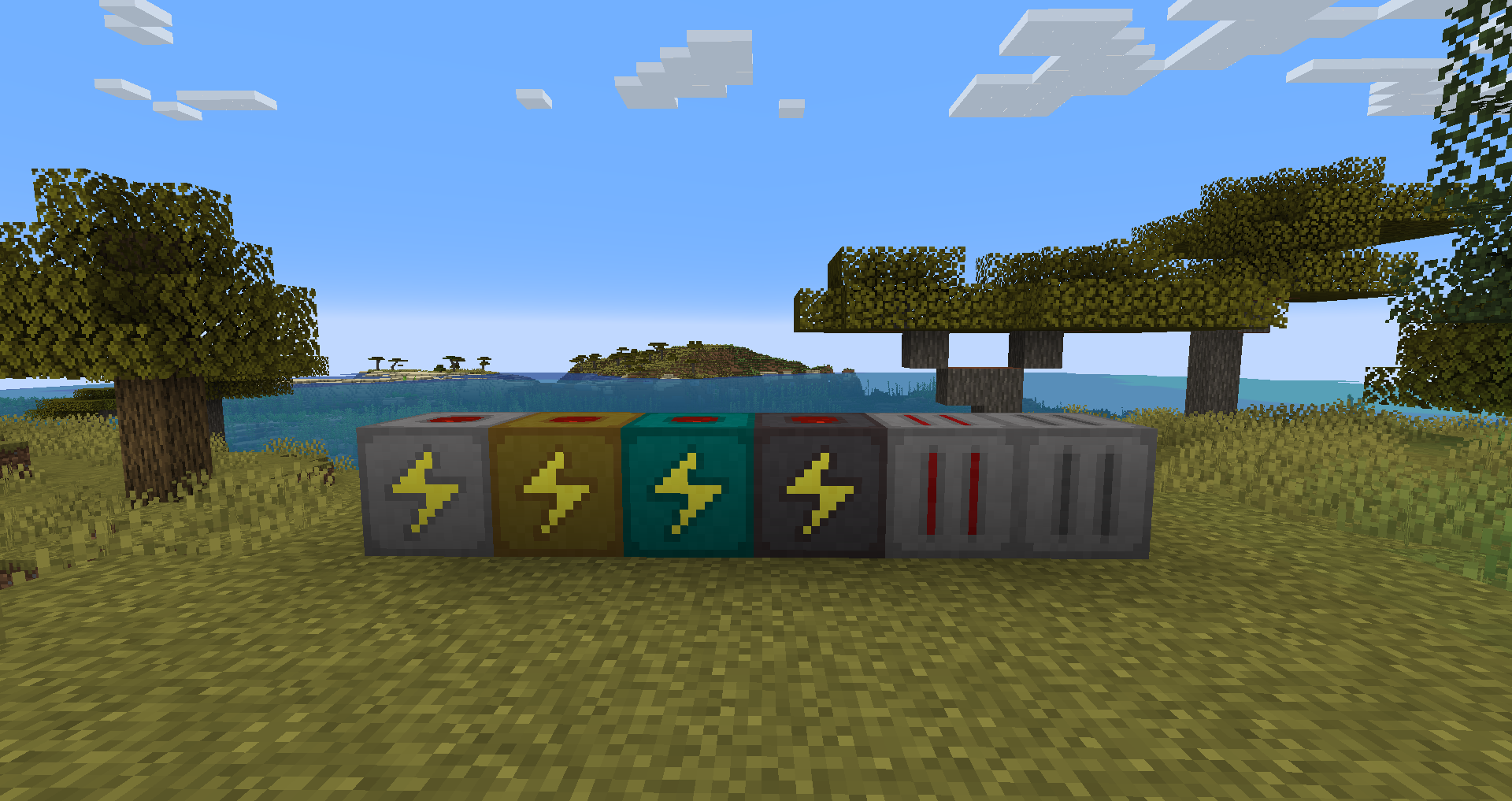
Mod koji dodaje 4 nivoa punjača predmeta i jedan bežični.
Ovaj mod je uglavnom namenjen programerima modpakova koji žele prilagodljive punjače.
Preporučuje se da promenite recepte i količine skladištenja kako biste ih izbalansirali za pak.
Njihova upotreba je samo za punjenje predmeta koji prihvataju Forge Energy.
Svi punjači koriste forge energy sistem i kompatibilni su sa blokovima i predmetima koji ga takođe koriste.
Punjači imaju slot za pražnjenje u GUI-ju za punjenje predmeta/praznih predmeta u punjače.
Možete konfigurisati veličinu skladištenja, ulaznu i izlaznu brzinu 4 različita punjača.
- Ulazna brzina ograničava maksimalnu brzinu kojom blok može da se puni.
- Izlazna brzina ograničava maksimalnu brzinu kojom blok može da puni predmete, interne restrikcije na predmetima se i dalje primenjuju.
Bežični punjač takođe ima skladištenje, maksimalni ulaz i maksimalni izlaz, a takođe ima i maksimalnu udaljenost na kojoj može da puni predmete.
Bežični punjač može da puni predmete u curios slotovima.
Bagovi/Ideje/Zahtevi?
Objavite bagove/ideje/zahteve na mom Github issue tracker-u.
Modpakovi?
Slobodno koristite ovaj mod u modpakovima.
Ima smisla jer je i namenjen tome.
Kako instalirati Chargers
With Millida Launcher
Install Millida Launcher
The launcher is free: download it at millida.net/launcher and sign in with any nickname.
Click “Install” on this page
The launcher opens and installs the mod for Minecraft 1.12.2–1.21.1 on Forge or NeoForge automatically.
Launch the game
A profile with it appears in the launcher: click “Play”.
Manually
Install Forge or NeoForge
The loader must match the game version of the mod file, for example Minecraft 1.21.1. After installing it, a separate profile appears in your launcher.
Download the file for your version
In the version list above, pick the file Chargers-1.21.1-7.0.0.3.jar (188 KB) for your game version and loader.
Put it in the mods folder
The folder is inside .minecraft (Windows: %appdata%\.minecraft\mods). If it does not exist, create it.
Launch the loader profile
Open “Mods” in the main menu: Chargers should be in the list.
Minecraft 1.21.1 runs on Java 21: with a different Java version the game may close right after launch.
Verzije
Sa zavisnostima
| Minecraft | Loader | Fajl | Datum | Akcije |
|---|---|---|---|---|
| 1.21 | NeoForge | Chargers-1.21.1-7.0.0.3.jar188 KB 1 | ||
| 1.20.1 | NeoForge, Forge | Chargers-1.20.1-6.1.0.1.jar337 KB 1 | ||
| 1.12.2 | — | Chargers-1.12.2-1.2.0.4.jar137 KB |
Česta pitanja
Which Minecraft versions does Chargers work on?
There are files for 1.21.1, 1.21, 1.20.1, 1.20, 1.12.2. The newest is 1.21.1.
Is Chargers for Forge or Fabric?
There are files for Forge: 1.20–1.20.1 and for NeoForge: 1.20–1.21.1. There are no files for Fabric: a mod for another loader will not start.
Does Chargers need other mods?
The author lists no required dependencies: the Forge or NeoForge loader is enough.
Which Java does Chargers need?
Minecraft 1.21.1 runs on Java 21. If the game closes right after launch, the usual cause is the wrong Java version in the profile settings.
Where can I download Chargers safely?
On this page: the file Chargers-1.21.1-7.0.0.3.jar (188 KB) is stored on Millida’s server, with no link shorteners. SHA-1 checksum: 7f1e13b185939d52d06ae6af46f0156a5e8e3a4f.
Recenzije
Budi prvi koji će oceniti Chargers


