
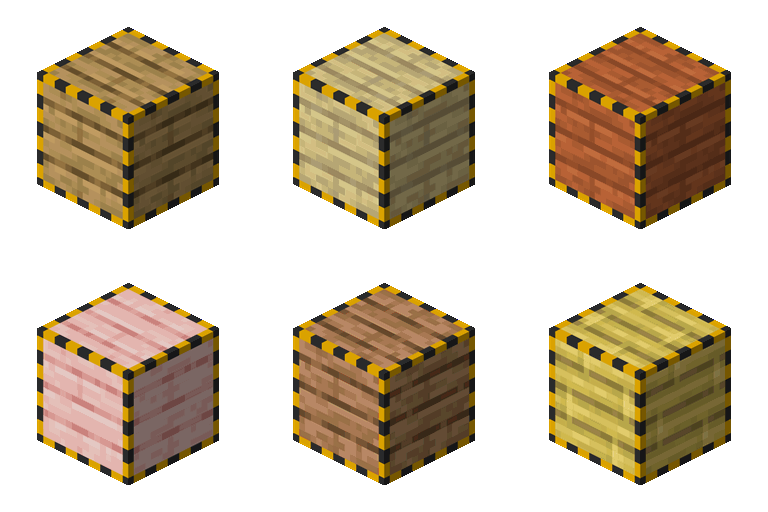
Cable Facades Mod za Minecraft 1.20.1, 1.18.2
Podrška za fasade za sve kablove i blokove u igri!
 NeoForge
 Forge
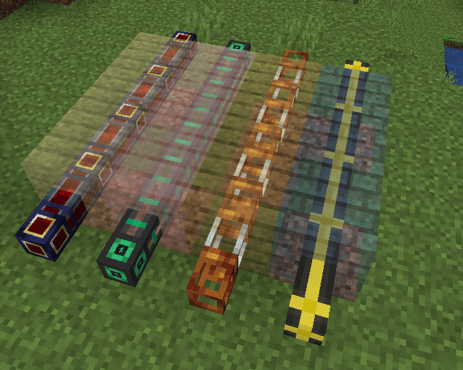
ForgeOvaj mod vam omogućava da prekrijete skoro svaki kabl/cev iz bilo kog moda!
v2.0.0 dodaje usmerene fasade!
Možete ručno dodati unose u konfiguracionu datoteku cablefacades-common.toml
Lista blokova koji smeju biti prekriveni. Podržava '' kao džoker znak. blocks = ["pipez:pipe", "mekanism:cable", "etc.."]
Tag je takođe dostupan za blokove cablefacades:supportsfacade
Podelite svoje konfiguracije na našem Discord-u kako bismo mogli da proširimo podršku!
Mod takođe ima ugrađenu podršku za fasade sa povezanim teksturama kao i fasade koje emituju svetlost
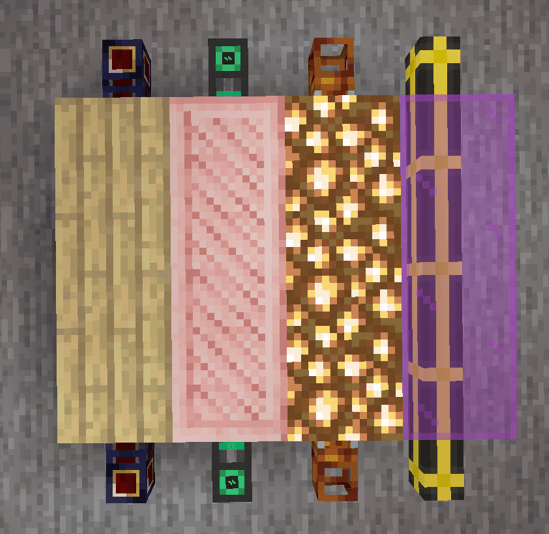
Kada držite ključ:
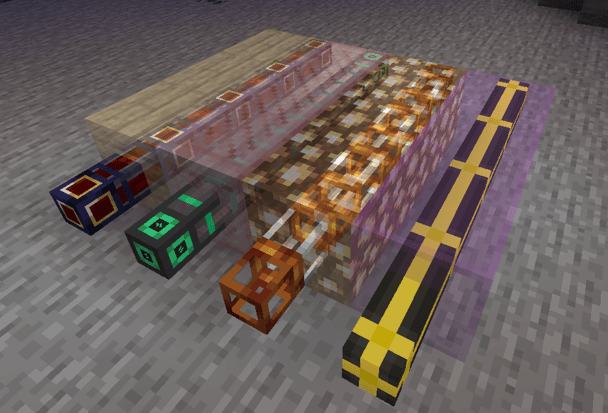
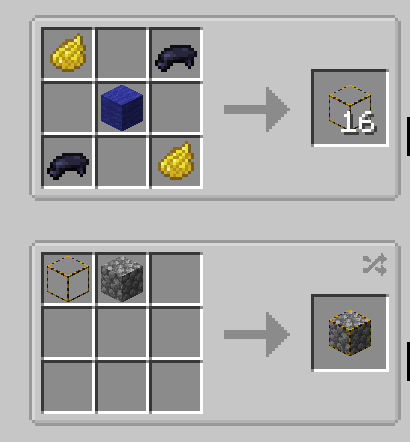
Unapred podržani modovi
- Applied Energistics 2
- Computer Craft
- Create
- Cyclic
- Elemental Craft
- Embers
- EnderIO
- GregTechCEu Modern
- LaserIO
- Mekanism
- Mekanism Extras
- Modern Industrialization
- Pipez
- Pneumatic Craft Repressurized
- Powah
- Pretty Pipes
- Pretty Pipes Fluids
- Thermal Series
- Refined Storage
- I još mnogo toga !!
Tražite server?
Hej, ako tražite način da igrate modovan Minecraft sa prijateljima i takođe želite da me podržite, toplo preporučujem korišćenje Bisect Hosting. Oni pružaju neverovatnu podršku 24/7, brze odgovore i pristupačne cene! Štaviše, čak su obezbedili i kod za popust od 25% na vašu prvu kupovinu.
Kako instalirati Cable Facades
With Millida Launcher
Install Millida Launcher
The launcher is free: download it at millida.net/launcher and sign in with any nickname.
Click “Install” on this page
The launcher opens and installs the mod for Minecraft 1.18.2–26.1.2 on Forge or NeoForge automatically.
Launch the game
A profile with it appears in the launcher: click “Play”.
Manually
Install Forge or NeoForge
The loader must match the game version of the mod file, for example Minecraft 26.1.2. After installing it, a separate profile appears in your launcher.
Download the file for your version
In the version list above, pick the file cable_facades-26.1.2-NeoForge-2.1.4.jar (288 KB) for your game version and loader.
Put it in the mods folder
The folder is inside .minecraft (Windows: %appdata%\.minecraft\mods). If it does not exist, create it.
Launch the loader profile
Open “Mods” in the main menu: Cable Facades should be in the list.
Verzije
Sa zavisnostima
| Minecraft | Loader | Fajl | Datum | Akcije |
|---|---|---|---|---|
| 26.1.2 | NeoForge | cable_facades-26.1.2-NeoForge-2.1.4.jar288 KB | ||
| 1.18.2 | Forge | cable_facades-1.18.2-Forge-2.1.3.jar908 KB | ||
| 1.20.1 | NeoForge, Forge | cable_facades-1.20.1-Forge-1.0.5.jar62.1 KB |
Česta pitanja
Which Minecraft versions does Cable Facades work on?
There are files for 26.1.2, 1.20.1, 1.18.2. The newest is 26.1.2.
Is Cable Facades for Forge or Fabric?
There are files for Forge: 1.18.2–1.20.1 and for NeoForge: 1.20.1–26.1.2. There are no files for Fabric: a mod for another loader will not start.
Does Cable Facades need other mods?
The author lists no required dependencies: the Forge or NeoForge loader is enough.
Where can I download Cable Facades safely?
On this page: the file cable_facades-26.1.2-NeoForge-2.1.4.jar (288 KB) is stored on Millida’s server, with no link shorteners. SHA-1 checksum: 9cd37c5a24f7ad9240d66b00c13b4aa78cfa948c.
Recenzije
Budi prvi koji će oceniti Cable Facades


